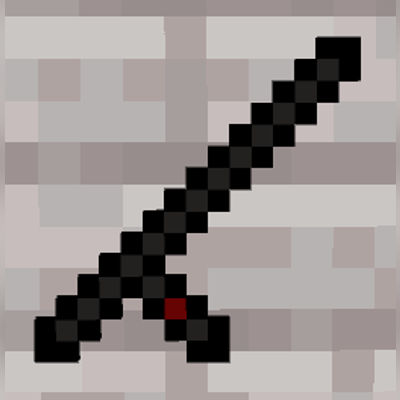
L.A.G Baton
L.A.G Baton scans loaded non-player entities in a 160x160 area using the interact button while crouching. Color-coded results help server admins and…
I don't know my version
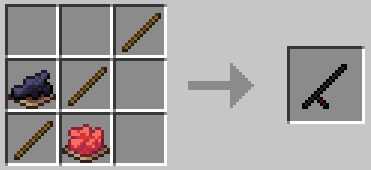
L.A.G Baton is a diagnostic utility addon for Minecraft Bedrock that helps identify entity-related lag in both singleplayer worlds and servers.
When a player crouches and uses the interact button with the baton, it scans a 160×160 area centered on the player (from bedrock to build height) and displays all loaded non-player entities within that region.
Designed around the common simulation distance of 4 chunks, this tool gives an accurate snapshot of what entities are actively loaded. It also helps players understand how the game actually loads entities around them, making lag prevention easier and far less technical.
This makes it easy to:
- Locate hidden or excessive entity clusters
- Diagnose lag sources in problem areas
- Properly space farms, mobs, and large builds
- Optimize performance in SMPs and solo worlds
- Better understand how Minecraft loads and processes nearby entities
For quick readability, the addon includes a color-coded indicator before the entity list:
- Green (0–20 entities) — safe / low impact
- Yellow (21–40 entities) — moderate load
- Red (40+ entities) — high load / potential lag source
To prevent spam and reduce unnecessary scans, the baton includes a built-in 5 second cooldown between uses, along with a global cooldown so multiple players cannot repeatedly trigger scans at the same time.
Perfect for server admins and technical players who want clear, reliable insight into what’s really being loaded around them.
- Edition: Minecraft Bedrock
- File type: .mcpack or .mcaddon
- Minecraft versions listed: 26.0.02, 1.21.132
- How to install: Download the .mcpack or .mcaddon file. → Open it — Minecraft imports it. → In your world: Behavior Packs → Available → Activate, then the same under Resource Packs.
- Where to get it: Opens on CurseForge — not every file is mirrored on our own servers.
Install steps are the general flow for this file type — How to install Minecraft Bedrock addons & mods walks through it step by step.
- Pack type: .mcaddon — behaviour and resource pack in one file
- Manifest requires Minecraft 1.20.80 or newer
- Complete pack — everything it depends on is inside the file
- Download size: 61 KB
- Download link checked 16 Sept 2026 — working
These come from our own check of the pack file, not from the source page.