
Mob Catching Net
Bedrock add-on listed for Minecraft 1.20–26.x. File opened and checked on 24 Oct 2026; installs from the MC Bedrock Mods app on Android.
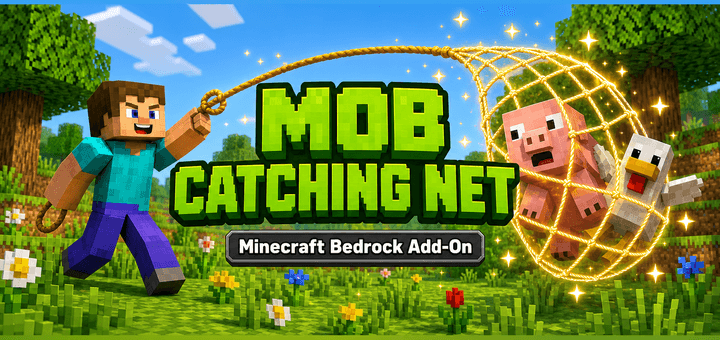
Catch mobs with a net and turn them into spawn eggs! Includes home point setting and teleport tools. Supports English & Japanese.
⬇ Download on CurseForgeThe author built this one for Minecraft 26.50. On other versions it may install and then do nothing.
English
Mob Catching Net
Capture mobs with a net, carry them as spawn eggs, and release them somewhere else. Sulfur Cubes can keep the block they absorbed as well as their size. A bilingual in-game guide explains crafting and use.
Getting started
- Open the .mcaddon file with Minecraft and activate both the Behavior Pack and Resource Pack in your world.
- Join with an available inventory slot to receive a guide book. Use it to read the recipes and instructions.
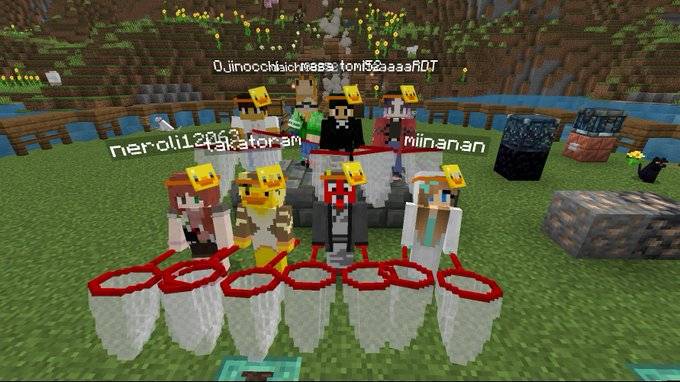
- Craft a net at a crafting table. Aim at a supported mob within 5 blocks and use the net. Keep at least one inventory slot empty.
- Use the captured egg directly on a block with open space above it to release the mob. Wait about one second after a successful capture or release.
Recipes
Net: 3 sticks, 4 string, and 1 red dye, arranged at a crafting table as follows.
Top: stick / string / string
Middle: stick / string / string
Bottom: stick / red dye / empty
These shapeless recipes fit the inventory's 2x2 crafting grid:
- Guide book: 1 paper + 1 string
- Set Return Point: 1 stick + 1 cobblestone + 1 iron ingot
- Return to Point: 1 paper + 1 ender pearl
Help and return items
Use the guide book or sneak-use the net to open the guide. /mobcatchnet:guide also opens it, and /mobcatchnet:lang switches between Japanese and English.
Use Set Return Point at your base and confirm the location. Return to Point takes you back there. The return point is shared by everyone in the world, so coordinate before replacing it. Personal respawn points are unchanged.
Important notes
- Capturing does not preserve all mob data. Health, ownership, equipment, inventory, and villager trades are not fully preserved. Avoid valuable pets and equipped mobs.
- Use captured eggs directly on blocks, not in dispensers.
- Sulfur Cube block identification uses the game's absorption tags; future changes to the game's absorption system may require an update.
- Requires Minecraft Bedrock 26.50 or later. Tested on Windows Bedrock 26.52. Other platforms and simultaneous multiplayer operation have not been verified in this update.
- Back up your world before updating. When replacing an older release, deactivate both old packs before activating the new pair. This release uses new UUIDs, so language settings and the shared return point must be configured again. Existing captured eggs retain the same data format.
Author
Mirin (@Onimirin)
日本語
モブ捕り網
網でMOBを捕まえて卵にし、持ち運んで別の場所に放せるアドオンです。サルファーキューブはサイズに加えて吸収ブロックも保存。作り方と使い方は、ゲーム内の日英ガイドから確認できます。
最初の遊び方
- .mcaddonファイルをMinecraftで開き、ワールドでビヘイビアーパックとリソースパックを両方有効にします。
- 持ち物に空き枠を作って参加すると、あそびかたの本を受け取れます。本を使って作り方と操作を確認してください。
- 作業台で網を作り、5ブロック以内の対応MOBに向けて使用します。持ち物には空き枠を1つ以上作ってください。
- 捕獲した卵を、上に空間のあるブロックへ直接使うと放せます。捕獲・解放の成功後は約1秒待ってください。
レシピ
網:棒3・糸4・赤い染料1を作業台で次のように並べます。
上段:棒 / 糸 / 糸
中段:棒 / 糸 / 糸
下段:棒 / 赤い染料 / 空き
次の不定形レシピは、手持ちの2x2でも作れます。
- あそびかたの本:紙1+糸1
- 帰還先を登録:棒1+丸石1+鉄インゴット1
- 登録地点へ帰還:紙1+エンダーパール1
困ったとき・帰還アイテム
本を使うか、網を持ってしゃがみながら使うと説明を開けます。/mobcatchnet:guideでも開け、/mobcatchnet:langで日本語と英語を切り替えられます。
拠点で「帰還先を登録」を使い、場所を確認して登録します。「登録地点へ帰還」を使うと、その場所へ戻れます。帰還先はワールド全員で共通です。上書きするときは相談してください。個人のリスポーン地点は変わりません。
注意事項
- 個体情報のすべてを保存するものではありません。体力・飼い主・装備・所持品・村人の取引などは完全保存できないため、大切なペットや装備個体への使用は避けてください。
- 捕獲卵はブロックへ直接使用し、ディスペンサーには入れないでください。
- サルファーのブロック判定はゲーム内の吸収タグを利用します。今後、吸収の仕組み自体が変わった場合は更新が必要になることがあります。
- Minecraft Bedrock 26.50以降が必要です。Windows Bedrock 26.52で動作確認。他機種と複数人の同時操作は今回未検証です。
- 更新前にワールドをバックアップしてください。旧版を使っていた場合は旧BP/RPを外してから新しい2つを有効にします。今回の公開版はUUIDを変更しているため、言語と共有帰還先は再設定してください。既存の捕獲卵の保存形式は維持しています。
作者
みりん(@Onimirin)
- Edition: Minecraft Bedrock
- File type: .mcpack or .mcaddon
- Minecraft version listed: 26.50
- How to install: Download the .mcpack or .mcaddon file. → Open it — Minecraft imports it. → In your world: Behavior Packs → Available → Activate, then the same under Resource Packs.
- Where to get it: Opens on CurseForge — not every file is mirrored on our own servers.
Install steps are the general flow for this file type — How to install Minecraft Bedrock addons & mods walks through it step by step.
- Pack type: .mcaddon — behaviour and resource pack in one file
- Manifest requires Minecraft 1.20.30 or newer
- Download size: 91 KB
- Download link checked 6 Oct 2026 — working
These come from our own check of the pack file, not from the source page.