Egg Blocks
Egg Blocks, the semi-sticky blocks, brings Java behavior for your sticky pistons. A short pulse to a sticky piston pushing an Egg Block will not retract…
⬇ Download on CurseForge
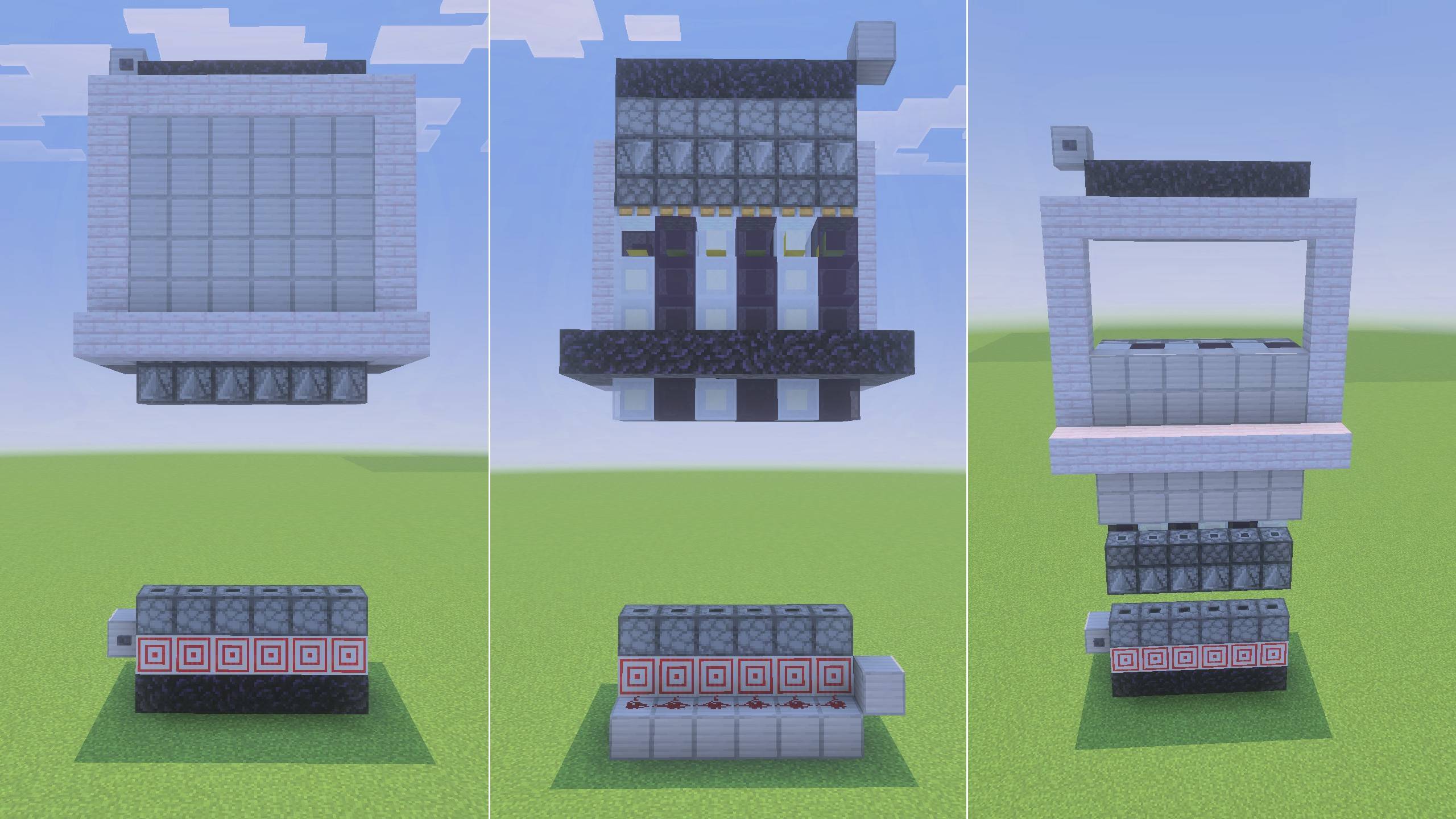
Flying Machines in Bedrock!
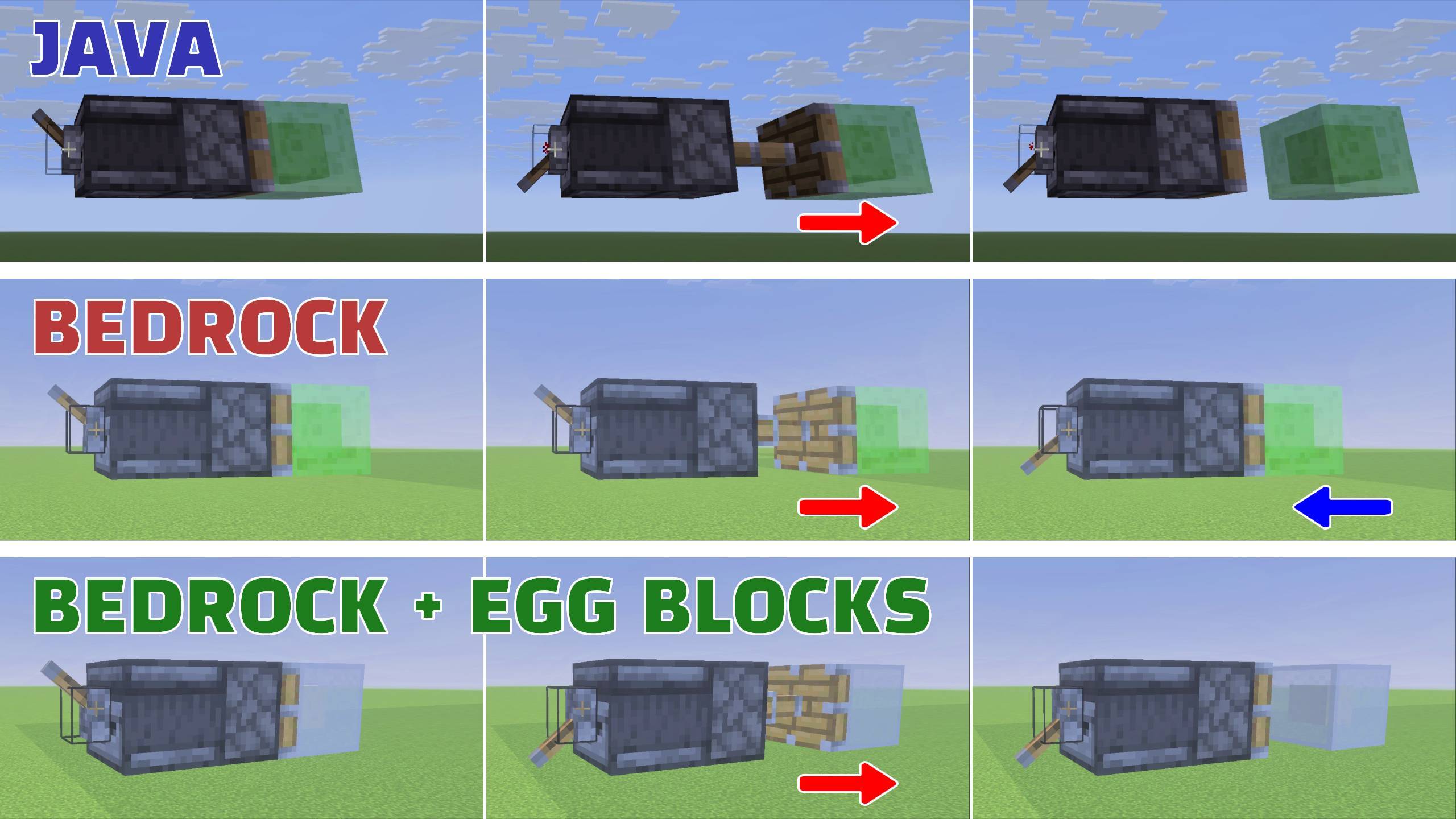
Egg Blocks, the semi-sticky blocks, brings Java behavior for your sticky pistons.
- In Minecraft Java, a short Redstone pulse to a sticky piston will push a block without pulling it back.
- In Bedrock, the piston will always pull the block back.
- There are many Java machines that make good use of this behavior that are complex to reproduce in Minecraft Bedrock.
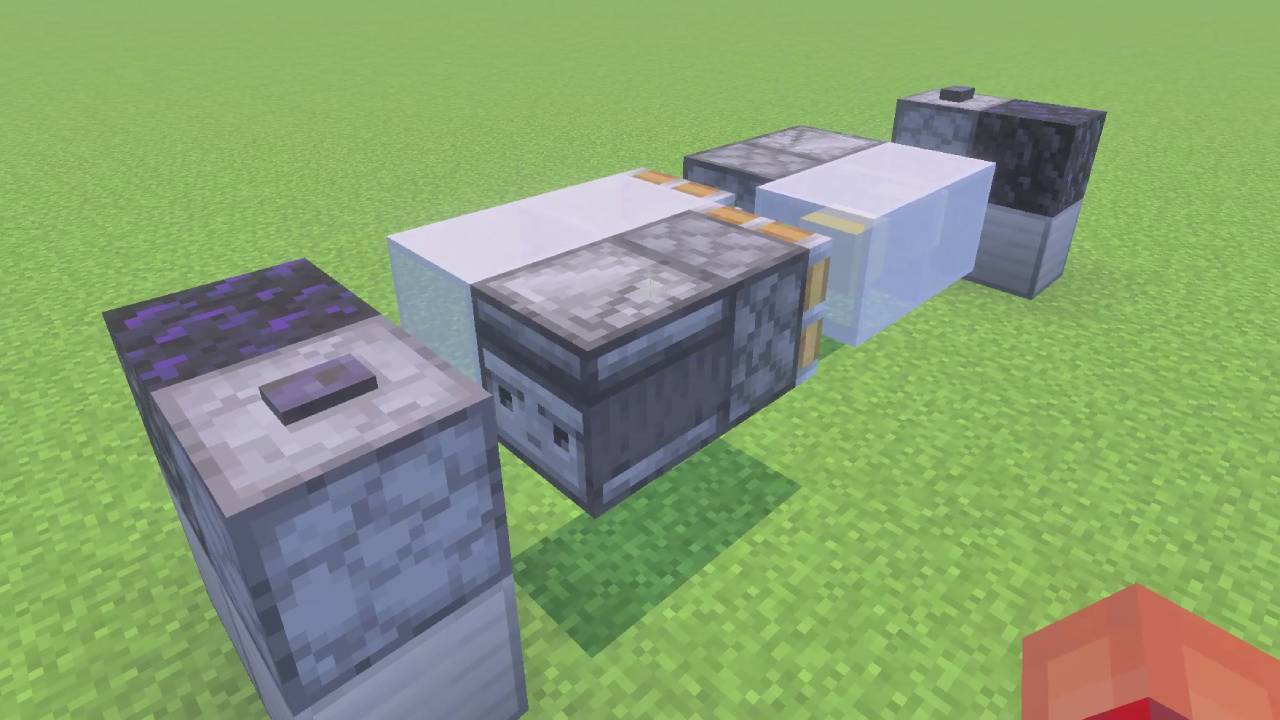
- The Egg Block emulates the Java behavior, allowing for machines such as a very simple bi-directional flying machine.
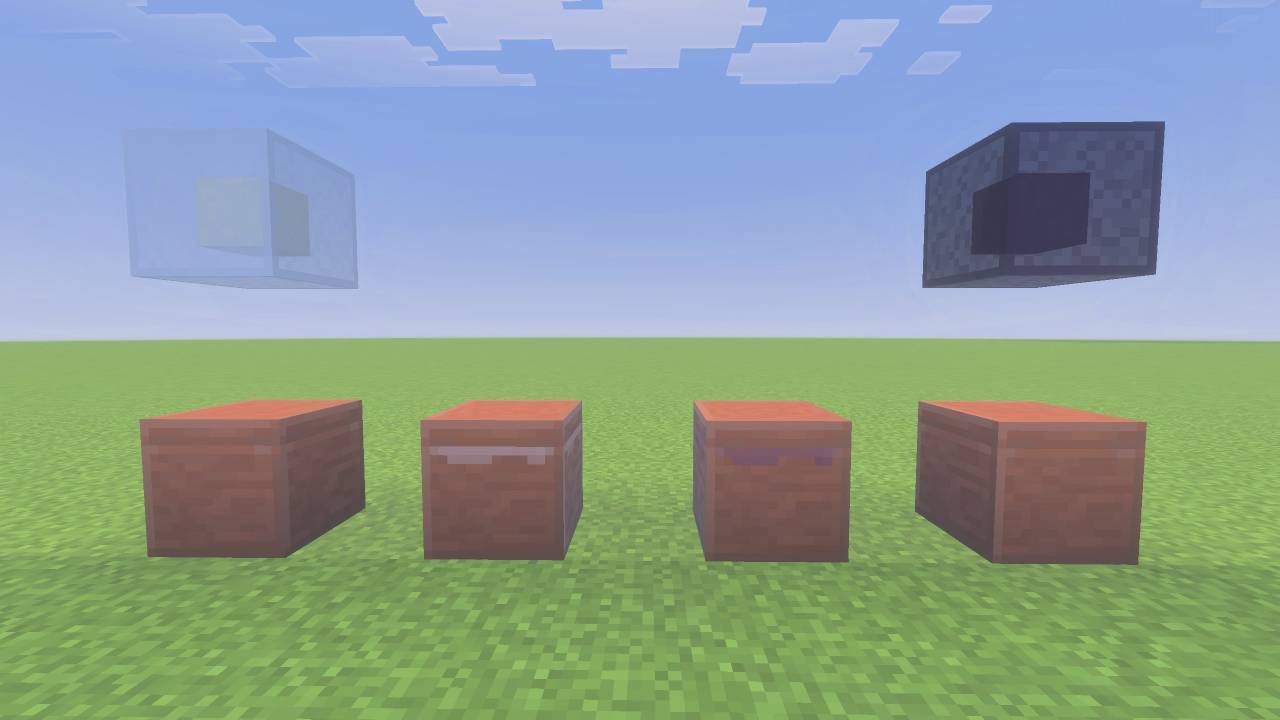
3 New Blocks
- Egg Block - crafted from 9 eggs
- Century Egg Block - an alternative to the Egg Block
- Preserver - leaving an Egg Block inside a Preserver will eventually form a Century Egg Block.
Technical Features
- Both the Egg Block and the Century Egg Block are sticky when pushed or pulled by a piston, but not to each other.
- All blocks, including the Preserver, have a 3-tick cooldown after being pushed.
- During this period, the block is immoveable; it cannot be pulled or pushed.
What will you build? #eggblocks
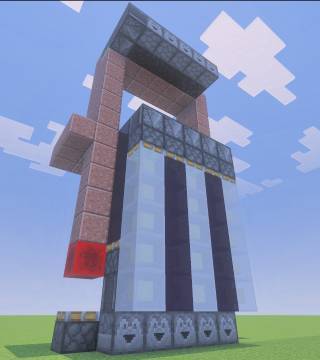
For those wishing to make a 5x5 or larger door, then I suggest this simple tutorial here: https://www.youtube.com/watch?v=3_DjEycFMXQ
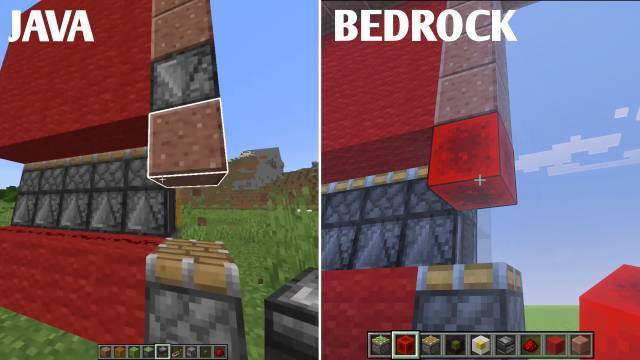
I reproduced this by swapping out Century Egg Blocks for Slime Blocks, and Egg Blocks for Honey Blocks.
Finally, the trigger from the button to the single Observer near the bottom was reacting too slow for the lower piston, but this was easily reectified by swapping in a Redstone Block (see picture).
- Edition: Minecraft Bedrock
- File type: .mcpack or .mcaddon
- Minecraft versions listed: 1.21.111, 1.21.114, 1.21.120
- How to install: Download the .mcpack or .mcaddon file. → Open it — Minecraft imports it. → In your world: Behavior Packs → Available → Activate, then the same under Resource Packs.
- Where to get it: Opens on CurseForge — not every file is mirrored on our own servers.
Install steps are the general flow for this file type — How to install Minecraft Bedrock addons & mods walks through it step by step.
- Pack type: .mcaddon — behaviour and resource pack in one file
- Manifest requires Minecraft 1.21.110 or newer
- Complete pack — everything it depends on is inside the file
- Download size: 267 KB
- Download link checked 16 Sept 2026 — working
These come from our own check of the pack file, not from the source page.