Java Iron Golem Spawn
This addon makes Iron Golem spawning in Bedrock match Java Edition: bell-based village centers that stay active regardless of player distance, unless the…
⬇ Download on CurseForge📖 Description
What is this addon?
This addon fundamentally changes how Iron Golems spawn in Minecraft Bedrock Edition. In vanilla Bedrock, Iron Golems spawn based on an automatic village system that requires specific numbers of villagers and beds, with spawn positions determined by the game's internal village center calculations. This system is often unpredictable, hard to optimize, and behaves very differently from Java Edition.
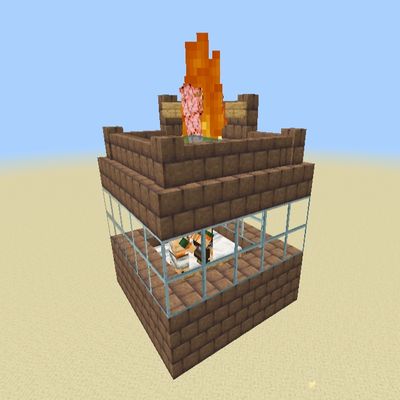
This addon replaces that system with a bell-based village center system that closely mimics Java Edition mechanics. Instead of the game automatically detecting villages, you decide where your village center is by placing and clicking a bell. This gives you complete control over your iron farm's location and behavior.
🎮 How to Use
First-Time Setup
1. Build Your Farm First
Before activating the village, build your entire farm structure:
· Place your bell at the desired center location
· Set up villager housing within 10 blocks of the bell
· Place beds within 10 blocks of the bell
Why build first? The addon scans for valid spawn areas at activation time. If you activate before building, you may get a "no valid spawn points" error.
2. Activate the Village
Stand near your bell and right-click it:
· Success: Green particles will burst from the bell. The addon will scan the area and count valid spawn points.
· Failure: Nothing happens. Check the console log for reasons (console only, not visible in survival)
3. Add Villagers and Beds
After activation, add your villagers and beds:
· Villagers must be within 16 blocks of the bell
· Beds must be within 16 blocks of the bell
· Both are required for golems to spawn
4. Wait for Golems
The addon checks conditions every 2 minutes:
· Scans for villagers in radius 16
· Scans for beds in radius 16
· Calculates target golems using the formula: min(floor(villagers/3), floor(beds/3))
· Compares with existing golems
· If more golems are needed, starts the spawn queue
- Edition: Minecraft Bedrock
- File type: .mcpack or .mcaddon
- Minecraft versions listed: 1.20.80, 1.21.132, 26.20
- How to install: Download the .mcpack or .mcaddon file. → Open it — Minecraft imports it. → In your world: Behavior Packs → Available → Activate, then the same under Resource Packs.
- Where to get it: Opens on CurseForge — not every file is mirrored on our own servers.
Install steps are the general flow for this file type — How to install Minecraft Bedrock addons & mods walks through it step by step.
- Save it as JavaIronGolemSpawn.mcpack before opening — it downloads as .mcaddon, but it is a .mcpack pack
- Manifest requires Minecraft 1.20.80 or newer
- Complete pack — everything it depends on is inside the file
- Download size: 6 KB
- Download link checked 26 Aug 2026 — working
These come from our own check of the pack file, not from the source page.