AddonsBedrock
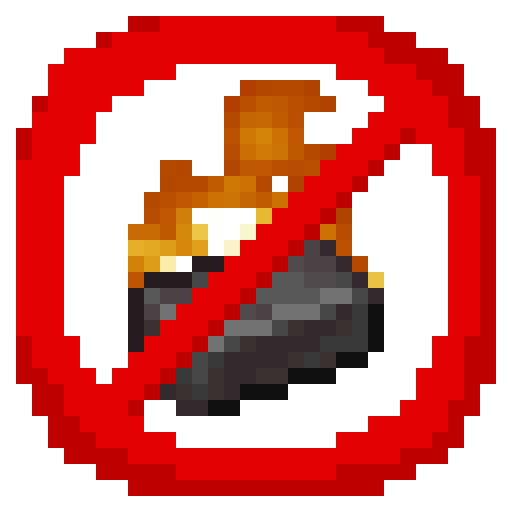
Netherite Shouldn't Burn
I don't know my version
Open Minecraft and look at the bottom-left corner of the main screen — the version is printed there, like v1.26.30.
The game writes a 1. in front; the buttons above leave it off. v1.26.30 in the game is 26.30 here.
Modded Netherite items shouldn't burn. This fixes that.
You're welcome.
Installation instructions:
- Download the pack
- Install the pack
- Enable the pack
That's it.
No experimental toggles, no messing with settings, it just works.
Enjoy.
Now, for other addon creators out there, I have a surprise for you.
I have created SIX item tags that allow for some useful item properties. These can be applied to any custom item, no restrictions.
- nsb:fireproof - makes the item fire immune
- nsb:hydrophobic - item despawns when wet (water, rain, splash water bottles)
- nsb:nocturnal - item can only exist on the ground at night
- nsb:diurnal - item can only exist on the ground during the day
- nsb:low_light - item despawns when exposed to light levels above 7
- nsb:high_light - item despawns when in light levels below 7
This addon runs on a lightweight stable script and the item.json behavior file. Due to the nature of item.json, I recommend using this as a "library mod" and not as a code reference, as having more than one item.json does not work.
If you use this addon as a dependency, you are welcome to include an install in your mcaddon file, but please give credit and include a link to the original upload. Thanks!
If you need something else this addon does not yet support, or have additional ideas, feel free to recommend them for this library pack to incorperate!
Quick facts
- Edition: Minecraft Bedrock
- File type: .mcpack or .mcaddon
- Minecraft versions listed: 1.21.30, 1.20.70, 1.20.40
- How to install: Download the .mcpack or .mcaddon file. → Open it — Minecraft imports it. → In your world: Behavior Packs → Available → Activate, then the same under Resource Packs.
- Where to get it: Opens on CurseForge — not every file is mirrored on our own servers.
Install steps are the general flow for this file type — How to install Minecraft Bedrock addons & mods walks through it step by step.
Verified by MCModsHub
- Save it as Netherite Shouldn't Burn 3.0.mcaddon before opening — it downloads as .mcpack, but it is a .mcaddon pack
- Manifest requires Minecraft 1.20.30 or newer
- Complete pack — everything it depends on is inside the file
- Download size: 5 KB
- Download link checked 16 Sept 2026 — working
These come from our own check of the pack file, not from the source page.