Block Log
I don't know my version
Ever wondered who placed that mysterious block in your world—or when it appeared? Block Log is a powerful Minecraft Bedrock addon that gives you full insight into your builds and player activity. Simply click on any block, and Block Log will reveal which player placed it and the day it was placed.
Perfect for server admins, builders, or anyone who wants to keep track of their world’s history, this addon helps prevent griefing, resolves building disputes, and adds a whole new level of transparency to multiplayer gameplay.
Features:
-
Click on any block to see its placement history.
-
Shows the player name and day of placement.
-
Lightweight and easy to use.
-
Ideal for multiplayer servers or collaborative builds.
Keep your world organized and under control with Block Log!
Data saved even after leaving the game!
No experiments required!
How to use it? (step by step guide)
1. Make sure you have an operator permission.
2. Run this command in chat:
tag @s add BlockLog
If you would like to give permission to other player replace @s with player's name.
3. Get a wooden pickaxe and click block with it.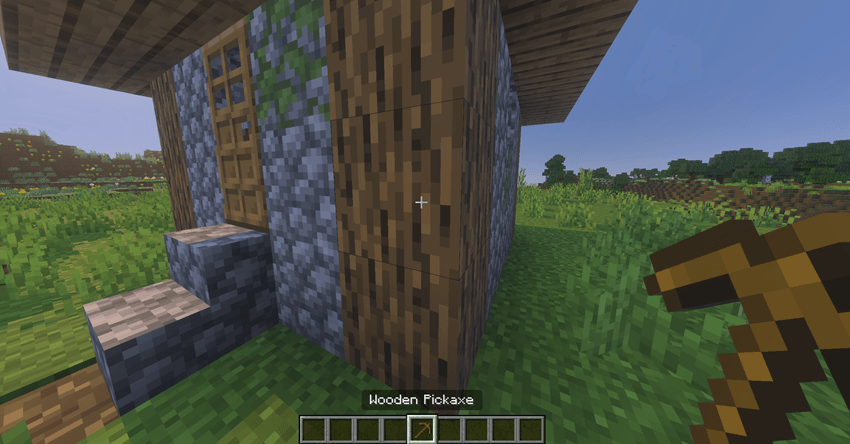
4. Message on chat should tell who placed the block and when.
Changes in version 1.1:
Fixed:
- Blocks overwriting between dimensions
- Blocks not saving due to exceeding max size of database
Added:
- Block destruction is now saved
- Wooden pickaxe now shows all recorded block history
- Stone pickaxe shows most recent change
Changes in version 1.2:
Added:
- Iron pickaxe shows most recent changes
*Works only for blocks placed after adding the addon.*
- Edition: Minecraft Bedrock
- File type: .mcpack or .mcaddon
- Minecraft versions listed: 1.21.101, 1.21.100
- How to install: Download the .mcpack or .mcaddon file. → Open it — Minecraft imports it. → In your world: Behavior Packs → Available → Activate, then the same under Resource Packs.
- Where to get it: Opens on CurseForge — not every file is mirrored on our own servers.
Install steps are the general flow for this file type — How to install Minecraft Bedrock addons & mods walks through it step by step.
- Save it as Block Log v1.2.mcaddon before opening — it downloads as .mcpack, but it is a .mcaddon pack
- Manifest requires Minecraft 1.20.0 or newer
- Complete pack — everything it depends on is inside the file
- Download size: 71 KB
- Download link checked 26 Aug 2026 — working
These come from our own check of the pack file, not from the source page.