Soul Saver
Bedrock add-on listed for Minecraft 1.21–26.x (behavior + resource pack). File opened and checked on 4 Oct 2026; installs from the MC Bedrock Mods app on Android.
Craft a Recovery Note with paper and echo shards. Save your full state — inventory, XP, health, effects — and restore anytime.
⬇ Download on CurseForgeThe author built this one for Minecraft 26.20. On other versions it may install and then do nothing.
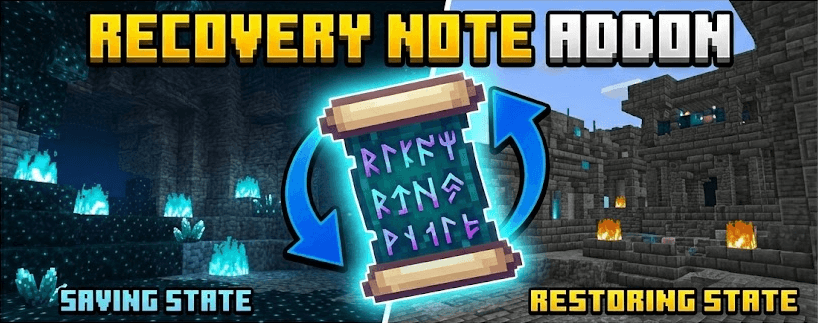

Recovery Note is a Minecraft Bedrock AddOn that lets players save and restore their entire player state using a special item.
Store your inventory, armor, XP, health, hunger, and active effects inside a Recovery Note, reset yourself back to a freshspawn-like state, then restore everything later exactly as it was.
Perfect for PvP kits, practice fights, dangerous exploration, minigames, and survival backups.
Note that the item is named soul_paper when using /give
Craft a blank Recovery Note using:
- 1 Paper in the center
- 8 Echo Shards surrounding it
The recipe is intentionally expensive so notes feel valuable and cannot be spammed early game.
Right-click a blank Recovery Note to save:
- Inventory
- Armor
- Offhand
- XP level and progress
- Health
- Hunger
- Active potion effects
After saving:
- The note becomes filled
- Your inventory is cleared
- Your player is reset to a freshspawn-like state
Right-click a filled Recovery Note to preview:
- Stored items
- Health
- Hunger
- XP level
Confirm the restore to recover your saved state instantly.
After restoring:
- The note is consumed permanently
- The stored data is deleted
Recovery Notes preserve nearly everything about your player, making them useful for:
- PvP loadouts
- Dungeon runs
- Adventure maps
- Minigames
- Hardcore backups
- Practice fights
- Edition: Minecraft Bedrock
- File type: .mcpack or .mcaddon
- Minecraft version listed: 26.20
- How to install: Download the .mcpack or .mcaddon file. → Open it — Minecraft imports it. → In your world: Behavior Packs → Available → Activate, then the same under Resource Packs.
- Where to get it: Opens on CurseForge — not every file is mirrored on our own servers.
Install steps are the general flow for this file type — How to install Minecraft Bedrock addons & mods walks through it step by step.
- Pack type: .mcaddon — behaviour and resource pack in one file
- Manifest requires Minecraft 1.21.70 or newer
- Complete pack — everything it depends on is inside the file
- Download size: 17 KB
- Download link checked 6 Oct 2026 — working
These come from our own check of the pack file, not from the source page.