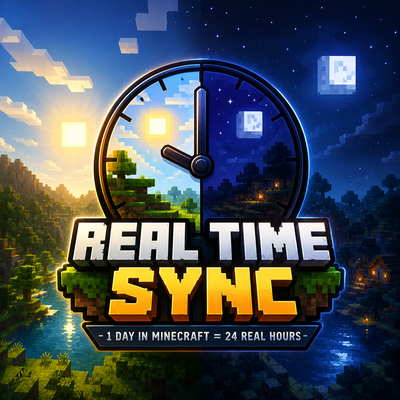
Real Time Sync
Sync Minecraft Bedrock's day and night cycle with your real-life timezone.
Real Time Sync makes the Minecraft world follow your actual local time in real-time. Sunrise, sunset, noon, and midnight all happen exactly when they do in your timezone.
If it's nighttime in real life, it will also be nighttime in Minecraft.
Features
- Real-life synced time cycle
- 1 Minecraft day = 24 real hours
- Automatic timezone detection
- Real sunrise and sunset timing
- Smooth real-time updates
- Multiplayer compatible
- Lightweight and optimized
Time Mapping
| Real Time | Minecraft Time |
|---|---|
| 6:00 AM | Sunrise |
| 12:00 PM | Noon |
| 6:00 PM | Sunset |
| 12:00 AM | Midnight |
Requirements
- Minecraft Bedrock Edition 1.21+
- Enable Script API
- Enable Upcoming Creator Features
Important
The addon works with normal daylight cycle enabled.
However, for the most accurate and precise synchronization, it is recommended to turn OFF the normal Minecraft daylight cycle:
/gamerule doDaylightCycle false
This prevents Minecraft from moving the sun separately from the addon.
Installation
- Import the
.mcpack - Activate the behavior pack
- Enable required experimental features
- Join the world
Done.
Credits
Created by ImHungry1480
- Edition: Minecraft Bedrock
- File type: .mcpack or .mcaddon
- Minecraft versions listed: 1.21.132, 26.0.02, 26.0
- How to install: Download the .mcpack or .mcaddon file. → Open it — Minecraft imports it. → In your world: Behavior Packs → Available → Activate, then the same under Resource Packs.
- Where to get it: Opens on CurseForge — not every file is mirrored on our own servers.
Install steps are the general flow for this file type — How to install Minecraft Bedrock addons & mods walks through it step by step.
Real Time Sync is a free Minecraft Bedrock addon. Compatible with Minecraft 1.21.132, 26.0.02, 26.0, 26.3 and newer. Downloaded 181 times (via CurseForge). Download it and open it directly in the game.