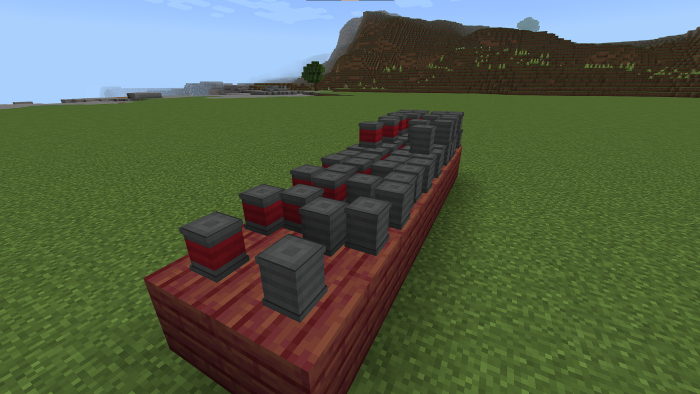
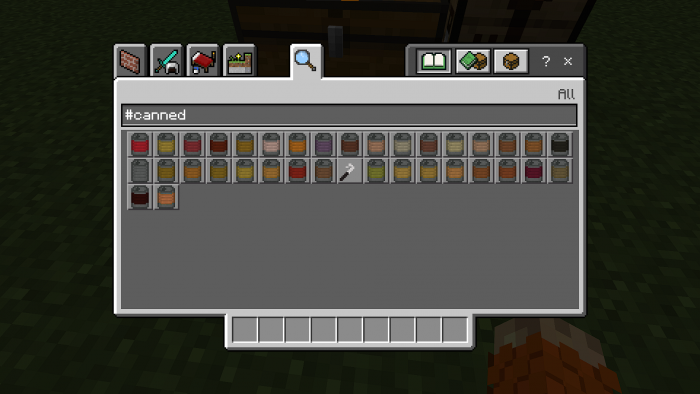
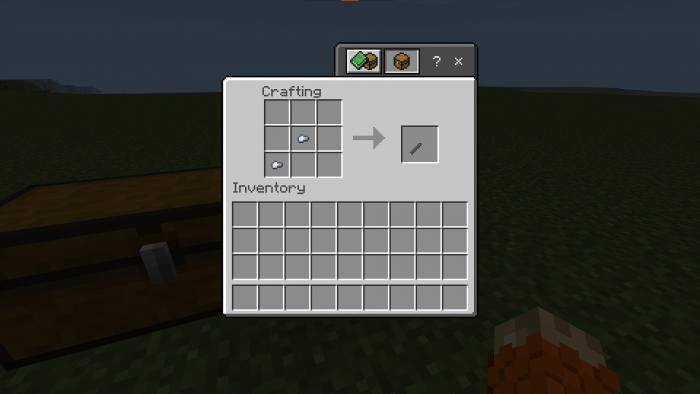
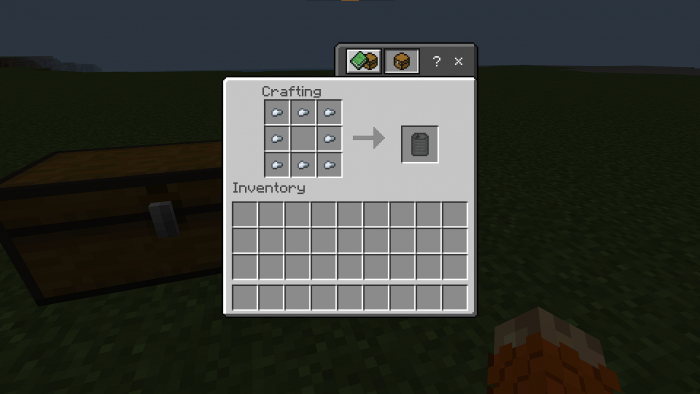
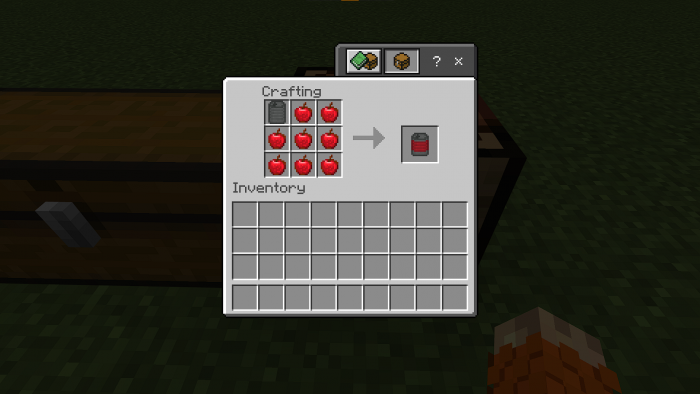
Canned adds new blocks used to store your foods! Add up to 8 cans in the same block (like Candles). Perfect for decorating your warehouse or bulk food storage.
See the wiki for a list of all supported foods.
 Click on the above image, select plan (at least 4GB), use code
 legopitstop to get 25% off your first month and enjoy playing with your friends!
Loaders
Open can
- Place Can Opener in your mainhand.
- Place the can that you want to open in your offhand.
- Right click to use the Can Opener to open the can
- In return you should get 8 food items, an empty can.
Note that doing this deals 1 damage to your Can Opener.
FAQ
Can I add this to my mod pack?
Sure, as long as you give proper credit and follow the license.
Are you going to downgrade to older versions (ie; 1.15, 1.12, 1.8)?
I will if there is enough demand for a certain version and I have time to.
Quick facts
- Edition: Minecraft Bedrock
- File type: .mcpack or .mcaddon
- Minecraft version listed: 1.19.10
- How to install: Download the .mcpack or .mcaddon file. → Open it — Minecraft imports it. → In your world: Behavior Packs → Available → Activate, then the same under Resource Packs.
- Where to get it: Opens on CurseForge — not every file is mirrored on our own servers.
Install steps are the general flow for this file type — How to install Minecraft Bedrock addons & mods walks through it step by step.
Verified by MCModsHub
- Pack type: .mcaddon — behaviour and resource pack in one file
- Download size: 195 KB
- Download link checked 26 Aug 2026 — working
These come from our own check of the pack file, not from the source page.