
For the Add-On work properly, please enable experiments and play on version 1.21.100 or higher.
Potion Making Guide
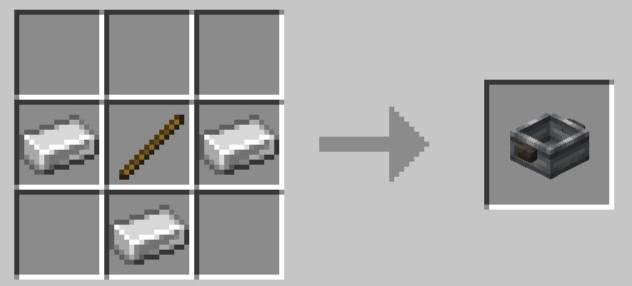
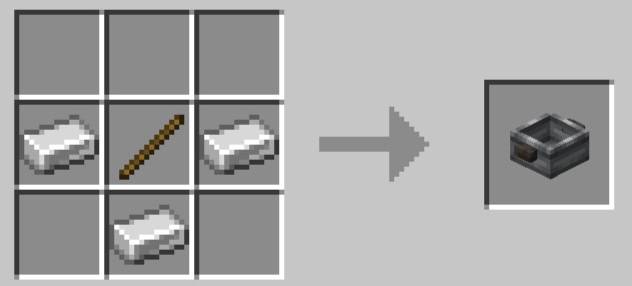
First, you'll need to craft a pan to brew your potions.
After creating your pan, click on it with a bucket of water in your hand to add water to it.
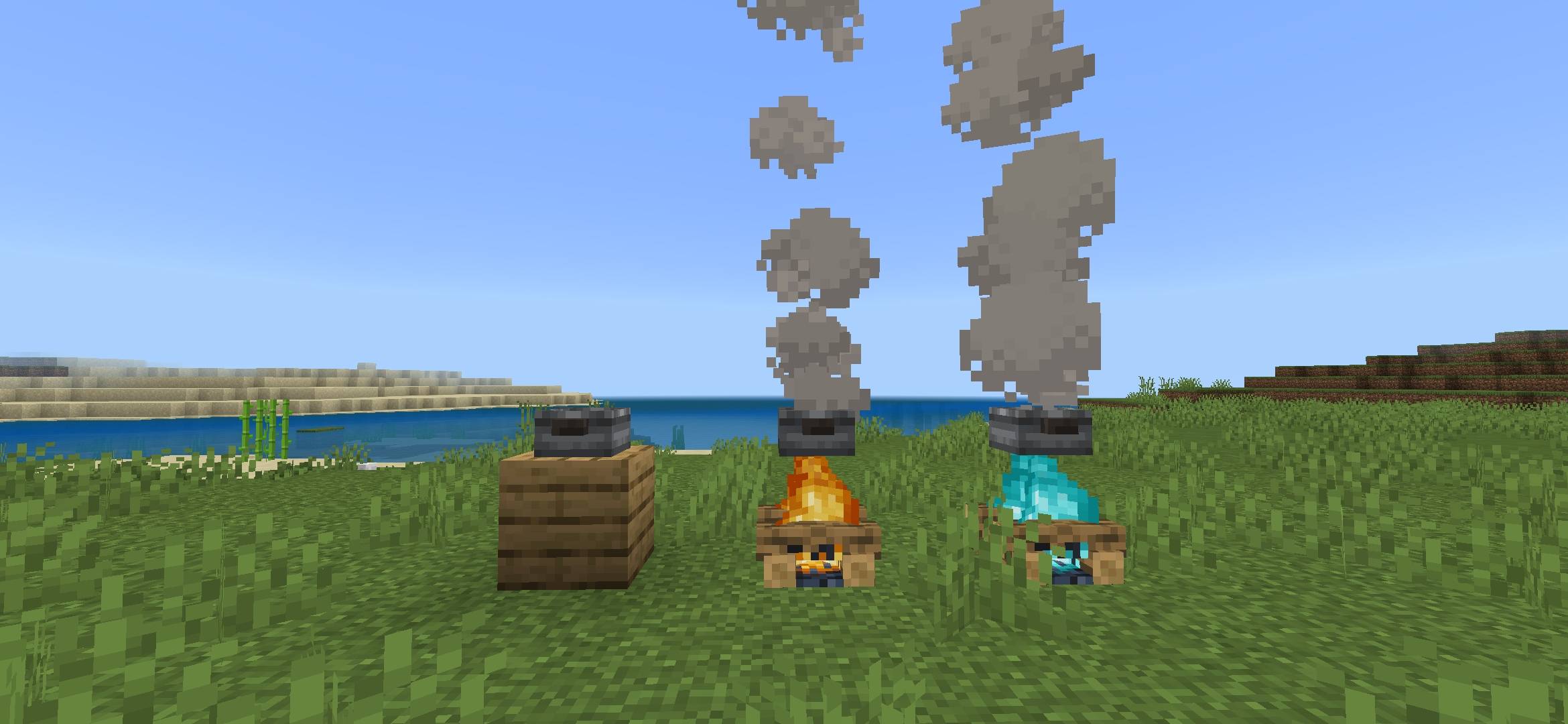
Depending on the block below the pan, the duration of your potion's effects changes:
• Campfire - 1:08
• Soul Campfire - 2:00
• Any other block - 0:30
One of the ingredients that can be added is living flesh, to obtain it is simple, you need to kill Hemofishes, red fish that are found in the deep parts of any lake or ocean in the overworld.

Ingredients
Note: Ingredients can only be added after adding water, and to add them, click on the pan with the item in your hand.
• Wheat Seeds - Adds the speed effect to your potion.
• Cooked Beef - Adds the regeneration effect to your potion.
• Living Flesh - Adds the health boost effect to your potion.
• Sugar - Adds the jump boost effect to your potion.
• Gold Ingot - Adds the haste effect to your potion.
• Feather - Adds the slow falling effect to your potion.
• Glow Lichen - Adds the night vision effect to your potion.
After adding the water and desired ingredients, you need to click on an empty glass bottle in your hand to collect the potion. Each full pan gives you one potion.
Now, you just need to drink the potion to get the effects.
- Edition: Minecraft Bedrock
- File type: .mcpack or .mcaddon
- Minecraft versions listed: 1.21.101, 1.21.100
- How to install: Download the .mcpack or .mcaddon file. → Open it — Minecraft imports it. → In your world: Behavior Packs → Available → Activate, then the same under Resource Packs.
- Where to get it: Opens on CurseForge — not every file is mirrored on our own servers.
Install steps are the general flow for this file type — How to install Minecraft Bedrock addons & mods walks through it step by step.
Brewery + is a free Minecraft Bedrock addon. Compatible with Minecraft 1.21.101, 1.21.100. Downloaded 341 times (via CurseForge). Download it and open it directly in the game.