
NetherCoords
Bedrock add-on listed for Minecraft 1.21–26.x (behavior pack only). File opened and checked on 8 Oct 2026; installs from the MC Bedrock Mods app on Android.
⬇ Download on CurseForge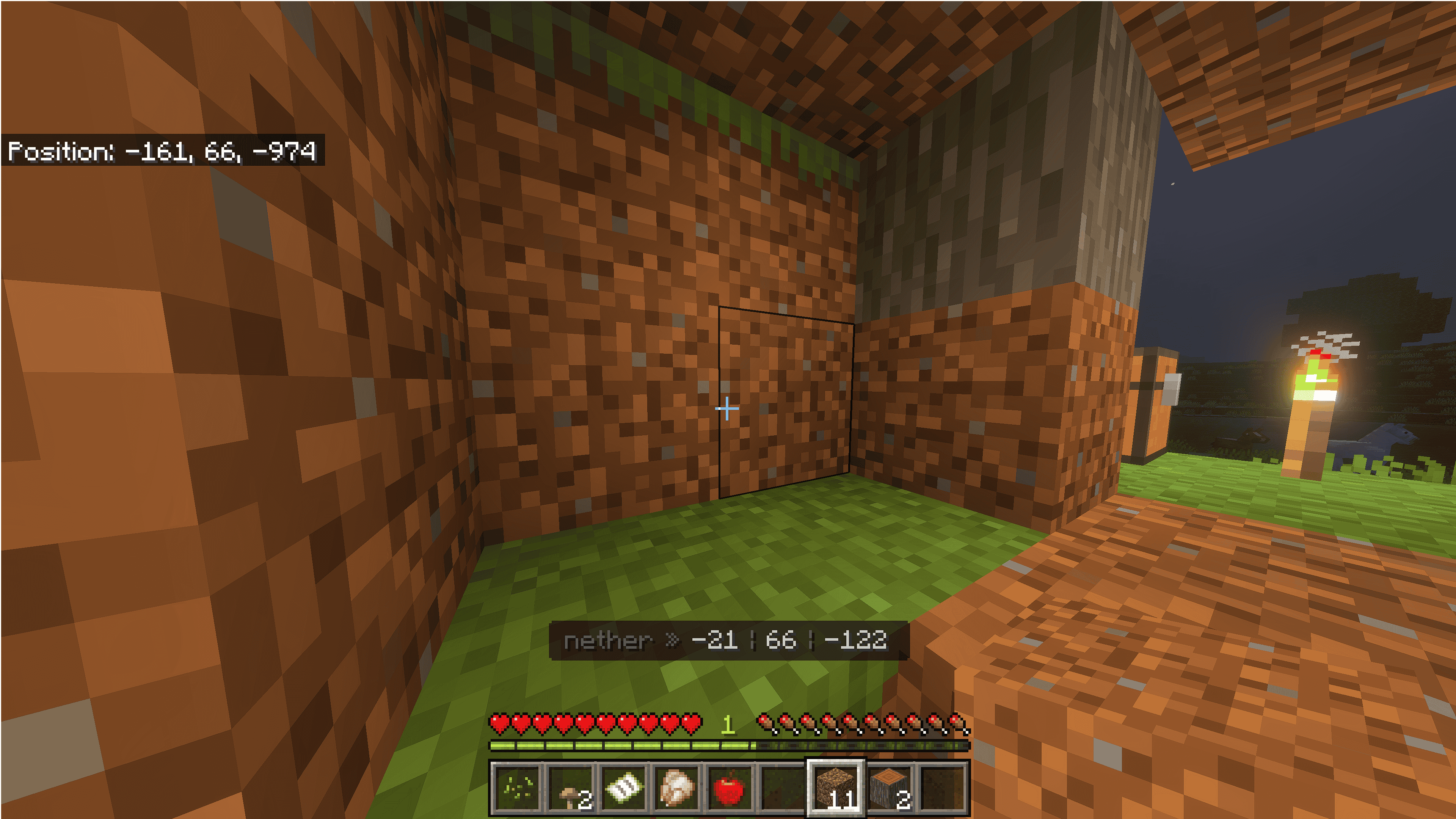
NetherCoords Companion: Real-Time Portal Syncing for Bedrock
Tired of breaking your Nether portals, getting lost in the nether, or constantly doing 8:1 math in your head?
The NetherCoords Companion is a lightweight, survival-friendly Bedrock behavior pack designed to solve the ultimate Bedrock limitation: the lack of a native Java-style F3 coordinate mapping system. This pack overlays your exact real-time cross-dimension coordinates directly on your HUD, showing you exactly where your portal will output before you even place a single block of obsidian.
🚀 Advanced 3D Mapping & Command Tool
While this pack handles live conversions as you walk, calculating complex multi-portal networks or vertical Y-axis placement requires specialized processing.
👉 Use the complete interactive tool at NetherCoords.com to map exact 3D Euclidean distances, generate instant /teleport commands, and fix broken portal loops.
✨ Key Features
- Live Cross-Dimension Mapping: Displays your current location alongside its exact calculated counterpart in the other dimension (Overworld to Nether and Nether to Overworld).
- Perfect 8:1 Ratio Alignment: Eliminates mathematical rounding errors that cause portals to link to the wrong destination.
- Realm & Multiplayer Ready: Ultra-lightweight script architecture ensures zero server lag or tick-rate drops on multiplayer worlds.
- Clean, Non-Intrusive HUD: Sits cleanly on your screen without blocking your crosshair, hotbar, or status effects.
🛠️ Quick Installation Guide
-
Download the
.mcpackfile from the files tab. -
Open the file to automatically launch Minecraft and import the pack.
-
Go to your World Settings, scroll down to Behavior Packs, and activate NetherCoords Companion.
-
(Optional) Ensure your world has coordinates enabled in the game settings menu.
Note on Compatibility: This pack is purely client/server behavior-driven and functions perfectly alongside major resource packs. Ideal for technical survival players, speedrunners, and mega-base builders looking to establish seamless fast-travel infrastructure.
- Edition: Minecraft Bedrock
- File type: .mcpack or .mcaddon
- Minecraft versions listed: 1.21.30, 1.21.50, 1.21.81
- How to install: Download the .mcpack or .mcaddon file. → Open it — Minecraft imports it. → In your world: Behavior Packs → Available → Activate, then the same under Resource Packs.
- Where to get it: Opens on CurseForge — not every file is mirrored on our own servers.
Install steps are the general flow for this file type — How to install Minecraft Bedrock addons & mods walks through it step by step.
- Pack type: .mcpack — a single pack
- Manifest requires Minecraft 1.21.0 or newer
- Complete pack — everything it depends on is inside the file
- Download size: 2 KB
- Download link checked 6 Oct 2026 — working
These come from our own check of the pack file, not from the source page.