Kyosan Pack
Bedrock add-on listed for Minecraft 1.17–1.21 (behavior + resource pack). File opened and checked on 25 Sep 2026; installs from the MC Bedrock Mods app on Android.
⬇ Download on CurseForgeDescription
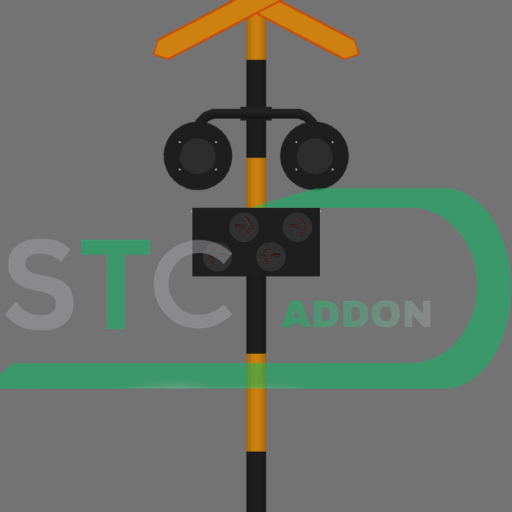
Enhance the realism of your Minecraft worlds with the Rail Crossing Flasher & Gate Pack! This addon introduces fully functional and detailed railway infrastructure, including warning flashers and automated gates, perfectly suited for both single and double railway tracks in your builds.
This pack is essential for serious builders and roleplayers looking to create authentic, working train crossings.
Key Features
1. Crossing Flashers (Warning Lights)
Highly detailed signal lights designed to provide a realistic visual warning when a train approaches.
Track Support:
Single Track: Ideal for standard mainline or branch lines.
Double Track: Custom models designed to span and operate correctly over two adjacent tracks.
2. Railway Crossing Gates (Booms)
We offer various gate lengths to match different road widths in your world, ensuring maximum flexibility for urban or rural settings.
Gate Length Options:
5 meters (5m): Perfect for small roads, side streets, or compact environments.
7 meters (7m): A standard size suitable for most medium-sized city roads.
9 meters (9m): Designed for wide avenues or major highway intersections.
Function Options
Copypaste to Repeating Command Block With 40 tick
Flasher(Warning Light) :
1.kkiri
2.kkanan
3.kdouble
Gateway:
1.knaik
2.kturun
Example:function kkanan
Why Choose This Addon?
Functionality: The elements are designed to be triggered and operate realistically (requires appropriate Redstone/behavior pack integration - mention this if the addon uses a behavior pack).
Aesthetics: Adds a crucial, authentic detail to any railway project.
Versatility: Full support for both single and double track layouts.
Installation and Usage (Minecraft Bedrock)
Download the .mcaddon file from CurseForge.
Open the file to automatically import the Resource Pack and Behavior Pack (if applicable) into Minecraft.
Load your world and ensure the packs are activated in the World Settings.
The items can be crafted or found in the Creative Inventory under the Decoration or Equipment tabs.
Note: Placement on a track is key! Ensure the flasher units are correctly positioned relative to the rails for the best visual effect.
Support & Feedback
If you encounter any bugs, have suggestions for new features, or just want to show off your awesome builds, please leave a comment below!
- Edition: Minecraft Bedrock
- File type: .mcpack or .mcaddon
- Minecraft versions listed: 1.21.50, 1.21.81, 1.21.93
- How to install: Download the .mcpack or .mcaddon file. → Open it — Minecraft imports it. → In your world: Behavior Packs → Available → Activate, then the same under Resource Packs.
- Where to get it: Opens on CurseForge — not every file is mirrored on our own servers.
Install steps are the general flow for this file type — How to install Minecraft Bedrock addons & mods walks through it step by step.
- Pack type: .mcaddon — behaviour and resource pack in one file
- Manifest requires Minecraft 1.17.0 or newer
- Complete pack — everything it depends on is inside the file
- Download size: 190 KB
- Download link checked 6 Oct 2026 — working
These come from our own check of the pack file, not from the source page.