HomeBedrockAddonsJava Debug Menu PE/BE
Java Debug Menu PE/BE
AddonsBedrock

Java Debug Menu PE/BE

by FleetMc · on CurseForge

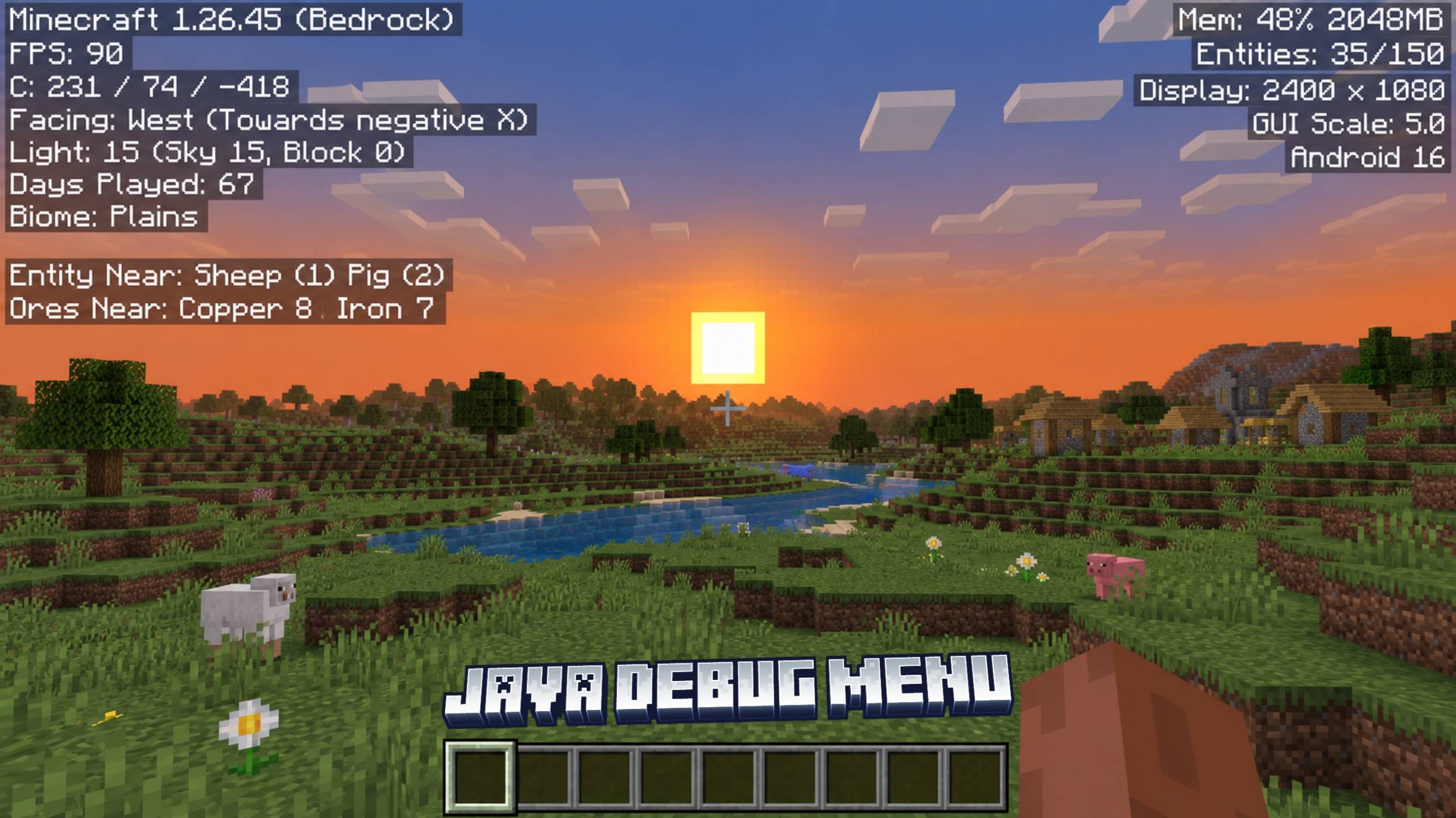
Java Debug Menu adds TPS monitoring, coordinates, chunk information, direction tracking, BPS speed tracking, durability indicators, mob scanning, ore…

⬇ Download on CurseForge
Java Debug Menu PE/BE — screenshot 1

Java Debug Menu

Bring a powerful Java Edition-inspired debugging experience to Minecraft Bedrock Edition with Java Debug Menu. This addon provides a clean on-screen information panel packed with useful statistics, player data, world scanning tools, and combat information without cluttering your chat.

Whether you're a survival player, technical player, speedrunner, builder, or content creator, this addon gives you instant access to important world and gameplay information directly from the action bar.


✦ How To Use

  • Toggle ON/OFF: Sneak (Crouch) and Jump at the same time.
  • Display Location: Information appears in the Action Bar for a clean and non-intrusive experience.
  • No Chat Spam: All information is displayed on-screen without flooding your chat.

✦ Included Features

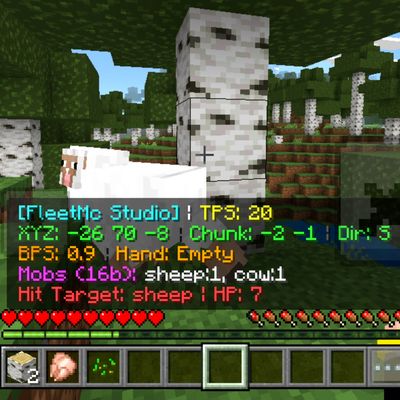
  • TPS Monitor – View your world's current Ticks Per Second (TPS) and monitor server performance in real time.
  • Live Coordinates – Instantly see your exact X, Y, and Z coordinates.
  • Chunk Information – Displays the chunk coordinates you are currently standing in.
  • Direction Indicator – Shows the exact cardinal direction you are facing (North, South, East, or West).
  • Blocks Per Second (BPS) – Track your current movement speed in real time.
  • Item & Durability Tracker – Displays the item in your hand along with its remaining durability when applicable.
  • Nearby Mob Scanner – Detects nearby entities and displays their names and quantities within range.
  • Ore Scanner – Searches nearby blocks and reports valuable ores and Ancient Debris around the player.
  • Combat Health Indicator – Instantly displays the target's name and remaining health after a successful hit.
  • Optimized Updates – Scanning systems refresh periodically to help maintain smooth gameplay performance.

✦ Why Use Java Debug Menu?

Minecraft Bedrock Edition lacks many advanced debugging tools available to technical players. Java Debug Menu fills that gap by providing useful information such as coordinates, TPS, movement speed, durability tracking, nearby entities, ore detection, and combat feedback in a simple and accessible interface.

Instead of constantly using commands or external tools, you can access important information instantly while playing.


✦ Compatibility

  • Achievement Friendly ✅
  • No Experimental Features Required ✅
  • Multiplayer Friendly ✅
  • Survival Friendly ✅
  • Does Not Require Cheats ✅
  • Minecraft Bedrock Edition Supported ✅
  • Optimized Performance ✅

✦ Installation Guide

  1. Download the addon file.
  2. Open it using ZArchiver or any file manager app.
  3. Select "Open With" and choose Minecraft.
  4. Wait for the addon to import.
  5. Open your world settings.
  6. Enable the addon inside the Behavior Packs section.
  7. No Experimental Features are required.
  8. Enter your world and toggle the debug menu using Crouch + Jump.

Created by FleetMc Studio


Verified by MCModsHub

These come from our own check of the pack file, not from the source page.

Explore more