Glowing Torch by ek
Bedrock add-on listed for Minecraft 1.18–1.21 (behavior pack only). File opened and checked on 23 Sep 2026; installs from the MC Bedrock Mods app on Android.
If you're tired of stumbling around in the dark while mining deep in the earth or exploring dangerous caves, and you're looking for a way to add more…
⬇ Download on CurseForgeThe author built this one for Minecraft 1.18–1.21.101. On other versions it may install and then do nothing.
<mark class="marker-yellow">Mod preview</mark>
<figure class="image">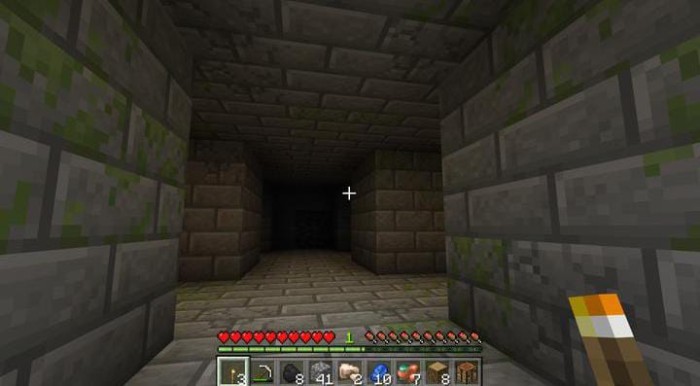 </figure>
<figure class="image">
</figure>
<figure class="image">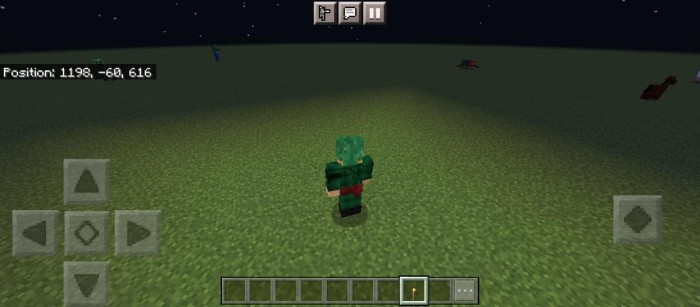 </figure>
<figure class="image">
</figure>
<figure class="image">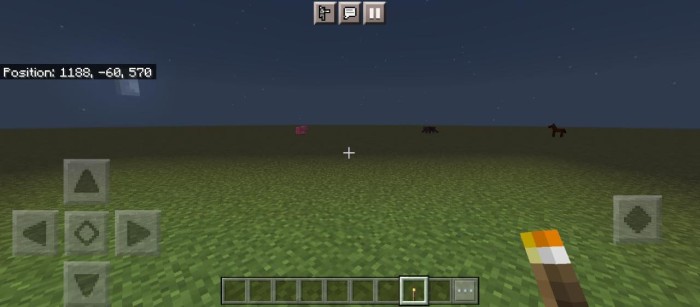 </figure>
Minecraft enthusiasts can now take their gameplay experience to the next level with the Glowing Torch add-on. This is a revolutionary modification that introduces dynamic lighting effects to torches, bringing the Minecraft world to life like never before.
<mark class="marker-yellow">To use the experimental version, you can enable the Holidays Creator Experimental Toggle.</mark>
Realistic Torchlight: When you hold a torch in your hand, the Glowing Torch add-on lights up your surroundings with realistic lighting effects that create an immersive atmosphere, making your Minecraft journey more authentic and exciting.
Enhanced Exploration: With the Glowing Torch add-on, you can confidently navigate through dark dungeons, treacherous caves, and dense forests, as your path will be brilliantly illuminated. You can easily spot potential dangers and uncover hidden treasures.
Efficient Mining: Mining in the dark is no longer a struggle with the Glowing Torch add-on. You can quickly identify valuable ores and resources, increasing efficiency and productivity.
- Edition: Minecraft Bedrock
- File type: .mcpack or .mcaddon
- Minecraft versions listed: 1.20.40, 1.21.30, 1.18.2
- How to install: Download the .mcpack or .mcaddon file. → Open it — Minecraft imports it. → In your world: Behavior Packs → Available → Activate, then the same under Resource Packs.
- Where to get it: Opens on CurseForge — not every file is mirrored on our own servers.
Install steps are the general flow for this file type — How to install Minecraft Bedrock addons & mods walks through it step by step.
- Pack type: .mcaddon — behaviour and resource pack in one file
- Manifest requires Minecraft 1.20.10 or newer
- Complete pack — everything it depends on is inside the file
- Download size: 573 KB
- Download link checked 5 Oct 2026 — working
These come from our own check of the pack file, not from the source page.