Cinematic Proyectile Cameras
Cinematic projectile camera addon for Minecraft Bedrock. Follow arrows, snowballs, eggs, and more with custom action-shot cameras, ultra-close flyby…
⬇ Download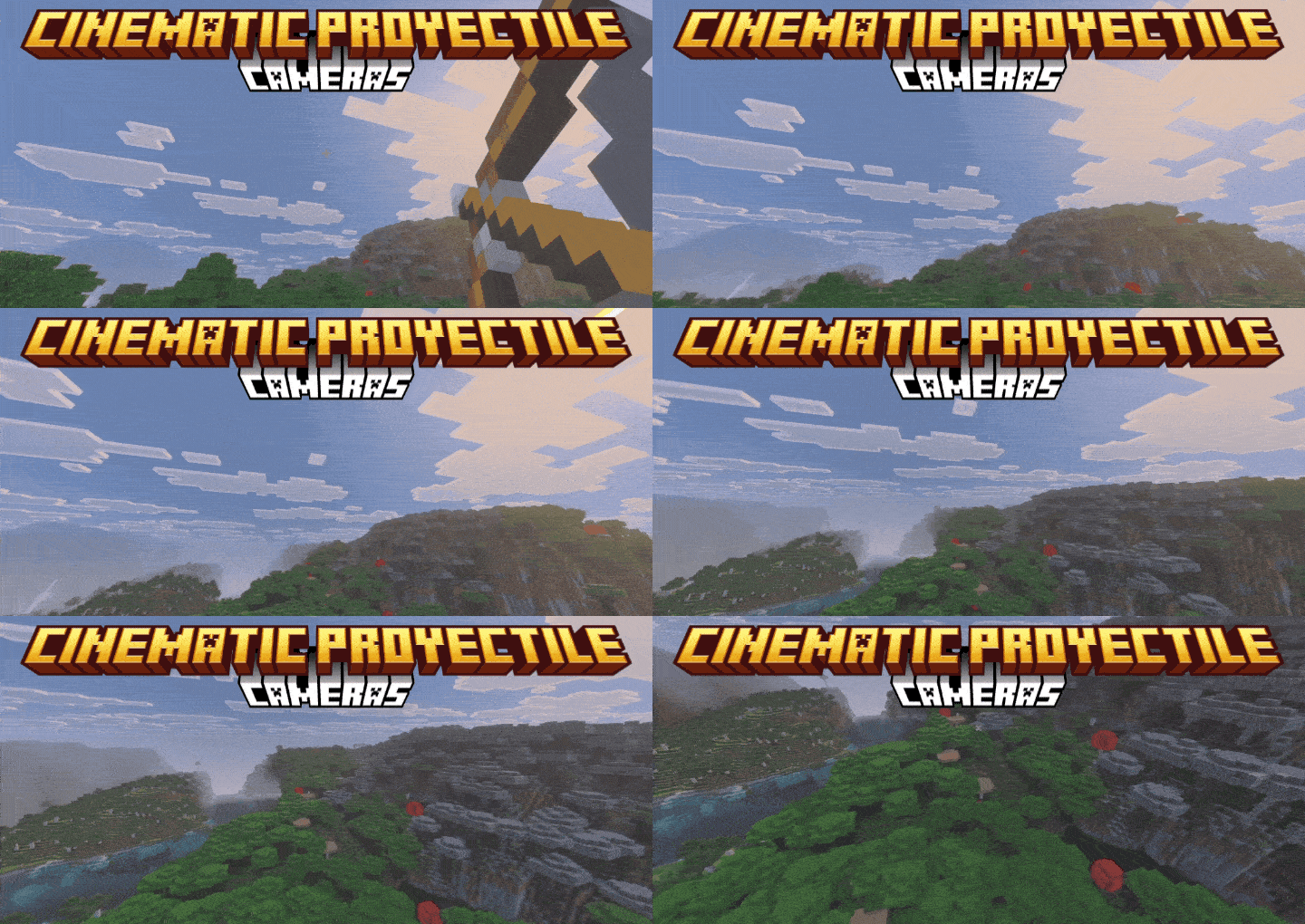
CINEMATIC PROYECTILE CAMERAS
Turn every shot into an action scene.
Projectile Camera is a Minecraft Bedrock add-on that transforms ordinary projectiles into cinematic moments. Instead of watching arrows, snowballs, eggs, and other shots from the usual perspective, this add-on lets the camera follow them in dramatic real time.
Features
Close Chase Camera
A smooth follow camera that stays behind the projectile and keeps the action readable.
Extreme Tip Camera
A much tighter view that rides almost on top of the projectile for intense first-strike moments.
Multi-Camera Mode
A more cinematic style with wider motion and dynamic framing for a dramatic action-movie feel.
In-Game Camera Menu
Open the mode selector in-game and switch camera styles without leaving your world.
Support for More Than Arrows
Works with projectiles that stick and projectiles that disappear on impact, including shots like snowballs and eggs.
Improved Impact Handling
The camera no longer snaps back too quickly when a projectile vanishes on contact, making impacts feel cleaner and more satisfying.
SHOWCASE
🌟 Support Our Creative Journey!
Help us continue delivering exceptional content! Every contribution fuels development, enhances resources, and drives innovation. If our work enriches your Minecraft experience, consider supporting our growth. Your generosity means everything! 💖
[Donate Now]
🌐 Exclusive Early Access
Discover all our addons and be the first to experience new updates on our official website! Latest versions debut here before anywhere else.
[Visit Official Website]
❄️🦊 Join Iced Fox Studios! 🦊❄️
Unlock Minecraft's full potential with our hub for mods, tools, and exclusive rewards:
| Feature | Highlights |
|---|---|
| 🎁 Daily Rewards | Free skins, textures, and loot + seasonal event cosmetics. |
| 🛠️ Pro Tools | World editors, texture creators, auto-updaters (beginner to expert). |
| 🕹️ Minigames | Play to support us + earn redeemable points. |
| 🌐 Community | Forums, Discord, achievement tracking & collaborative projects. |
JOIN PLATFORM
JOIN DISCORD --> Click Here

- Edition: Minecraft Bedrock
- File type: .mcpack or .mcaddon
- Minecraft versions listed: 1.21.81, 1.21.93, 1.21.90
- How to install: Download the .mcpack or .mcaddon file. → Open it — Minecraft imports it. → In your world: Behavior Packs → Available → Activate, then the same under Resource Packs.
- Where to get it: In MCModsHub, or directly above on this page.
Install steps are the general flow for this file type — How to install Minecraft Bedrock addons & mods walks through it step by step.
- Pack type: .mcaddon — behaviour and resource pack in one file
- Manifest requires Minecraft 1.21.90 or newer
- Complete pack — everything it depends on is inside the file
- Download size: 219 KB
- Download link checked 3 Aug 2026 — working
These come from our own check of the pack file, not from the source page.