


Custom Content Applier is a new tool designed for Bedrock Edition server owners and players. The add-on allows servers to achieve experiences with user-generated items similar to that of Hermitcraft and other Java Servers. Using CCA, players on your server can easily create a custom item, which is then stored in the cloud ready for you, the owner, to add to your server. As a server owner, all you have to do is check the dashboard on our site after players have added items, and download the combined User Generated Content pack to apply to your server. You must download the base framework for the pack to work!
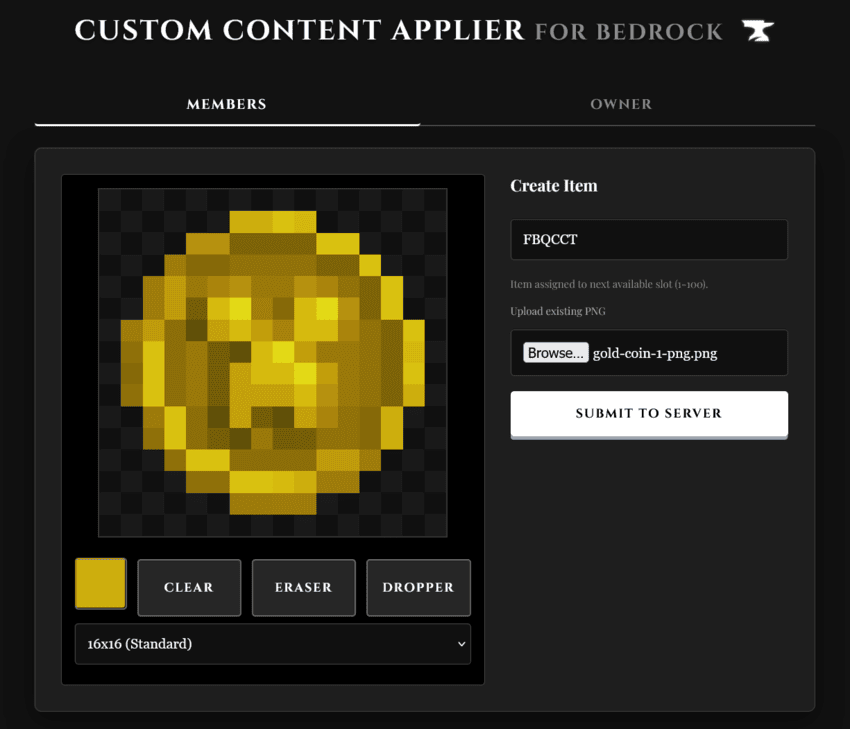
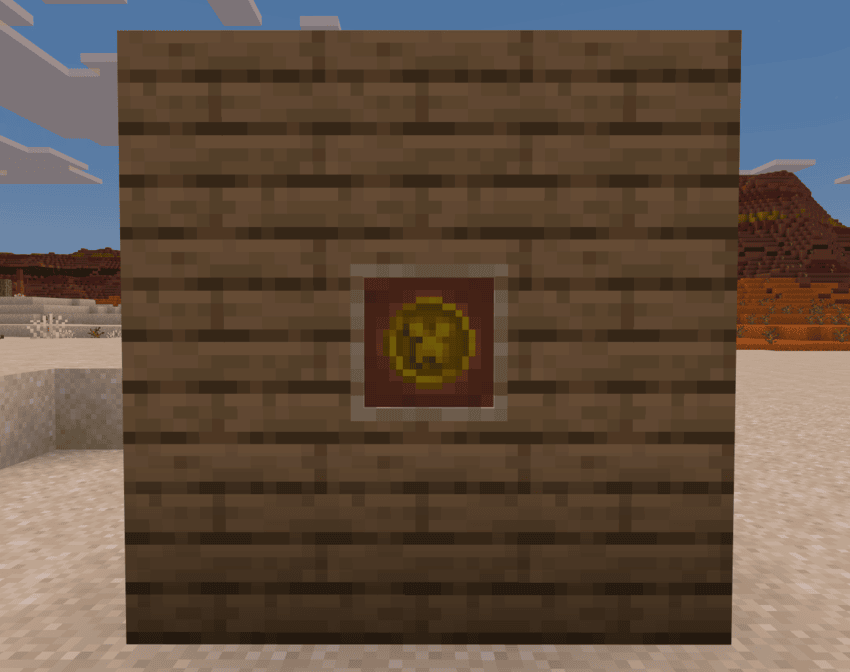

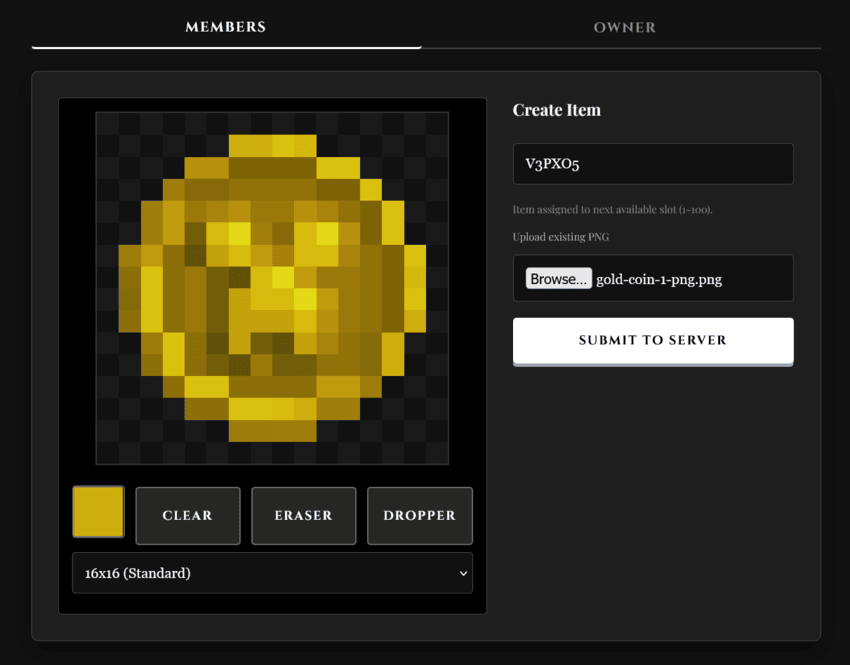
- In browser pixel art editor: A lightweight, mobile friendly pixel art editor with a dropper tool and image import.
- Instant deployment - No need to edit long json files or mess around with file structures. Just upload your texture and let us do all the work.
- Support for high-resolution. The add-on supports textures at 16x, 32x and 64x resolution, giving players more freedom when creating items.
- Easy to craft in survival: All user generated items can be crafted in a stone cutter by using 1 dirt. The option to change the recipe is coming soon!
- Owner support - server owners just need to install the base framework addon, and get started. The admin panel lets you manage your players, with the ability to easily delete items you don't approve of.
Traditional add-on development is tedious.
To make 50 custom items, you would have to edit 50 individual json files, usually a time consuming process. Custom content applier allows the players on your server to easily make there own items with just 1 button press. We were inspired by systems on the Hermitcraft server, allowing the player to make their own paintings and items. The possibilities are endless. Whether you're running a Roleplay server and need unique currency, or a Survival server and want community-designed trophies, this tool makes the process seamless, social, and fun.

Before you begin: Server roles.
- Server Owner: Sets up the group, manages submissions, and installs the final
.mcaddon. - Players / Members: Use the website to draw and submit items using the server's group code.
Step 1: The Base Pack (Owners Only)
Before your custom items will work, you must have the "CCA Base Framework" installed on your server. This pack provides the framework that allows new items to exist.
Download the Base Pack from the downloads section below. Install it on your server just like a normal addon (Behavior & Resource packs). Note: Without this, your custom items will not show in game!!!
Step 2: The Creating the Group (Owners Only)
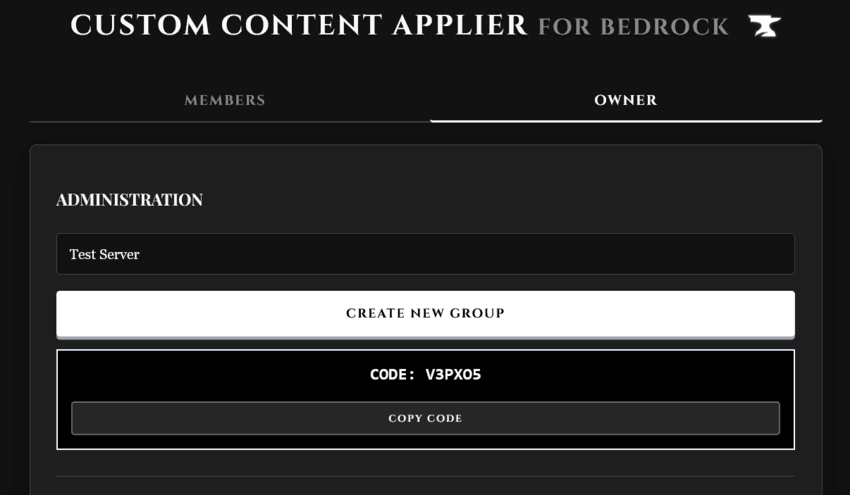
Go to the owner tab on this site. Enter your server name and hit 'create new group'. You will get a 6 digit code - copy it and store it somewhere safe! This code is the only way for your players to add items. Make sure to share it with them and any other admins.
Step 3: Creating Items (Players and owners)
Go to the Members tab. Enter the Join Code provided by your server owner. Draw your item in the pixel editor or Upload a PNG (16x, 32x, or 64x). Hit Submit to Server. Your item is now safely stored in the server's cloud.
Step 4: Managing Submissions (Owners Only)
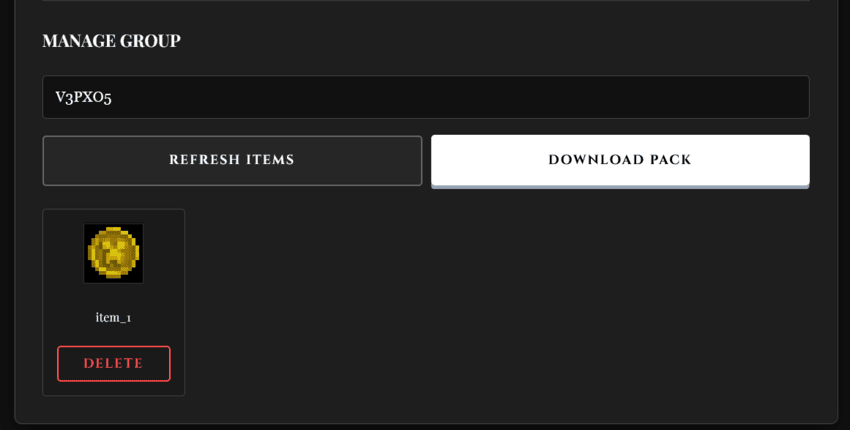
Go to the Owner tab and enter your code under Manage Group. Click Refresh Items to see what your players have created. If an item looks wrong or isn't appropriate, hit Delete to remove it instantly.
Step 5: Generating & Installing (Owners Only)
Once your players are done creating: Click Download Pack in the Owner tab. The site will package everything into an .mcaddon. Put this pack on your server. Activate it alongside the Base Pack (ensure it is top of the list). Restart your server to ensure all new textures are loaded. We recommend checking for new items every week or so, and updating the pack on your server.
Step 6: Getting Items In-Game
Place a Stonecutter. Put a block of Dirt into the Stonecutter. Every custom item submitted to your group will appear in the output list!

https://ccamc.halfdeadpig.workers.dev/


Check out our other projects:


- Edition: Minecraft Bedrock
- File type: .mcpack or .mcaddon
- Minecraft versions listed: 26.0.02, 26.0
- How to install: Download the .mcpack or .mcaddon file. → Open it — Minecraft imports it. → In your world: Behavior Packs → Available → Activate, then the same under Resource Packs.
- Where to get it: Opens on CurseForge — not every file is mirrored on our own servers.
Install steps are the general flow for this file type — How to install Minecraft Bedrock addons & mods walks through it step by step.
- Pack type: .mcaddon — behaviour and resource pack in one file
- Manifest requires Minecraft 1.20.0 or newer
- Complete pack — everything it depends on is inside the file
- Download size: 132 KB
- Download link checked 26 Aug 2026 — working
These come from our own check of the pack file, not from the source page.