Addon Introduction
Better Dyeing is an innovative Addon designed for Minecraft Bedrock Edition, revolutionizing the traditional dyeing experience by introducing 16 colored brushes and dye staining functionality. This addon makes block dyeing simple and fast while maintaining the balance of the original game.
Production Information
<details> <summary>Authors</summary>
- Programming: Naitang_baka (Xuxinrui5201314)
- Art: MaxCypher
- Planning: Naitang_baka (A spur-of-the-moment idea) & MaxCypher (Another spur-of-the-moment idea)
</details>
Copyright Statement
<details> <summary>Intellectual Property Information</summary>
- Code License: Open source under the MIT license. You are free to use, modify, and distribute the code of this project in compliance with the license terms.
- Resource License: Art resources (limited to files in the textures directory of the resource pack) automatically enter the public domain.
</details>
System Requirements & Installation
Compatibility Information
✅ Recommended Version: Minecraft Bedrock Edition 1.21.100+
✅ Experimental Features: No need to enable any experimental options
✅ Achievement System: Fully compatible, does not affect achievement acquisition
✅ Multiplayer: Supports dedicated servers
Installation Guide
- Activate both the behavior pack and the resource pack simultaneously.
- Server deployment requires adding the following to the configuration file:
{
  "allowed_modules": [
    "@minecraft/server"
  ]
}
Feature Introduction
Brush Properties Introduction
- Color: Each dye brush has its own color, 16 colors in total.
- Durability: Dye brushes have 64 durability points. When durability drops to 1, the brush reverts to a regular brush.
- Crafting: Each dye brush requires a regular brush and one dye to craft.
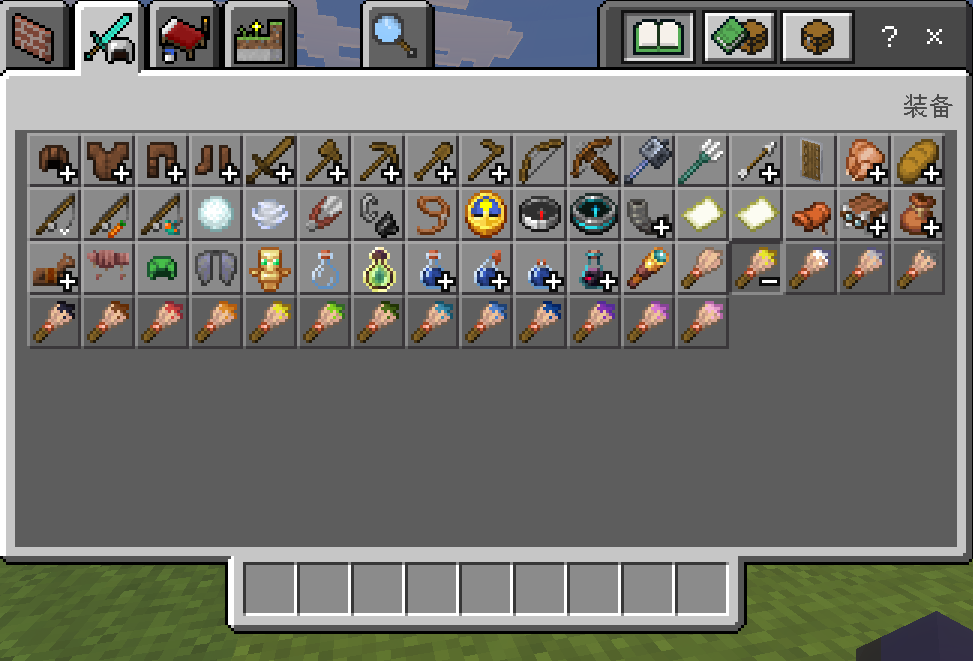
Dye Brushes
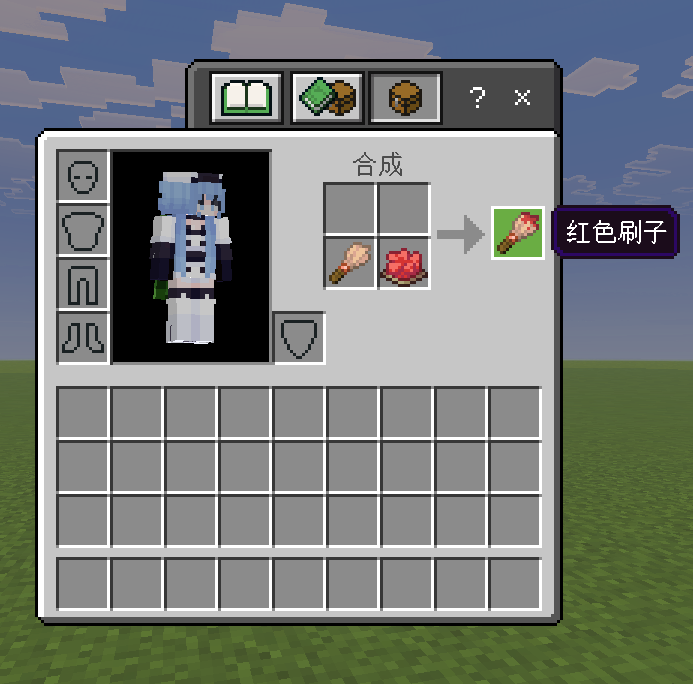
Use a regular brush and one dye to craft the corresponding dye brush.
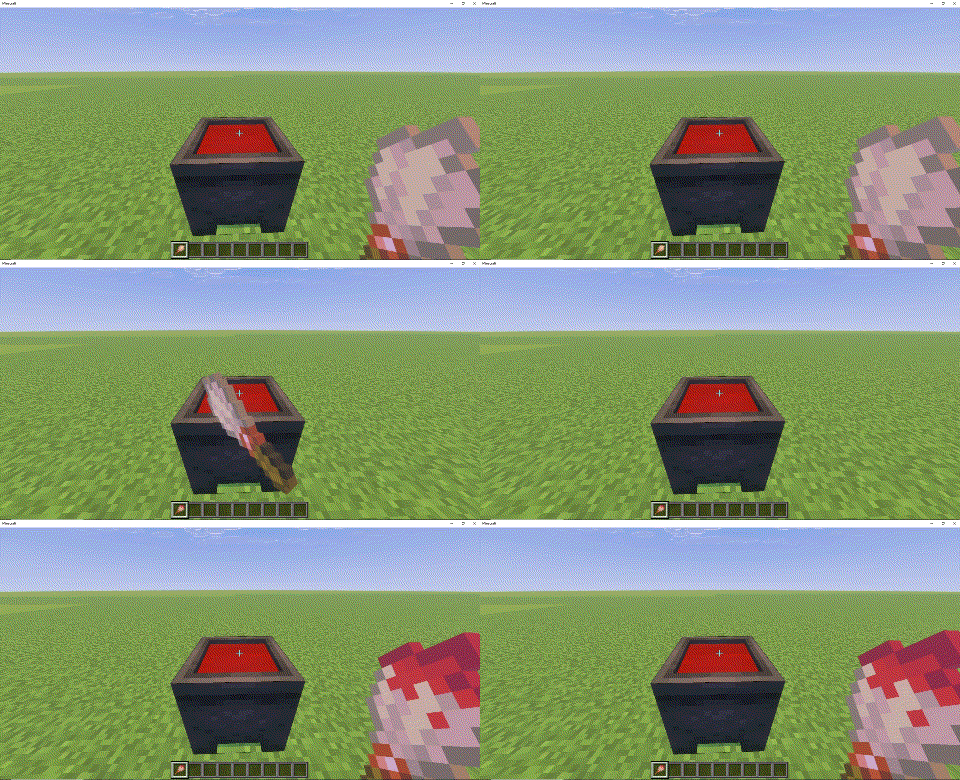
- Right-click on a cauldron with the brush to dye it the corresponding color.
- Already dyed brushes can also be re-dyed to other colors using this method.
Features
Dyeing Blocks
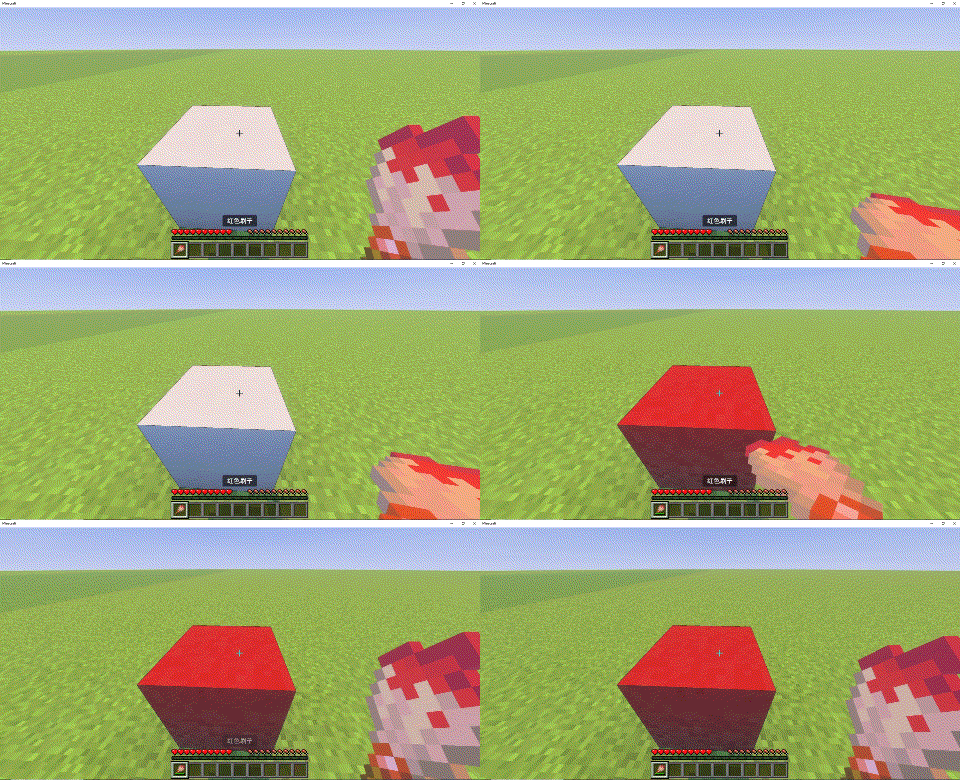
- Right-click on a block with a dye brush to dye it and consume 1 durability point.
Durability Merging
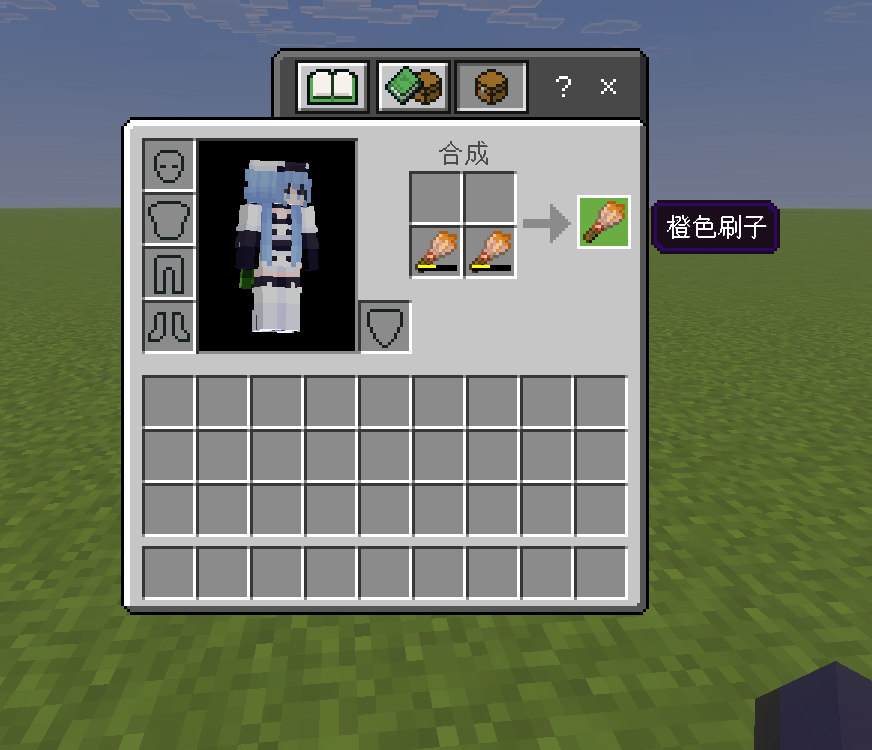
- They can merge durability like weapons by combining two identical brushes.
Enchantment Retention
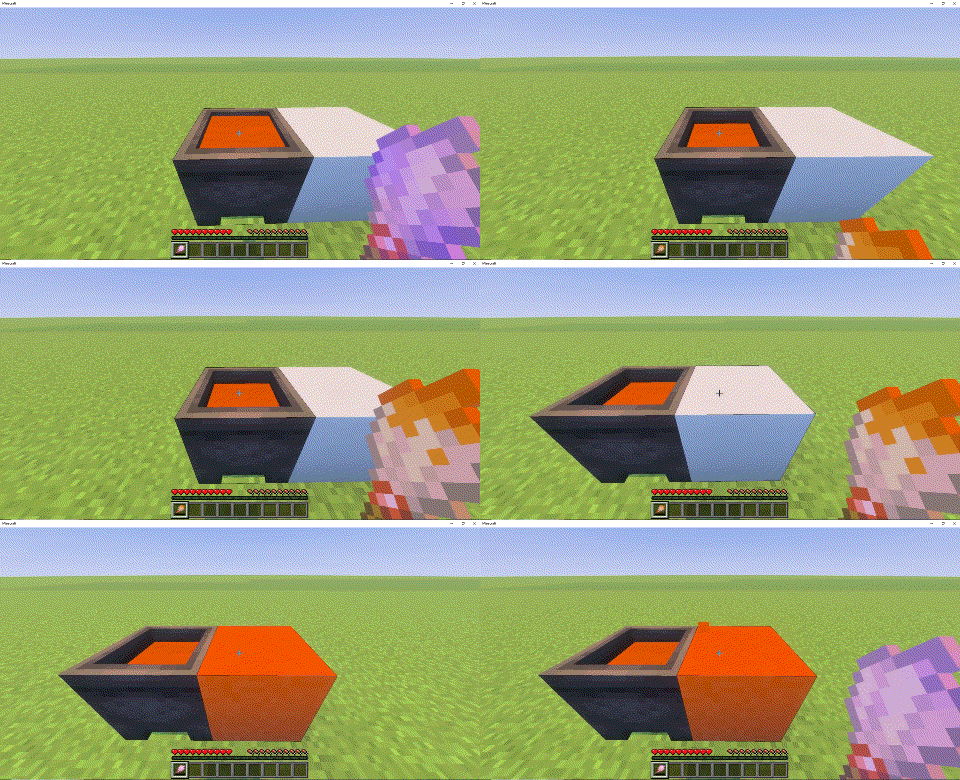
- Dye brushes cannot be enchanted directly. However, if a regular brush has enchantments, they will be retained after cauldron dyeing until the durability is depleted and it reverts to a regular brush.
Water Decolorizing
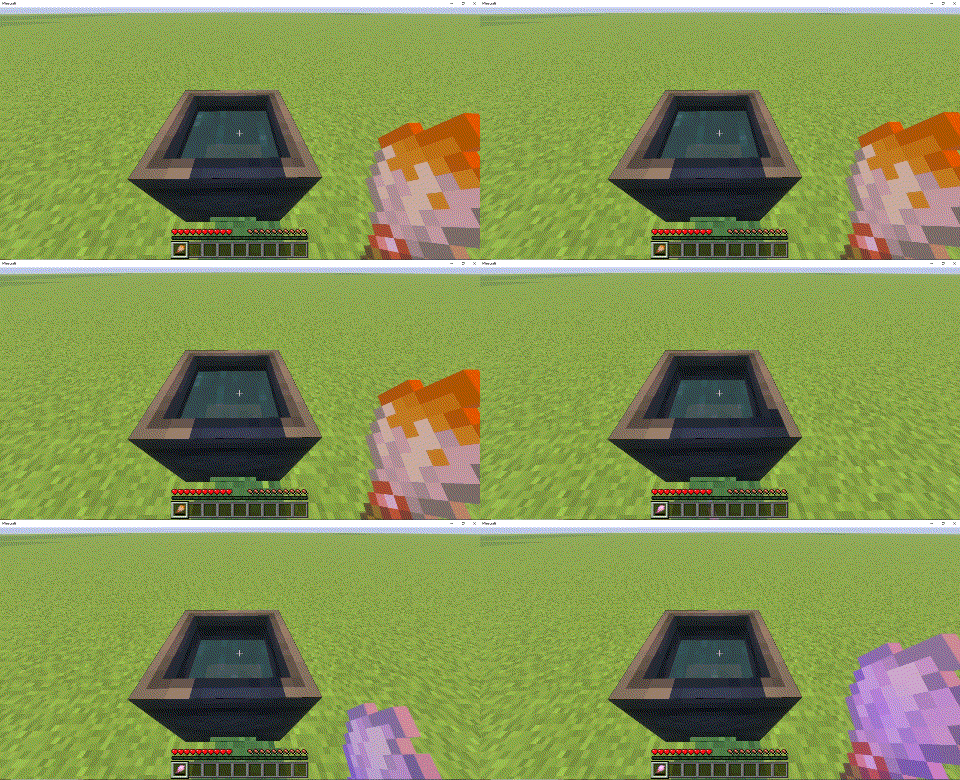
- Right-click on a cauldron filled with water to remove the color.
Dye Staining
- Right-click on a block with a dye to stain it and consume 1 dye.
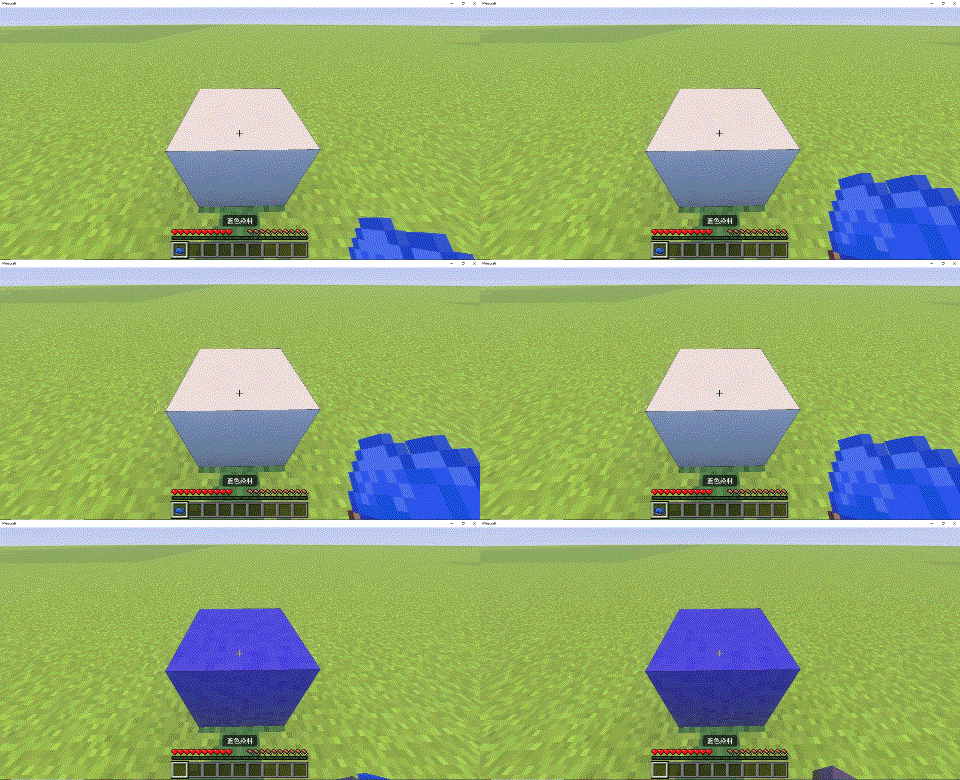
- Right-click on a block with a dye to stain it and consume 1 dye.
- Edition: Minecraft Bedrock
- File type: .mcpack or .mcaddon
- Minecraft versions listed: 1.21.101, 1.21.100, 1.21.111
- How to install: Download the .mcpack or .mcaddon file. → Open it — Minecraft imports it. → In your world: Behavior Packs → Available → Activate, then the same under Resource Packs.
- Where to get it: Opens on CurseForge — not every file is mirrored on our own servers.
Install steps are the general flow for this file type — How to install Minecraft Bedrock addons & mods walks through it step by step.
- Pack type: .mcaddon — behaviour and resource pack in one file
- Manifest requires Minecraft 1.21.0 or newer
- Complete pack — everything it depends on is inside the file
- Download size: 182 KB
- Download link checked 26 Aug 2026 — working
These come from our own check of the pack file, not from the source page.