Cave Layers - Bedrock Edition
Bedrock add-on listed for Minecraft 1.16. File opened and checked on 1 Oct 2026; installs from the MC Bedrock Mods app on Android.
⬇ Download on CurseForgeDo you want the new Cave stuff in 1.17 from Java Edition but you don't have PC. Now you can play with the new 1.17 Cave stuff on Minecraft 1.16 by using this new addon. This is only for 1.16 Minecraft Version.
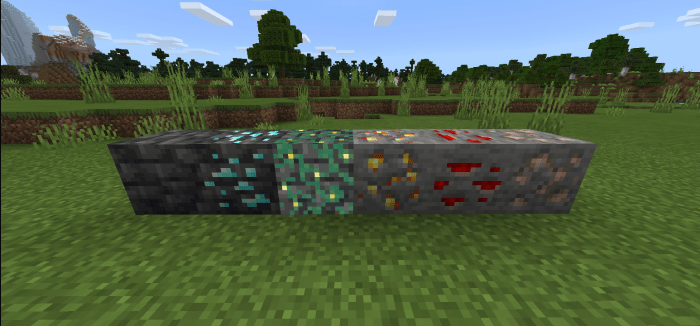 This addon includes the new textures from the 1.17 of Iron, Gold, and redstone. There are New blocks from Minecraft v1.17 called the Grim stone and Glow Lichen.
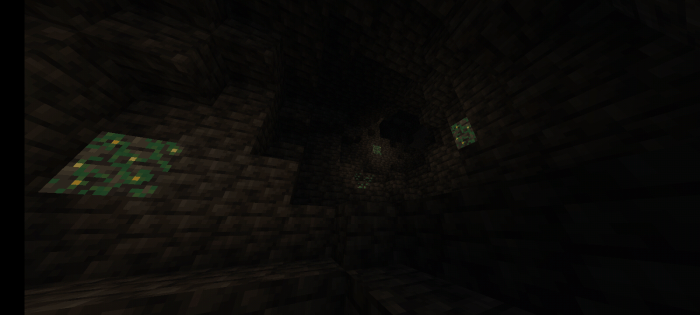 Glow Lichen are glowing blocks in caves so you can see through the dark caves.
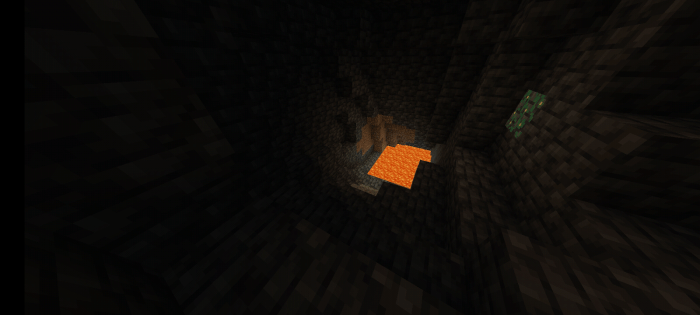 New Grimstone block that can be discovered deep down, there harder than stones.
Must Read:
To make the add-on work enable the "additional modding capabilities" from the world settings.
Installation:
Unzip the zipped file via Zarchive or other similar archive program then open "Minecraft Cave Layers v1.0.0.mcaddon" file and wait for minecraft to install the file. That's it .
Note:
- This addon is only for Minecraft version 1.16
- More updates will come for this addon
- You might experience lag issues while going down
- This only includes cave blocks. Lush caves or other types of caves will not come to this addon but I might add the deep dark where the Warden spawns
- You can use this add-on for your add-on just don't re-post it as your own
- Edition: Minecraft Bedrock
- File type: .mcpack or .mcaddon
- Minecraft version listed: 1.16
- How to install: Download the .mcpack or .mcaddon file. → Open it — Minecraft imports it. → In your world: Behavior Packs → Available → Activate, then the same under Resource Packs.
- Where to get it: Opens on CurseForge — not every file is mirrored on our own servers.
Install steps are the general flow for this file type — How to install Minecraft Bedrock addons & mods walks through it step by step.
Cave Layers - Bedrock Edition is a free Minecraft Bedrock addon. Compatible with Minecraft 1.16. Downloaded 1,121 times (via CurseForge). Download it and open it directly in the game.