# SGM WorldEdit UI (Bedrock Edition)
[ENG] A lightweight, professional WorldEdit addon designed for Minecraft Bedrock Edition. No more annoying chat commands! Access everything through a beautiful in-game GUI form.
### Features:
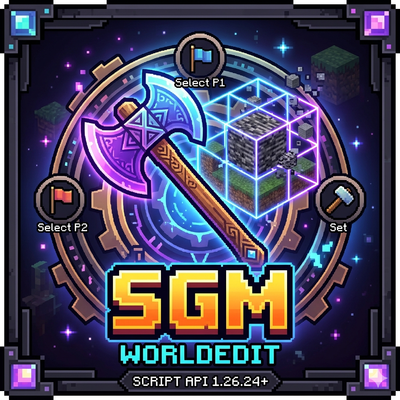
- **Position 1 (P1):** Left-click (Break) a block with a Wooden Axe (Creative friendly, blocks won't break).
- **Position 2 (P2):** Right-click a block with a Wooden Axe.
- **Open SET Menu:** Sneak (Shift) and Right-click into the air with the axe to open the GUI. Type any block name to fill the area!
---
[TR] Minecraft Bedrock Edition için tasarlanmış, sohbet komutlarına ihtiyaç duymayan profesyonel WorldEdit eklentisi! Her şeye oyun içi arayüzden (GUI) ulaşın.
### Özellikler:
- **Pozisyon 1 (P1):** Elinizde Tahta Balta varken bir bloğa sol tıklayın (Kreatif modda bile blok kırılmaz).
- **Pozisyon 2 (P2):** Bir bloğa normal sağ tıklayın.
- **SET Menüsünü Açma:** Eğilin (Shift) ve baltayla havaya sağ tıklayarak arayüzü açın. İstediğiniz blok adını yazıp alanı doldurun!
YOU CAN USE AT CREATİVE, SURVİVAL
- Edition: Minecraft Bedrock
- File type: .mcpack or .mcaddon
- Minecraft version listed: 26.20
- How to install: Download the .mcpack or .mcaddon file. → Open it — Minecraft imports it. → In your world: Behavior Packs → Available → Activate, then the same under Resource Packs.
- Where to get it: Opens on CurseForge — not every file is mirrored on our own servers.
Install steps are the general flow for this file type — How to install Minecraft Bedrock addons & mods walks through it step by step.
- Save it as WorldEdit_BP.mcaddon before opening — it downloads as .mcpack, but it is a .mcaddon pack
- Manifest requires Minecraft 1.21.0 or newer
- Download size: 1.4 MB
- Download link checked 16 Sept 2026 — working
These come from our own check of the pack file, not from the source page.