AddonsBedrock
Mystic Tools
Mystic Tool Pack adds custom dirt‑crafted tools that automatically upgrade as you mine, creating a fresh progression system in Minecraft.
⬇ Download on CurseForge
The Mystic Tool Pack introduces a new way to experience tool progression:
Crafting Mystic Tools 🔨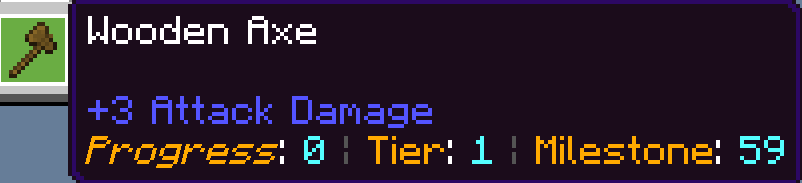
- Custom Upgradeable Tools – Craft pickaxes, axes, and shovels using dirt in the same recipes as vanilla tools.
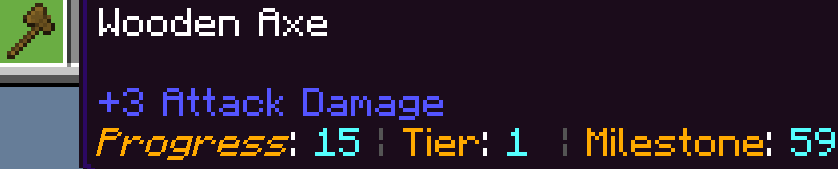
- Progressive Mining Power – Begin at wooden tier, then level up to stone, iron, and beyond simply by mining with your tools.
- Immersive Gameplay – No extra steps or complicated mechanics—just mine, upgrade, and enjoy the journey.
Crafting Mystic Tools 🔨
- Base Recipe:
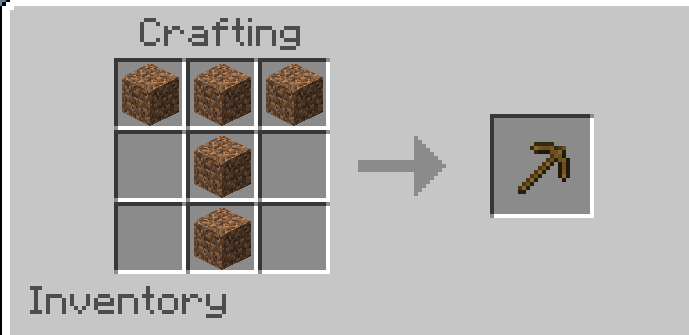
Craft your Mystic tools (pickaxe, axe, shovel) using the same vanilla recipes as normal tools. - 5 material items for pickaxe
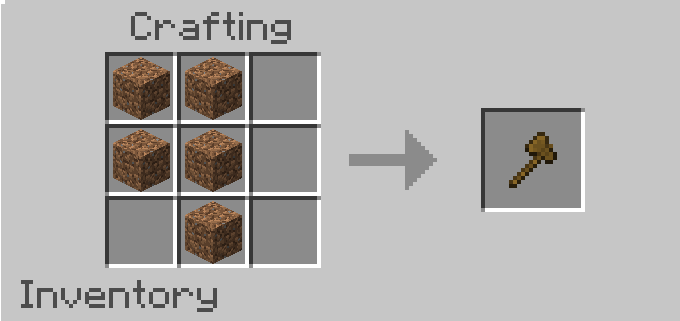
- 5 material items for axe
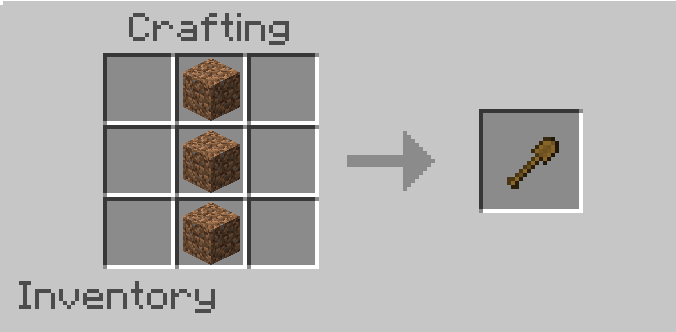
- 3 material item for shovel
- Material Difference:
Instead of wood, stone, iron, etc., you use dirt blocks as the crafting material. - Example:
- Mystic Pickaxe = 5 dirt
- Mystic Axe = 5 dirt
- Mystic Shovel = 3 dirt
- Progression:
- Tools begin at wooden tier.
- As you mine with them, they automatically upgrade to stone, copper, iron, diamond, and finally netherite.
- No extra crafting is required — progression happens through usage.
Quick facts
- Edition: Minecraft Bedrock
- File type: .mcpack or .mcaddon
- Minecraft version listed: 1.21.132
- How to install: Download the .mcpack or .mcaddon file. → Open it — Minecraft imports it. → In your world: Behavior Packs → Available → Activate, then the same under Resource Packs.
- Where to get it: Opens on CurseForge — not every file is mirrored on our own servers.
Install steps are the general flow for this file type — How to install Minecraft Bedrock addons & mods walks through it step by step.
Mystic Tools is a free Minecraft Bedrock addon. Compatible with Minecraft 1.21.132. Downloaded 131 times (via CurseForge). Download it and open it directly in the game.