MobCap Monitor
Bedrock add-on listed for Minecraft 1.21 (behavior pack only). File opened and checked on 1 Oct 2026; installs from the MC Bedrock Mods app on Android.
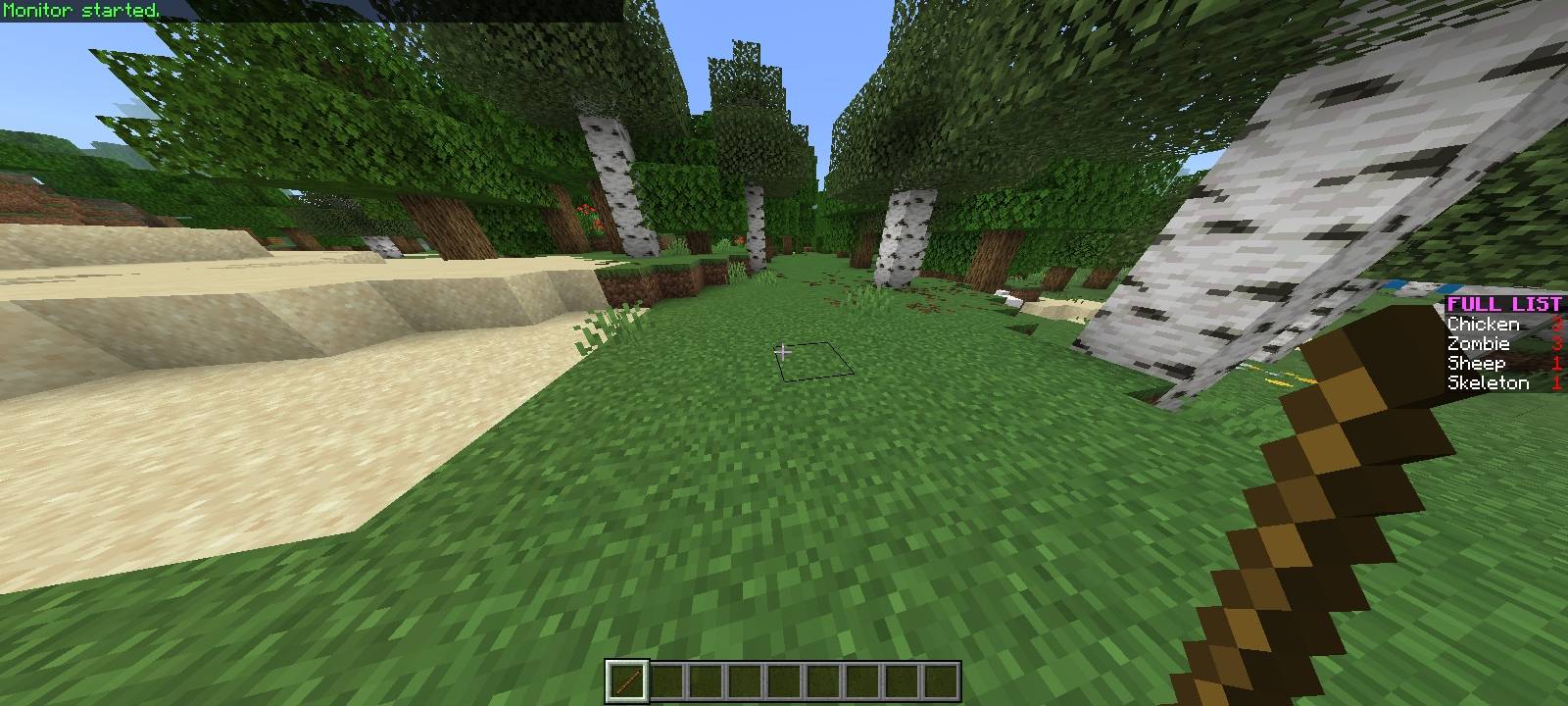
Real-time entity monitoring system. Visualize total mob counts, filter by categories (Hostile/Passive), or access a detailed list of every active entity…
⬇ Download on CurseForgeThe author built this one for Minecraft 1.21.124. On other versions it may install and then do nothing.
MobCap Monitor
English:
MobCap Monitor is an advanced diagnostic tool designed for technical players, server administrators, and survival enthusiasts who need precise control over their world's entity counts.
This addon allows you to monitor the number of entities loaded in real-time without the need for complex external tools or experimental toggles. It is essential for optimizing mob farms, debugging spawn rates, and maintaining server performance.
Key Features
-
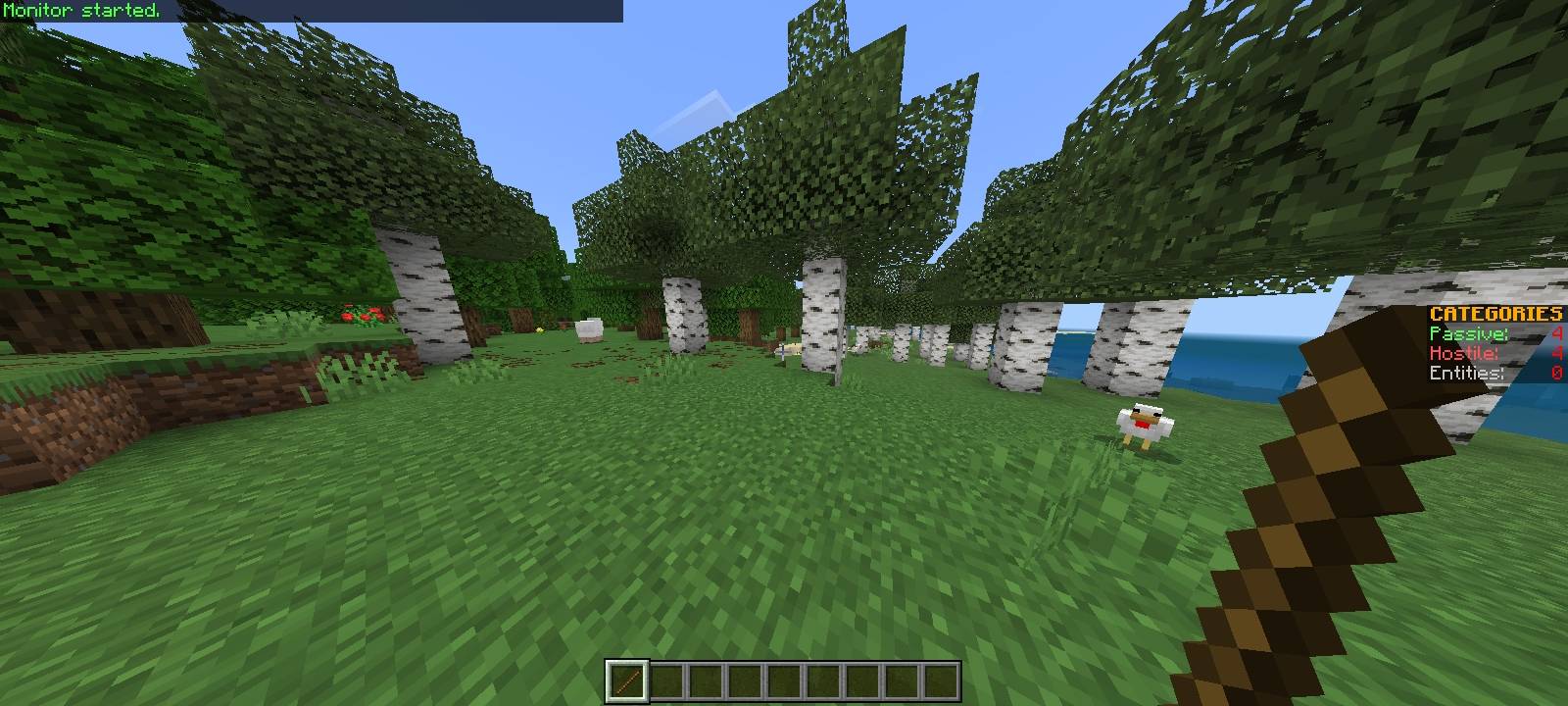
Real-Time Monitoring: View entity counts update instantly via a clean sidebar scoreboard.
-
Smart Categorization:
-
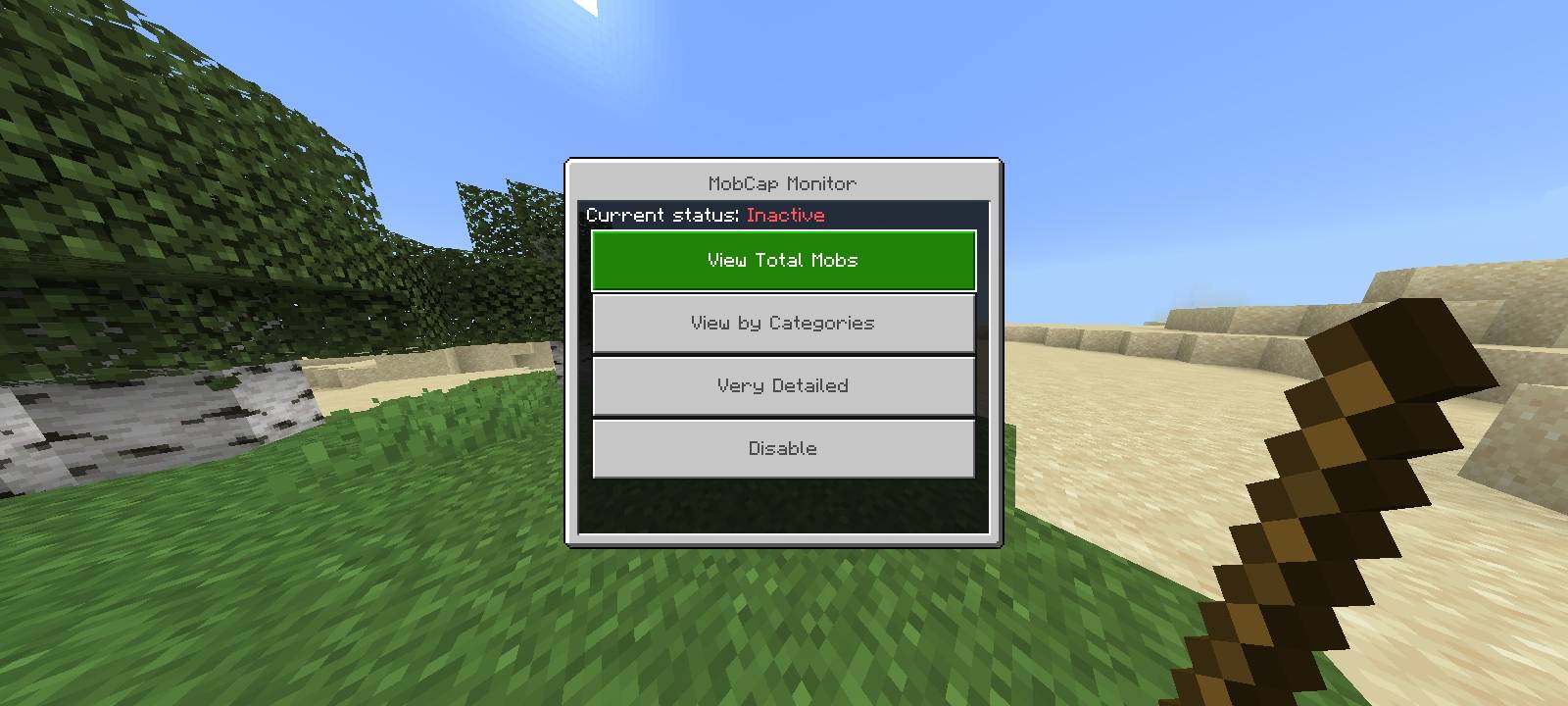
Total Count: See the global number of loaded mobs to check if you hit the cap.
-
Category Filter: Distinguish between Hostile (monsters) and Passive (animals/villagers) mobs to diagnose specific farm issues.
-
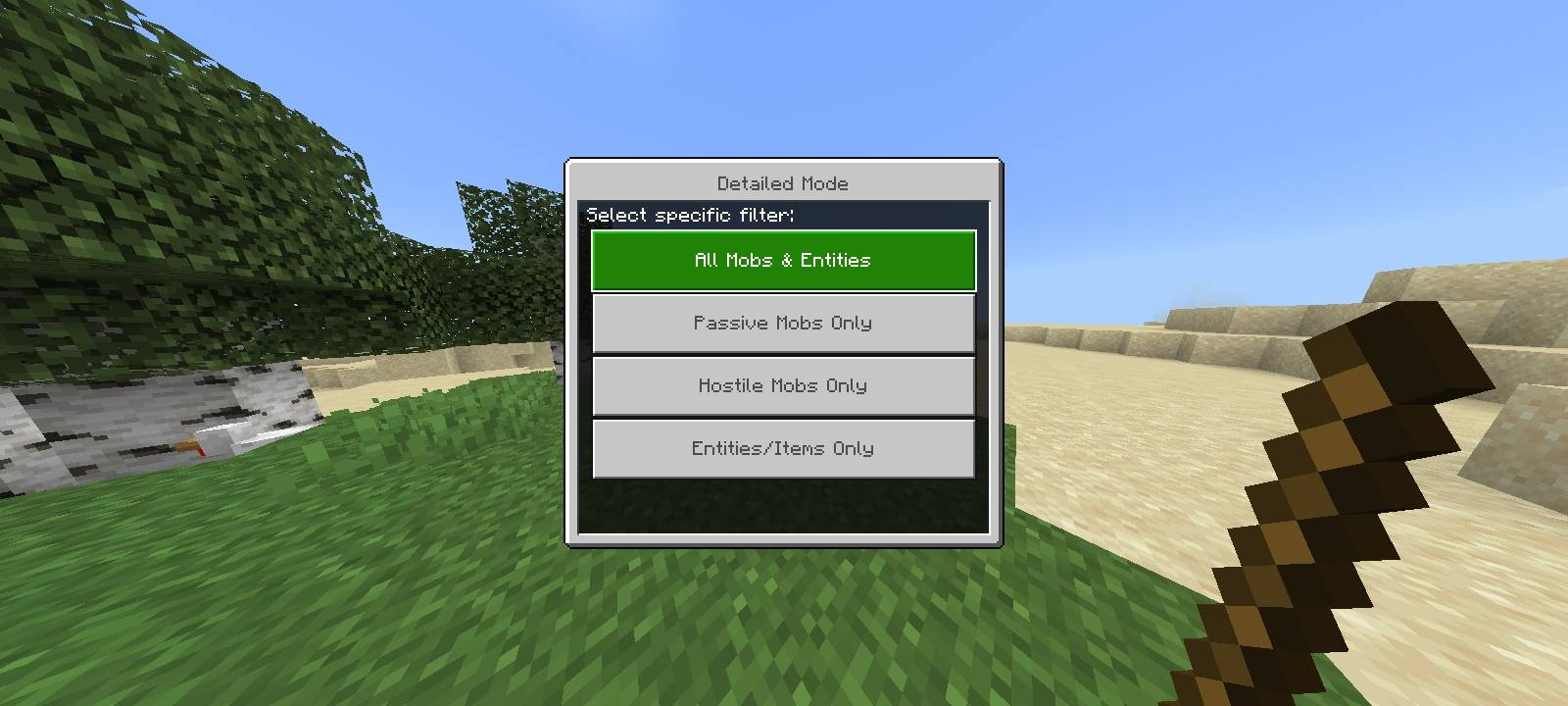
Detailed List: Access a breakdown of every specific entity type active in your world (e.g., "Zombies: 10", "Creepers: 5").
-
-
Survival Friendly: Designed with the modern addon structure to ensure it does not disable Xbox achievements. You can use this in your main survival world without losing progress.
-
Performance Optimized: The code runs on a smart interval to ensure zero impact on TPS (Ticks Per Second) or FPS.
-
Vanilla Feel: No experimental gameplay toggles required.
How to Use
The addon uses a non-intrusive activation method to keep your inventory clean:
-
Take any item (e.g., a stick, dirt, sword).
-
Place it in an Anvil.
-
Rename the item to:
mobs(lowercase). -
Use the item (Right-click on PC / Long-press on Mobile).
-
A menu will appear allowing you to select your monitoring mode or disable the system.
Ideal For
-
Technical Survival: maximizing efficiency in iron farms, gold farms, or raid farms.
-
Server Optimization: Identifying lag sources caused by excessive entity clusters.
-
Map Makers: Debugging spawning mechanics.
Created by Dicov. If you encounter any issues, please contact me via Discord: dicov.
Español:
MobCap Monitor es una herramienta de diagnóstico avanzada diseñada para jugadores técnicos, administradores de servidores y entusiastas del survival que necesitan un control preciso sobre el conteo de entidades en su mundo.
Este addon te permite monitorear la cantidad de entidades cargadas en tiempo real sin necesidad de herramientas externas complejas ni funciones experimentales. Es esencial para optimizar granjas de mobs, depurar tasas de aparición (spawn rates) y mantener el rendimiento del servidor.
Características Principales
-
Monitoreo en Tiempo Real: Visualiza el conteo de entidades actualizándose al instante a través de un scoreboard limpio en la barra lateral.
-
Categorización Inteligente:
-
Conteo Total: Mira el número global de mobs cargados para saber si has alcanzado el límite (MobCap).
-
Filtro por Categorías: Distingue entre mobs Hostiles (monstruos) y Pacíficos (animales/aldeanos) para diagnosticar problemas específicos en tus granjas.
-
Lista Detallada: Accede a un desglose exacto de cada tipo de entidad activa en tu mundo (ej: "Zombies: 10", "Creepers: 5").
-
-
Compatible con Logros: Diseñado con la estructura moderna de addons para asegurar que no desactive los logros de Xbox. Puedes usarlo en tu mundo survival principal sin perder tu progreso.
-
Optimizado para Rendimiento: El código se ejecuta en intervalos inteligentes para asegurar cero impacto en los TPS (Ticks por Segundo) o FPS.
-
Estilo Vanilla: No requiere activar funciones experimentales ("Beta APIs").
Cómo Usar
El addon utiliza un método de activación no intrusivo para no ocupar espacio innecesario en tu inventario o pantalla:
-
Toma cualquier objeto (ej: un palo, tierra, espada).
-
Colócalo en un Yunque.
-
Renombra el objeto a:
mobs(en minúsculas). -
Usa el objeto (Click derecho en PC / Mantener presionado en Móvil).
-
Aparecerá un menú que te permitirá seleccionar el modo de monitoreo o desactivar el sistema.
Ideal Para
-
Survival Técnico: Maximizar la eficiencia en granjas de hierro, oro o raids.
-
Optimización de Servidores: Identificar fuentes de lag causadas por el exceso de entidades.
-
Creadores de Mapas: Depurar mecánicas de spawn.
Creado por Dicov. Si encuentras algún error, por favor contáctame vía Discord: dicov.
- Edition: Minecraft Bedrock
- File type: .mcpack or .mcaddon
- Minecraft version listed: 1.21.124
- How to install: Download the .mcpack or .mcaddon file. → Open it — Minecraft imports it. → In your world: Behavior Packs → Available → Activate, then the same under Resource Packs.
- Where to get it: Opens on CurseForge — not every file is mirrored on our own servers.
Install steps are the general flow for this file type — How to install Minecraft Bedrock addons & mods walks through it step by step.
- Pack type: .mcaddon — behaviour and resource pack in one file
- Manifest requires Minecraft 1.21.20 or newer
- Complete pack — everything it depends on is inside the file
- Download size: 293 KB
- Download link checked 6 Oct 2026 — working
These come from our own check of the pack file, not from the source page.