AddonsBedrock
Force Show Coordinates
Bedrock add-on listed for Minecraft 1.21–26.x. Download on the author's site.
⬇ Download on CurseForge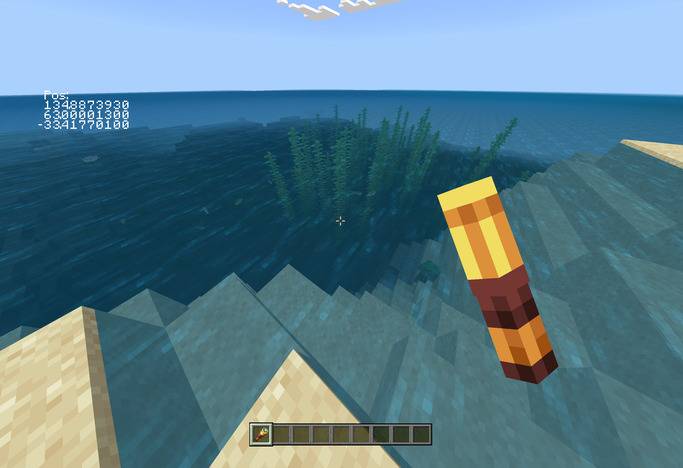
Force Show Coordinates
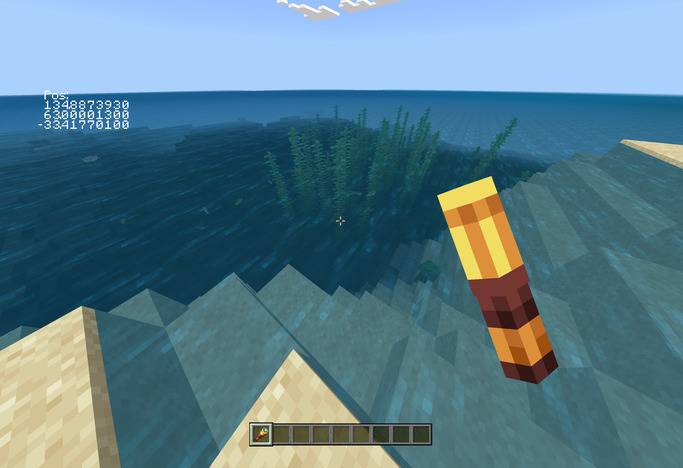
To show coordinates, all you need to do is to hold a spyglass.
Then, you will be able to see your coordinates in the top left corner.
Known Issues:
- Coordinates are partially offscreen when underwater
- Coordinates get affected by view bobbing
- Coordinates sometimes get rendered at the edge of your screen
This pack is compatible with most packs, except those that retexture the spyglass. Make sure this pack is on top so it doesn't get overriden.
Quick facts
- Edition: Minecraft Bedrock
- File type: .mcpack or .mcaddon
- Minecraft versions listed: 1.21.132, 26.0.02, 26.0
- How to install: Download the .mcpack or .mcaddon file. → Open it — Minecraft imports it. → In your world: Behavior Packs → Available → Activate, then the same under Resource Packs.
- Where to get it: Opens on CurseForge — not every file is mirrored on our own servers.
Install steps are the general flow for this file type — How to install Minecraft Bedrock addons & mods walks through it step by step.
Force Show Coordinates is a free Minecraft Bedrock addon. Compatible with Minecraft 1.21.132, 26.0.02, 26.0. Downloaded 647 times (via CurseForge). Download it and open it directly in the game.