Fegxbears menu maker
Bedrock add-on listed for Minecraft 1.20–26.x (behavior + resource pack). File opened and checked on 1 Oct 2026; installs from the MC Bedrock Mods app on Android.
This is a addon that allows you to make your own cutom menus in mincraft bedrock without ever leaving the game.
⬇ Download on CurseForgeWhat is it?
A Minecraft Bedrock addon that lets you build your own custom in-game menu system using a special item called the Ancient Compass. No mods or external tools needed — everything is built and managed from inside the game itself.
The Item
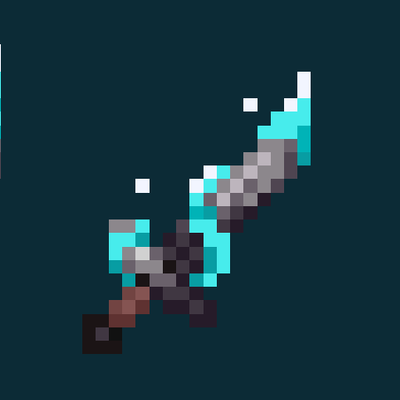
The Ancient Compass is a custom craftable item. When you hold it and right-click (or tap "use" on mobile), it opens your menu on screen. It can be crafted at a crafting table using a Compass in the center, surrounded by Gold Ingots and Amethyst Shards.
The Menu System
Menus are pop-up screens that show a list of buttons. Each button can either run a command or open another menu. You can build as many menus as you want, and link them together to create a full navigation structure — like a settings panel, a teleport hub, a shop, or anything else you can imagine.
All menu data is saved to the world, so your menus survive restarts and are shared across all players on the server.
Editor Mode
By default the menu appears empty to players. To start building, you give yourself the menueditor tag with:
/tag @s add menueditorThis unlocks extra buttons in every menu that only you can see:
| Button | What it does |
|---|---|
| [+] Add Button | Add a new button to the current menu |
| [+] Create New Menu | Create a brand new submenu |
| [pencil] Rename This Menu | Change the title of the current menu |
| [-] Remove a Button | Delete an existing button |
When adding a button you fill in a short form with the label, an optional icon, and the action — either a command to run or a menu to open.
When you're done building, remove the tag and the editor buttons disappear for everyone:
/tag @s remove menueditorUse Cases
- Teleportation hubs
- Player kits / rewards
- Server rules or info screens
- Admin control panels
- Custom game mode selectors
- Edition: Minecraft Bedrock
- File type: .mcpack or .mcaddon
- Minecraft version listed: 26.10
- How to install: Download the .mcpack or .mcaddon file. → Open it — Minecraft imports it. → In your world: Behavior Packs → Available → Activate, then the same under Resource Packs.
- Where to get it: Opens on CurseForge — not every file is mirrored on our own servers.
Install steps are the general flow for this file type — How to install Minecraft Bedrock addons & mods walks through it step by step.
- Pack type: .mcaddon — behaviour and resource pack in one file
- Manifest requires Minecraft 1.20.50 or newer
- Complete pack — everything it depends on is inside the file
- Download size: 5 KB
- Download link checked 6 Oct 2026 — working
These come from our own check of the pack file, not from the source page.