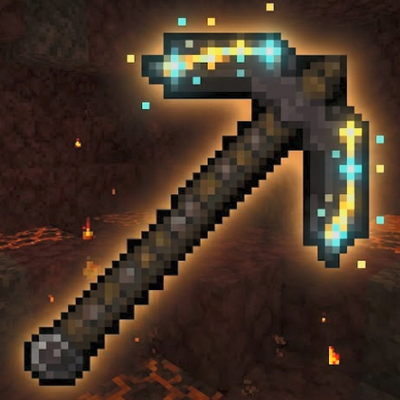
Excavator
Bedrock add-on listed for Minecraft 26.x. Download on the author's site.
⬇ Download on CurseForgeExcavator
A powerful enchanted mining tool for Minecraft Bedrock.
Excavator adds a custom pickaxe-style tool designed for fast creative digging, controlled survival use, and easy in-game configuration. It is built for players who want a clean, simple mining add-on without needing complex setup.
The tool uses a custom texture with diamond and gold accent styling, plus glow/shimmer-style visual polish where supported by the resource pack.
Features
Powerful Creative Excavation
In Creative mode, the Excavator can mine a large forward-facing area instead of just one block.
Current maximum excavation size:
- 5 blocks left
- 5 blocks right
- 5 blocks up
- 5 blocks down
- 5 blocks forward
- 0 blocks backwards
This makes the tool ideal for clearing tunnels, test worlds, builds, terrain, and unwanted blocks quickly.
Creative Bedrock Breaking
Creative mode excavation can destroy any block in the radius, including normally unbreakable blocks such as bedrock.
Safe Survival Behaviour
In Survival mode, the Excavator only breaks the target block.
Radius excavation is intentionally Creative-only so the tool does not accidentally destroy huge sections of a survival world.
Max Enchanted Tool
The Excavator is automatically given with powerful enchantments:
- Efficiency V
- Unbreaking III
- Fortune III
- Mending I
The add-on also includes logic to refresh missing enchantments where supported.
Sneak-Use Configuration Menu
Hold the Excavator and sneak-use to open the configuration menu.
The menu allows you to:
- Set excavation radius from 1 to 5
- Toggle auto collection
- Re-apply max enchantments
- View current tool status
Auto Collection
When enabled, drops from excavated blocks are pulled back to the player after mining.
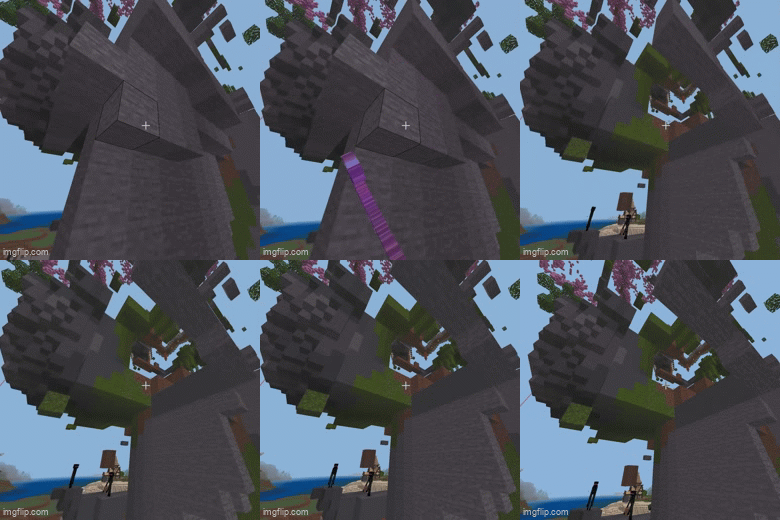
This helps reduce item loss and makes large clearing jobs much easier.
Commands Included
The add-on includes function commands for quick setup and fallback control.
Give yourself the Excavator:
/function excavator/give_excavatorOpen the configuration menu:
/function excavator/configSet maximum radius:
/function excavator/set_radius_maxCheck status/debug info:
/function excavator/debug_statusLegacy radius commands from older versions are still present, but anything above radius 5 is now clamped to 5.
How To Use
- Install the add-on.
- Apply both the Behaviour Pack and Resource Pack to your world.
- Make sure the required experimental features for scripting are enabled.
- Load into the world.
- Run:
/function excavator/give_excavator- Hold the Excavator.
- Sneak-use to open the configuration menu.
- Choose your preferred radius and auto-collection setting.
- In Creative mode, break a block to excavate the configured forward-facing area.
- In Survival mode, use it like a normal tool. It will only break the target block.
Important Notes
- Radius excavation is Creative-only.
- Survival mode only breaks one block at a time.
- Creative mode can destroy bedrock.
- Auto collection pulls drops toward the player after excavation.
- Very large clearing actions may still depend on world performance, ticking, and device capability.
- This is a Minecraft Bedrock add-on and requires the Behaviour Pack and Resource Pack to both be active.
Recommended Use
Excavator is best used for:
- Creative world editing
- Tunnel clearing
- Build preparation
- Removing large sections of terrain
- Realm or test-world cleanup
- Fast block clearing while preserving survival safety
Credits
Created as a custom Minecraft Bedrock add-on project.
- Edition: Minecraft Bedrock
- File type: .mcpack or .mcaddon
- Minecraft version listed: 26.20
- How to install: Download the .mcpack or .mcaddon file. → Open it — Minecraft imports it. → In your world: Behavior Packs → Available → Activate, then the same under Resource Packs.
- Where to get it: Opens on CurseForge — not every file is mirrored on our own servers.
Install steps are the general flow for this file type — How to install Minecraft Bedrock addons & mods walks through it step by step.
Excavator is a free Minecraft Bedrock addon. Compatible with Minecraft 26.20. Downloaded 47 times (via CurseForge). Download it and open it directly in the game.