
Custom Raids (Works with custom mobs)
Bedrock add-on listed for Minecraft 1.21 (behavior + resource pack). File opened and checked on 25 Sep 2026; installs from the MC Bedrock Mods app on Android.
⬇ Download on CurseForge
Using a new creative mode block called the "Raid Block," you can create your own custom configurable raids.
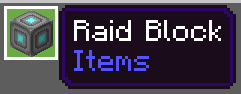
Raids are triggered by drinking an Ominous Bottle.

Here's a video if you want to see it in action.
By right-clicking the Raid Block, you can bring up its menu and add, delete, and edit waves of the raid.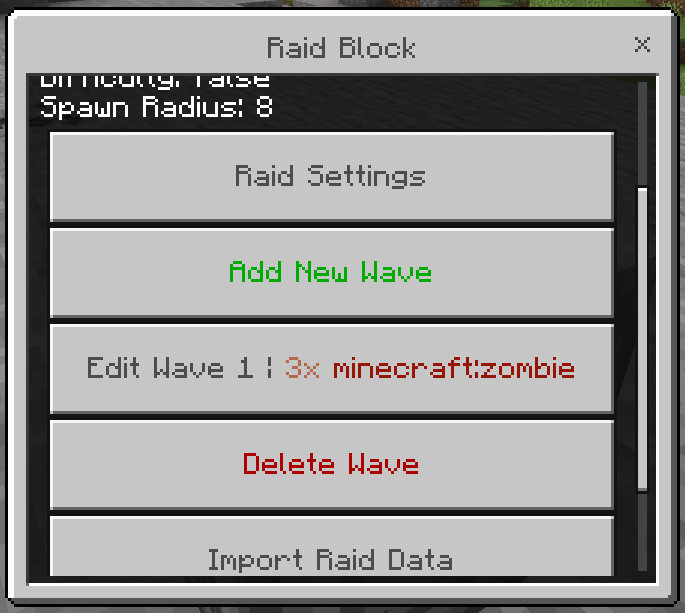
Here are the general settings.
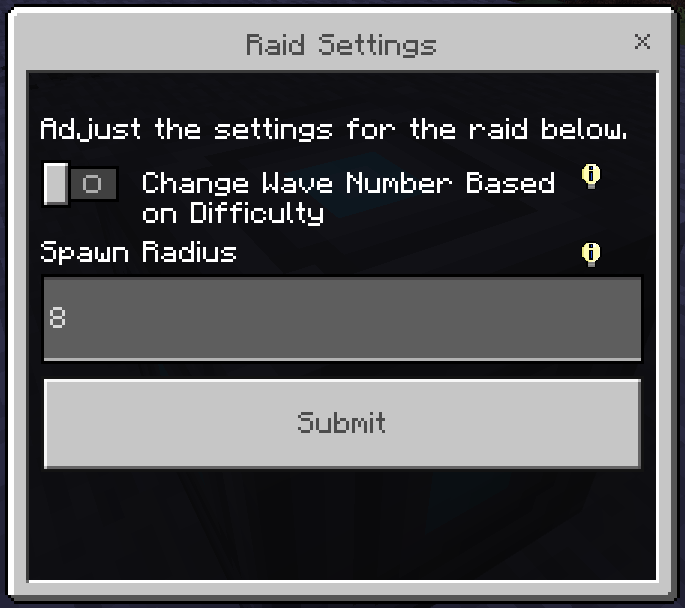
Spawn radius controls how far away from the Raid Block mobs can spawn. Change wave number based on difficulty is a little more complicated. Basically if you enable this option, the world's difficulty will affect how many waves spawn in the raid. On hard difficulty, all waves will spawn. On normal difficulty, all waves except the final 2 will spawn, and on easy difficulty, all waves except the final 4 will spawn.
By editing a wave, you can add, delete and edit mobs in that wave.
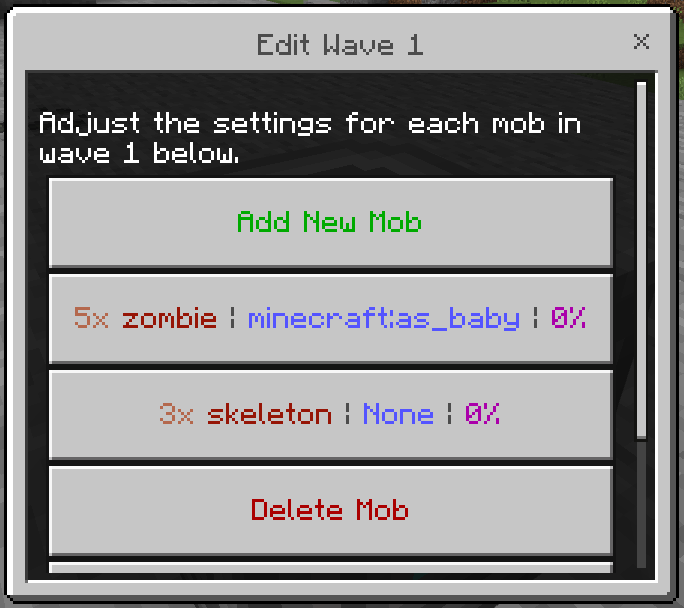
You can change the number of mobs spawned, what type of mob is spawned, their spawn event, and their chance of variation from each Bad Omen level.
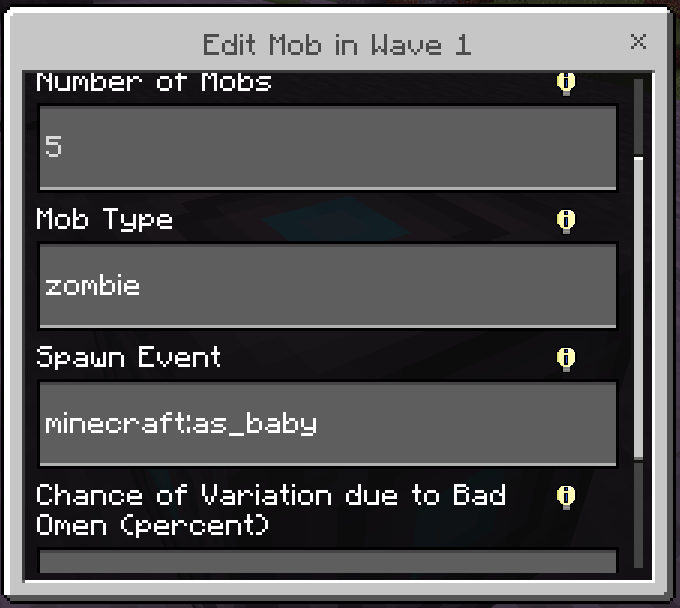
Most of these are pretty self-explanatory, but if you need additional information, you can hover over the little information markers to see an explaination of each modifier. The only one I'll explain here is chance of variation due to Bad Omen. Depending on the level of Bad Omen that the raid is triggered with, mobs will have a chance to either be added or removed. Bad Omen level 1 has a chance to remove 1-2 mobs, level 2 has a chance to remove 1 mob, level 3 has an equal chance to either add or remove a mob, level 4 has a chance to add 1 mob, and level 5 has a chance to add 1-2 mobs. The chance depends on the value you put into the field. For example, if you trigger a raid that is supposed to spawn 3 skeletons with a 50% chance of variation using a level 4 Bad Omen, then there will be a 50% chance to add one skeleton to the wave. Setting the variation chance to 0% means there will never be any variation. You could also set the mob number to 0 but set the variation chance to 100% to only spawn a certain mob if the raid is triggered with a high level Bad Omen. I suggest experimenting with different values to see what you can do.
One last thing you can do is import raid data strings, which will instantly import a raid depending on what you paste in the text box.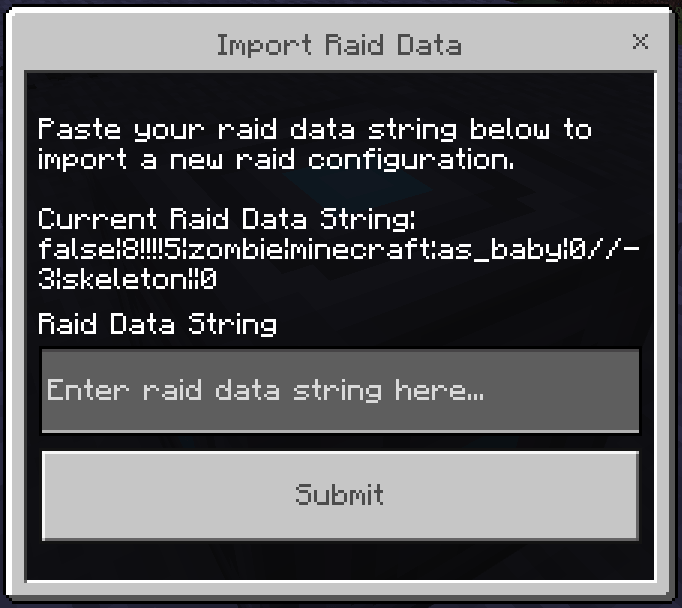
This allows you to share your raids with others. But unfortunately Minecraft doesn't let you copy text into the player's clipboard, so you have to manually copy the data string to send it to others. Maybe one day Minecraft will add something like that but for now we're stuck with this :/
So yeah that's basically all I have for now, but let me know if you have any ideas for new features.
Experiments are NOT required for this Addon.
Thank you for viewing my Addon! Have a nice day.
Join my Discord server for the latest news about my Addons! https://discord.gg/jtYjEdBKKR
- Edition: Minecraft Bedrock
- File type: .mcpack or .mcaddon
- Minecraft version listed: 1.21.130
- How to install: Download the .mcpack or .mcaddon file. → Open it — Minecraft imports it. → In your world: Behavior Packs → Available → Activate, then the same under Resource Packs.
- Where to get it: Opens on CurseForge — not every file is mirrored on our own servers.
Install steps are the general flow for this file type — How to install Minecraft Bedrock addons & mods walks through it step by step.
- Pack type: .mcaddon — behaviour and resource pack in one file
- Manifest requires Minecraft 1.21.100 or newer
- Complete pack — everything it depends on is inside the file
- Download size: 21 KB
- Download link checked 6 Oct 2026 — working
These come from our own check of the pack file, not from the source page.