Admin Logs
Bedrock add-on listed for Minecraft 26.x. Download on the author's site.
⬇ Download on CurseForge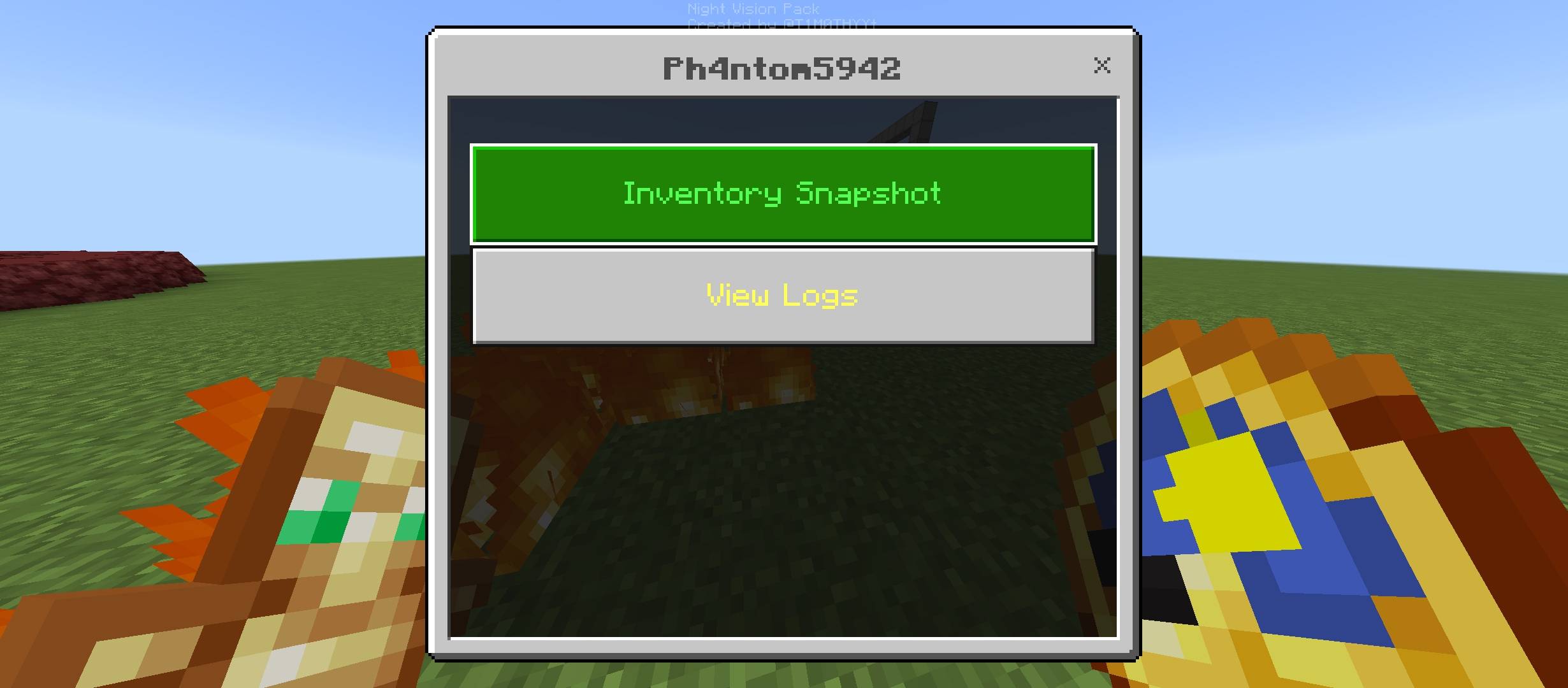
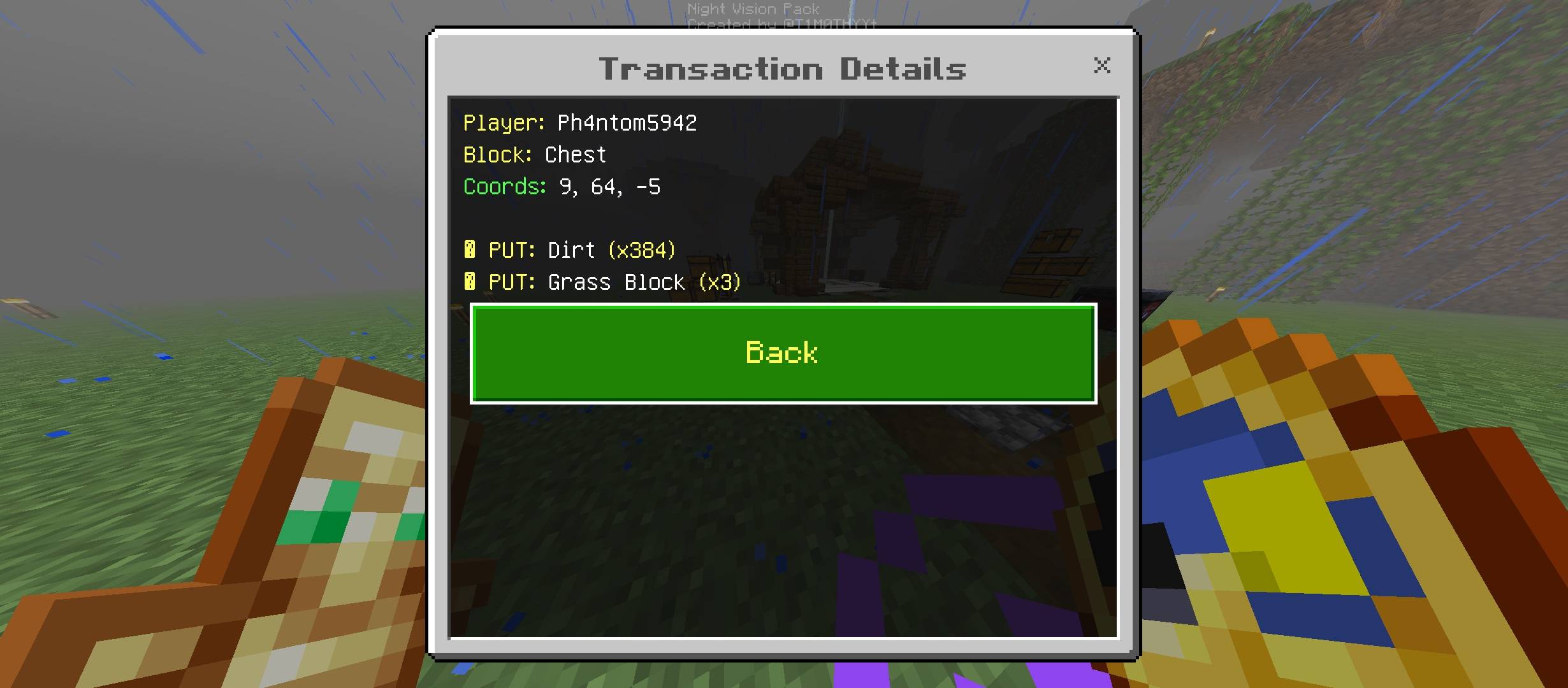
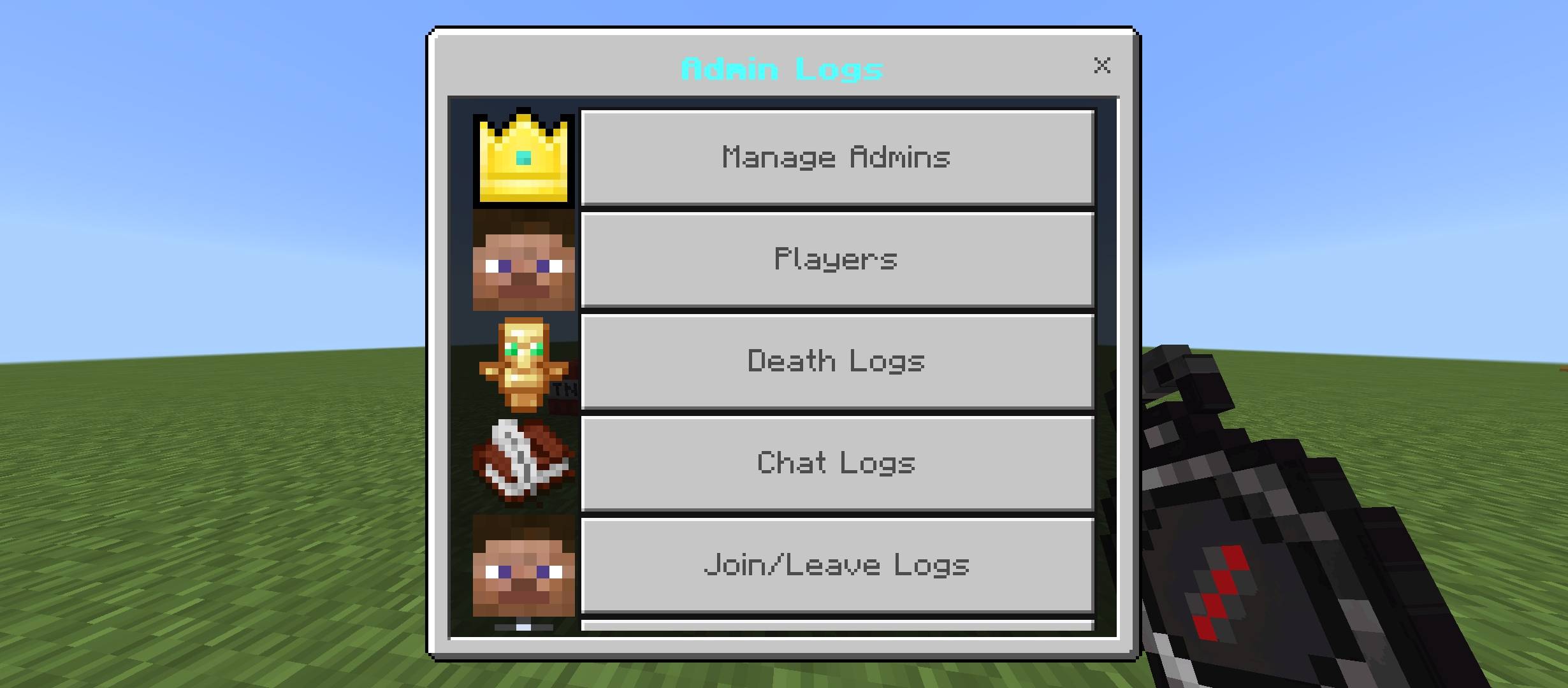
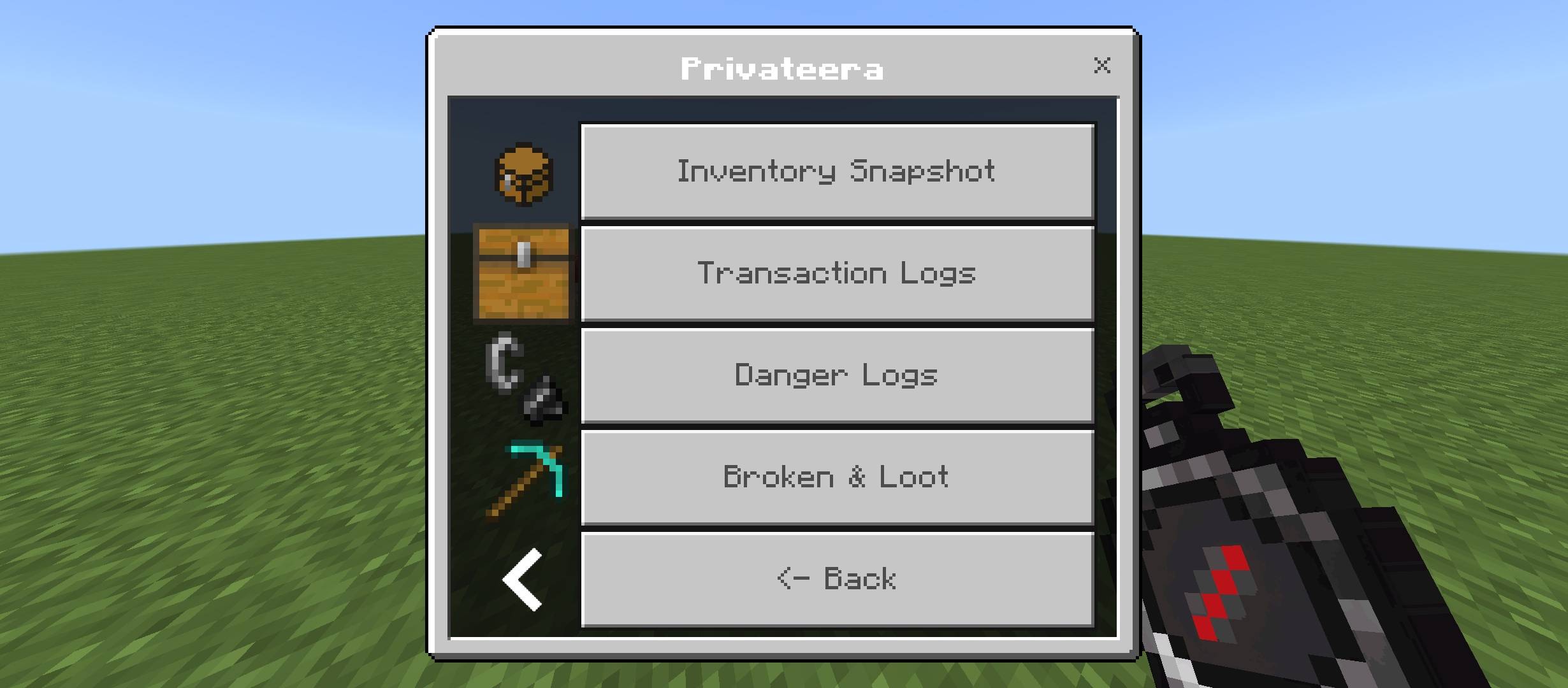
👁️ Every action on your server leaves a trace. Admin Logs captures it silently, stores it persistently, and puts it right in your hands — no commands needed.
🧑💼 Designated admins can pull up any player's full activity history in-game: every chest they opened, every item they took or deposited, every dangerous action they pulled, every death, every message they sent, and every time they joined or left.
🔥 Place TNT? Break a chest with items inside? Every item captured before it even hits the ground.
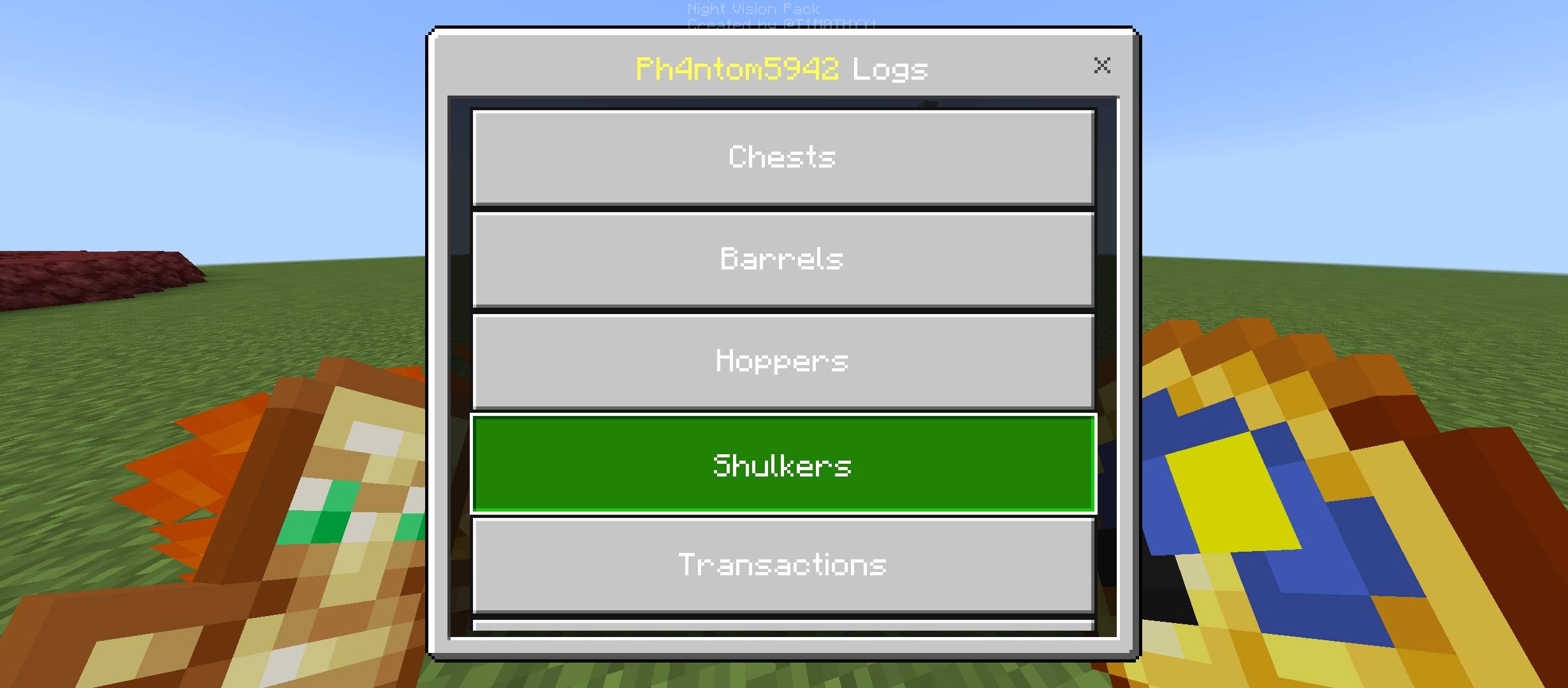
📦 Container access, item transactions, broken loot, danger actions, death logs, chat logs, join/leave logs, inventory snapshots — all organized per player and viewable through a clean in-game menu.
⚙️ Super Admins can promote or demote players directly in-game — no file editing required after setup.
🔔 Realtime alerts ping every online admin the moment a danger action happens — no need to check the logs after the fact.
🎛️ A new Settings menu lets Super Admins toggle Death Logs, Chat Logs, Join/Leave Logs, and Realtime Alerts on or off individually.
⚙️ How it works :
Admin Logs records player activity and stores them.
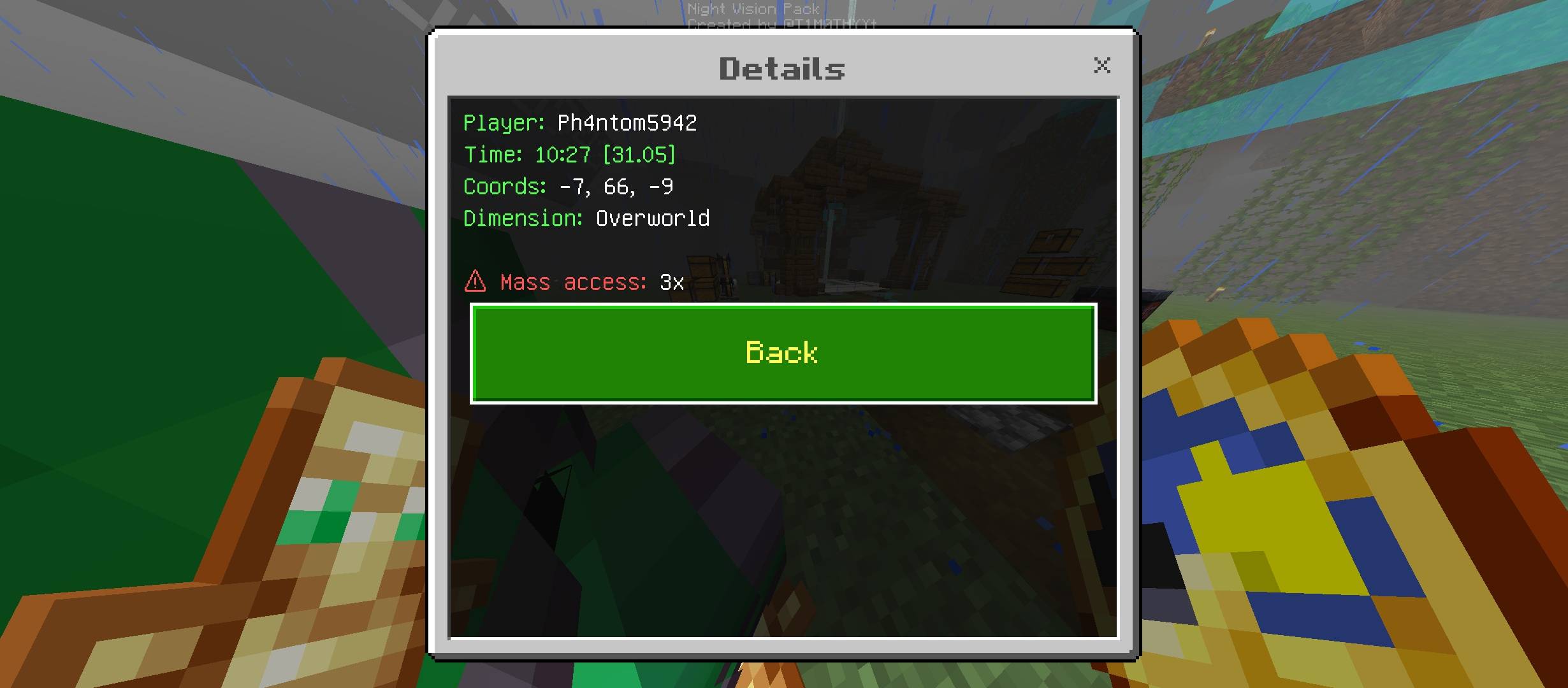
Container Access — Logs every time a player opens a chest, barrel, hopper, or shulker box. Includes coordinates, dimension, and timestamp.
Transactions — Records container inventories in real time. Detects exactly what was taken or deposited, shown right alongside each container's access log.
Broken Containers & Loot — When a player breaks a chest, barrel, hopper, or shulker, the addon captures the full contents at the moment of breaking before they drop.
Danger Actions — Flags high-risk behavior: igniting TNT, burning with Flint & Steel, spilling lava, and destroying beacons.
Death Logs — Records every player death: cause, killer (if any), coordinates, dimension, and time.
Chat Logs — Captures player chat messages, viewable per-player from the admin menu.
Join/Leave Logs — Logs every time a player joins or leaves the server, with location and timestamp.
Player Inventory Snapshot — Live view of any online player's full inventory and current location, accessible directly from the admin menu.
Known Players List — Automatically builds a roster of every player who has joined the world.
Settings — Super Admins can toggle Death Logs, Chat Logs, Join/Leave Logs, and Realtime Alerts on or off, right from the in-game menu.
How to Use : Enable Beta APIs in Experiments (required).
1. Download the addon.
2. Open scripts/main.js and edit the configuration at the top:
Set SUPER_ADMIN to your Minecraft username.
Adjust TIME_OFFSET to match your timezone (default is UTC+8).
⚠️ You must set SUPER_ADMIN to your own Minecraft username before using the addon. Without this, no one will have Super Admin access.
As Super Admin, you'll automatically receive an Admin Log item in your inventory when you join — use it to open the Admin Logs menu.
As Super Admin, use Manage Admins in the menu to add or remove admins.
You can also type the command /give @s adminlog:admin_log
Huge thanks for Timoxa_Craft_Studio's for the inspiration and for letting me post my version!
Timoxa_Craft_Studio's Original Admin Log : https://www.curseforge.com/minecraft-bedrock/addons/admin-log . Go check out their work too!
——
- Edition: Minecraft Bedrock
- File type: .mcpack or .mcaddon
- Minecraft versions listed: 26.30, 26.20
- How to install: Download the .mcpack or .mcaddon file. → Open it — Minecraft imports it. → In your world: Behavior Packs → Available → Activate, then the same under Resource Packs.
- Where to get it: Opens on CurseForge — not every file is mirrored on our own servers.
Install steps are the general flow for this file type — How to install Minecraft Bedrock addons & mods walks through it step by step.
Admin Logs is a free Minecraft Bedrock addon. Compatible with Minecraft 26.30, 26.20. Downloaded 366 times (via CurseForge). Download it and open it directly in the game.