Anvil Guide
Anvil Guide embeds all enchantments, easter egg names, and color codes directly into the anvil UI for fast, in-game reference.
⬇ Download on CurseForge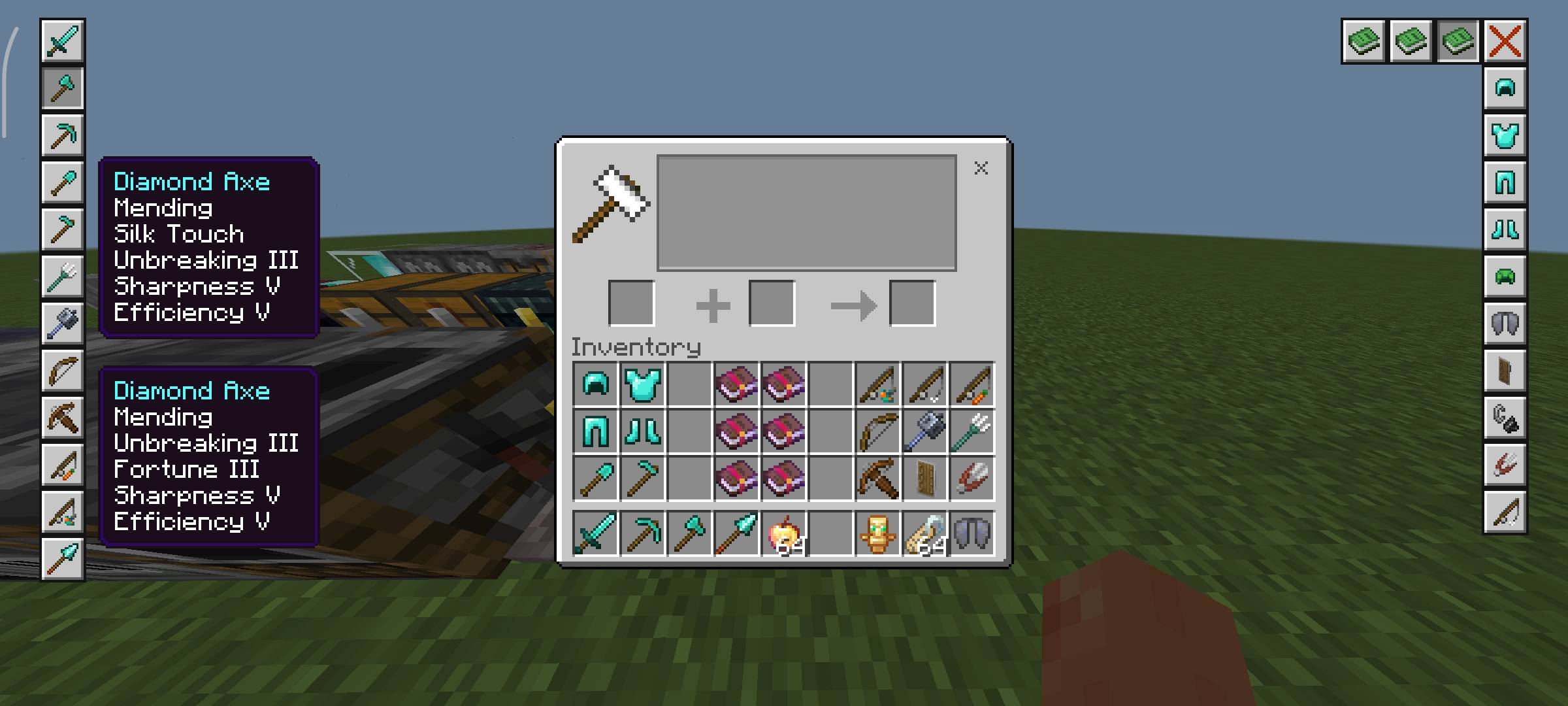
Overview
Tired of switching tabs just to check enchantments, name tricks, or color codes?
Anvil Guide brings all that information directly into the anvil interface—cleanly integrated, fast to access, and fully aligned with the vanilla UI style, so it feels like a natural extension of the game.
It’s designed to remove friction from item optimization and customization without breaking immersion.
What it Adds
Integrated Utility Panel (Top-Right Buttons)
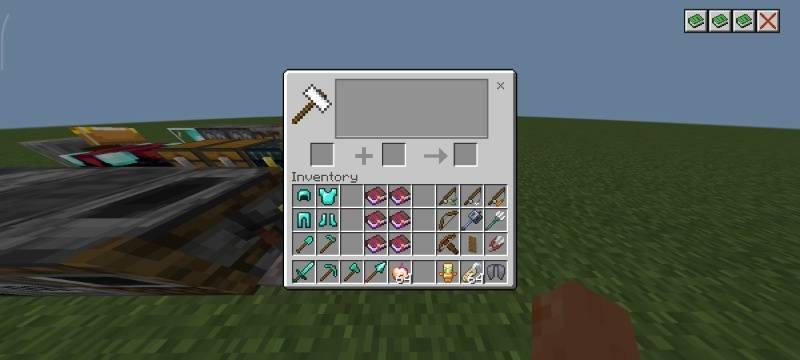
Four compact buttons are added to the top-right of the anvil screen:
- Enchantments — View best-in-slot enchantments
- Color Codes — Access all usable formatting codes
- Easter Egg Names — Discover special nametag effects
- Cancel — Close the guide instantly
Minimal, consistent, and visually in line with vanilla UI components.
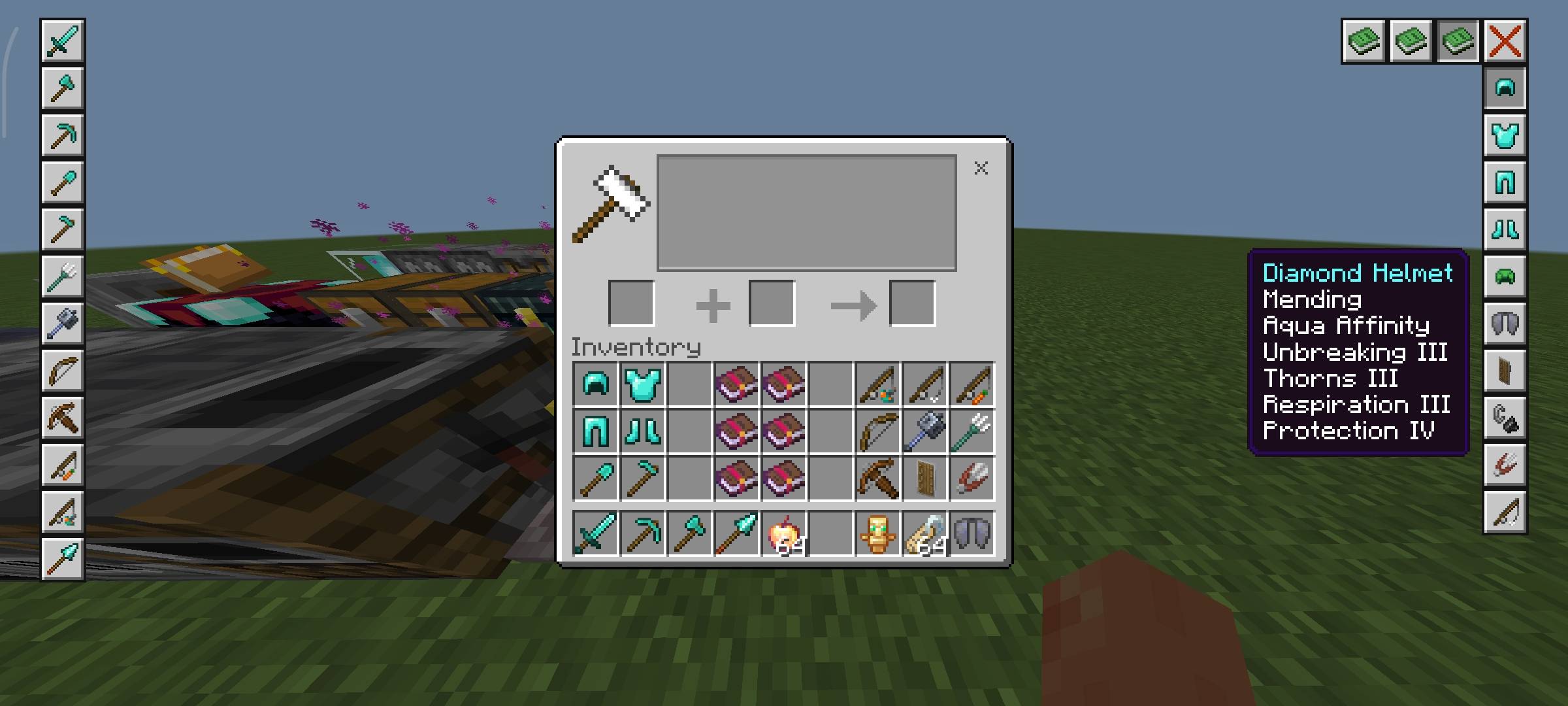
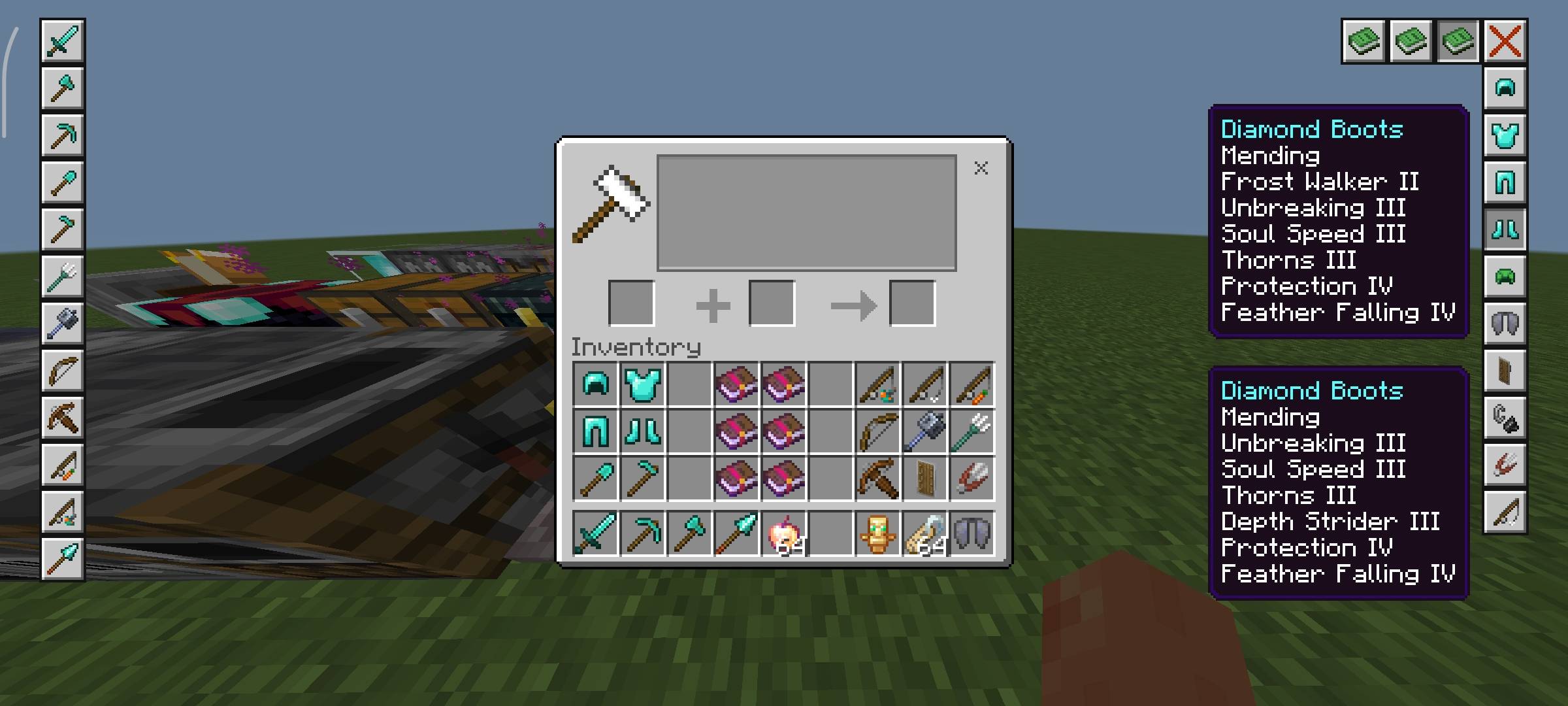
Best Enchantments Guide
A structured reference for optimal gear builds:
- Covers all tools and armor
- Includes best possible enchantment combinations (not XP-efficient paths)
- Focused on max performance, not leveling strategy
UI Layout:
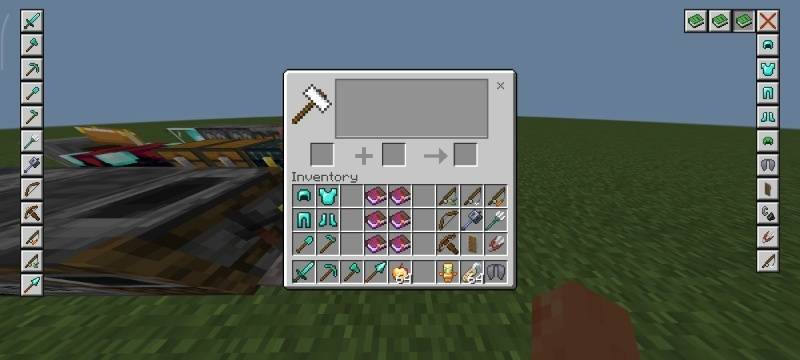
- Tool and armor icons are placed on the left and right sides
- Selecting an item dynamically displays its optimal enchantments
- Clean panels styled to match vanilla interface design
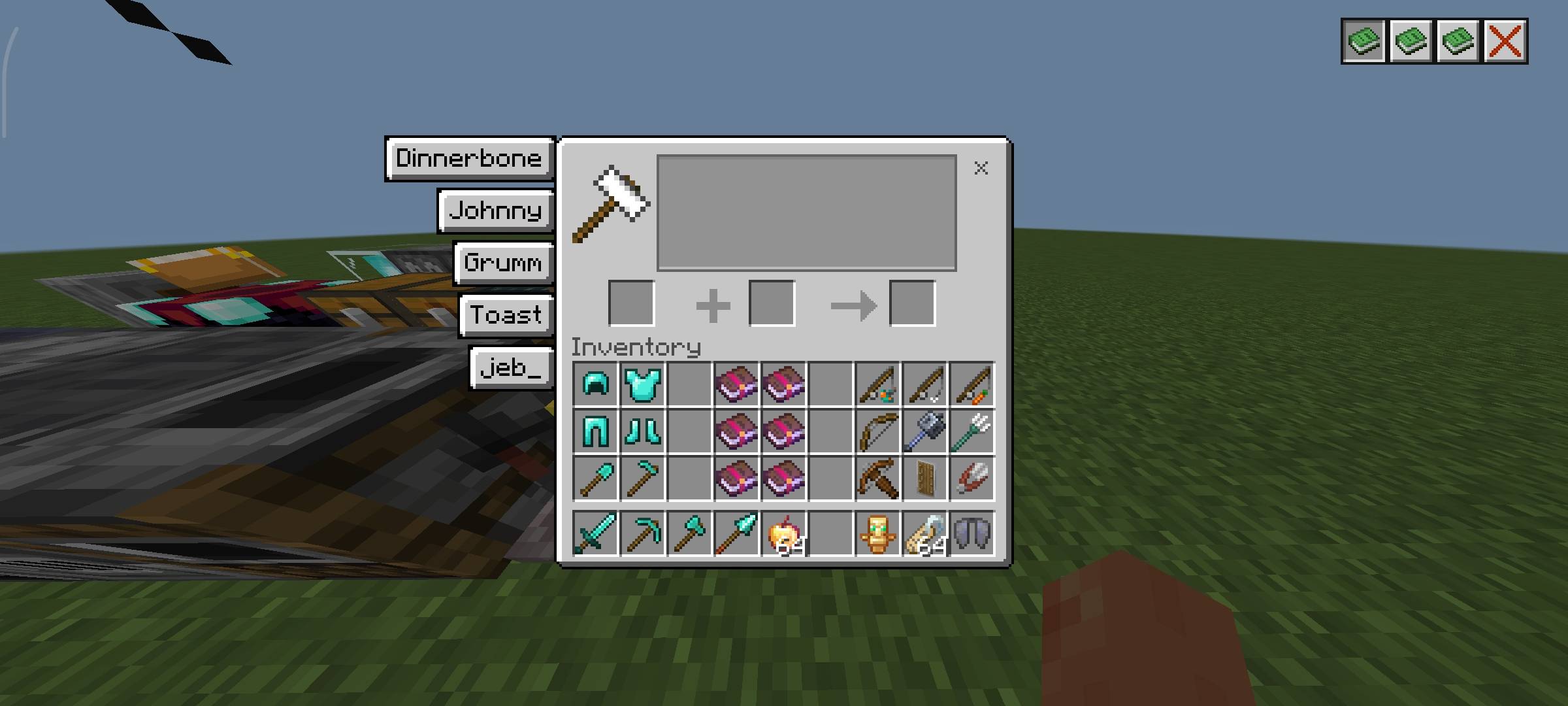
Easter Egg Name Reference
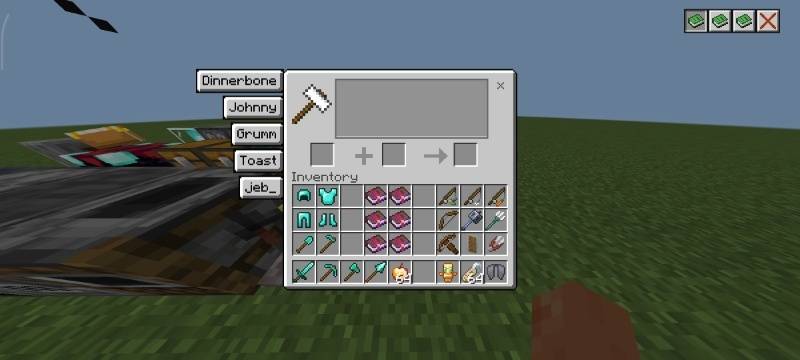
Quick access to hidden name-based behaviors:
- Displays known special nametag names
- Listed on the left side of the anvil screen
Presented in a vanilla-style list format for readability
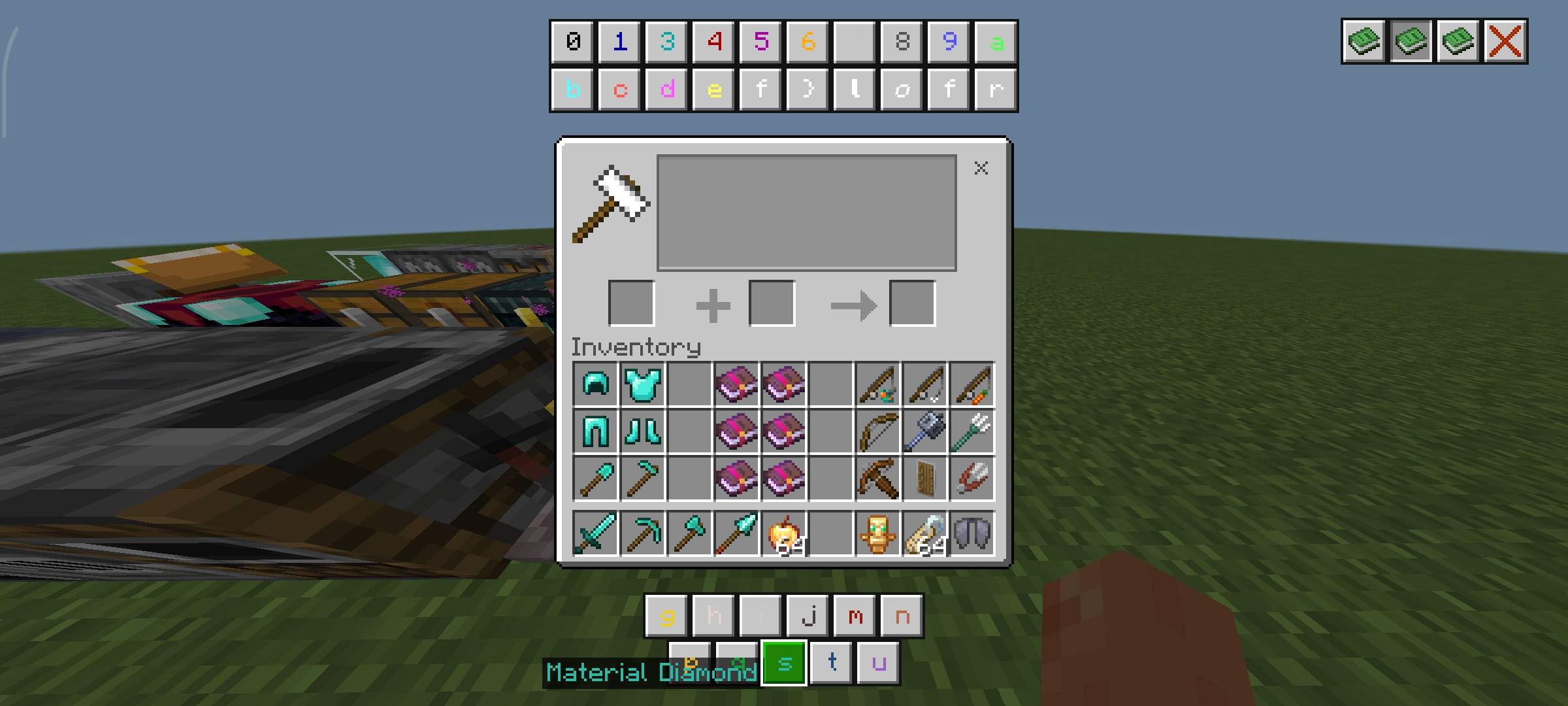
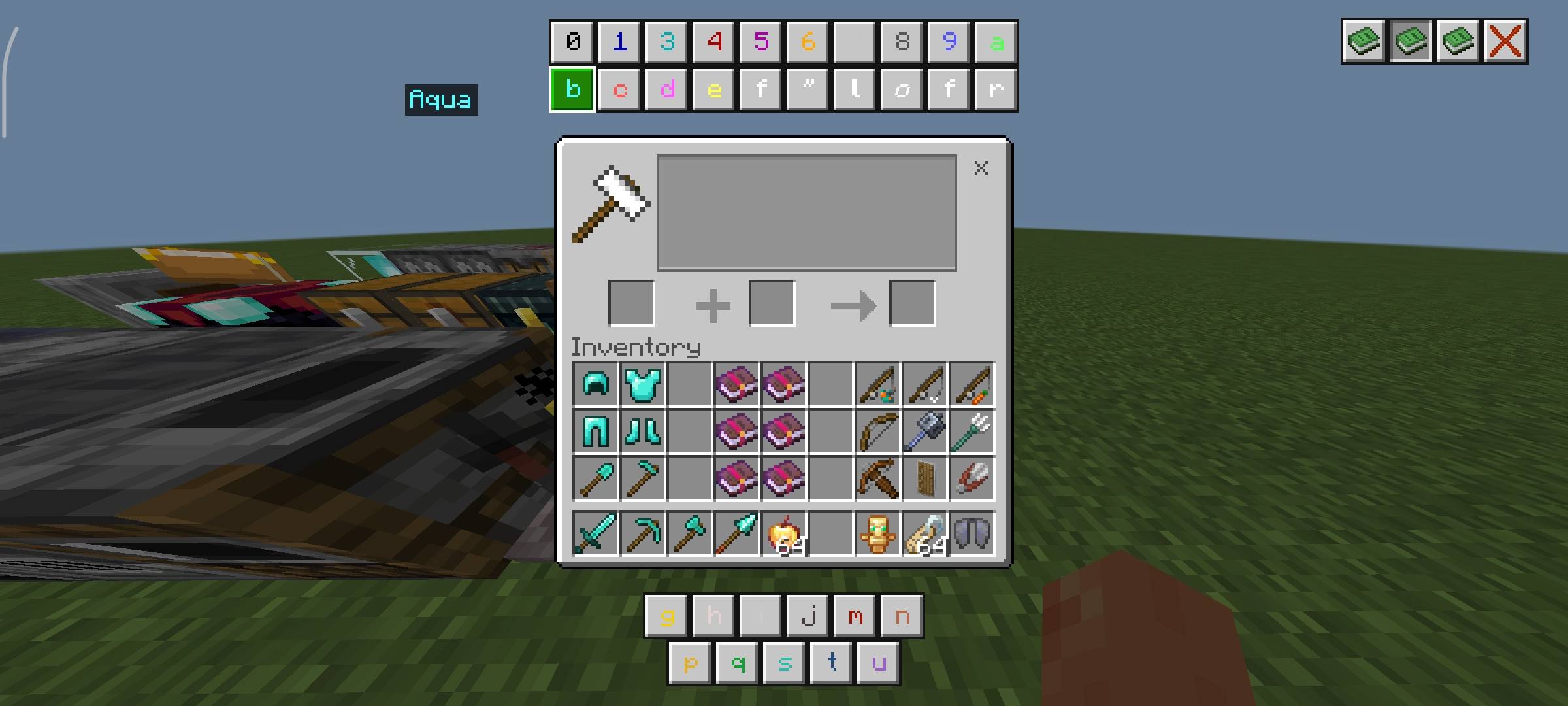
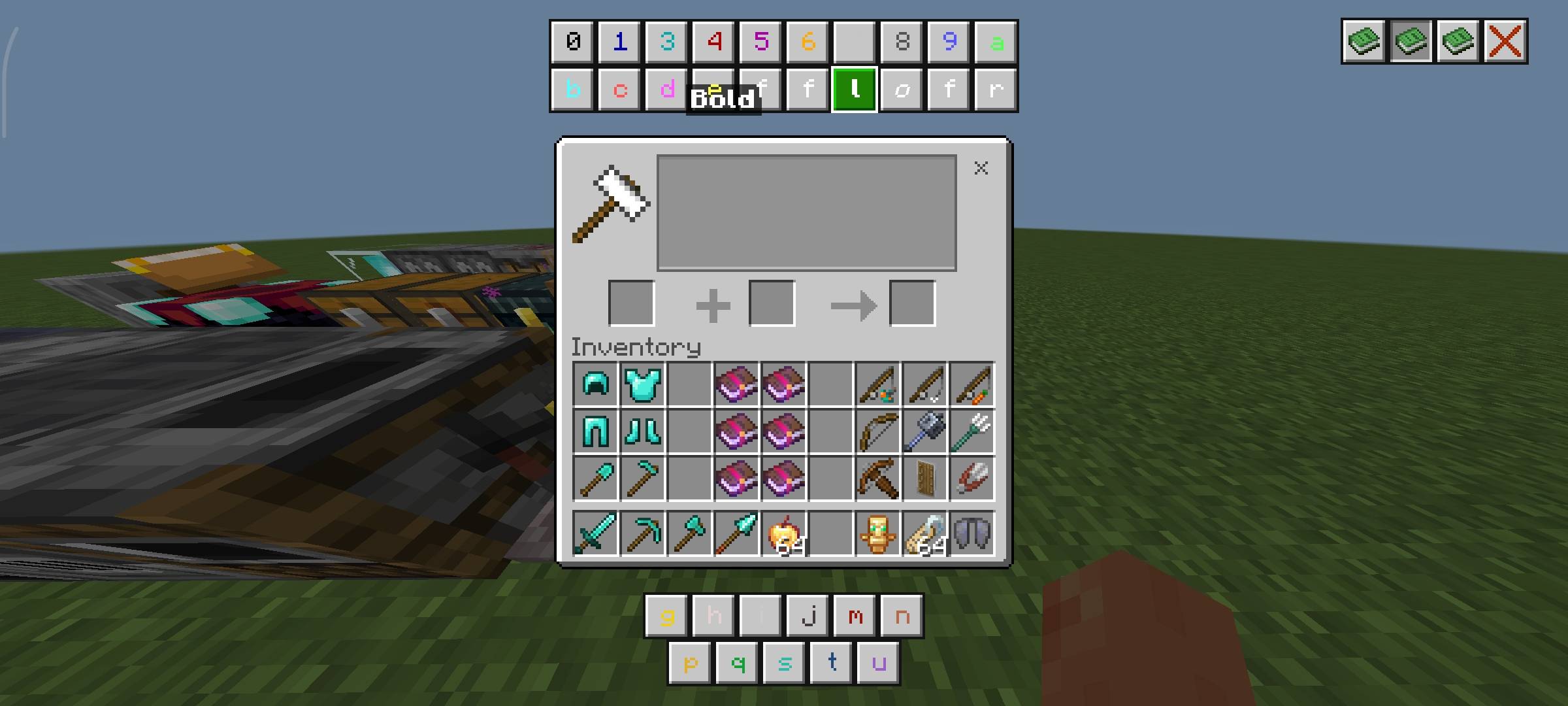
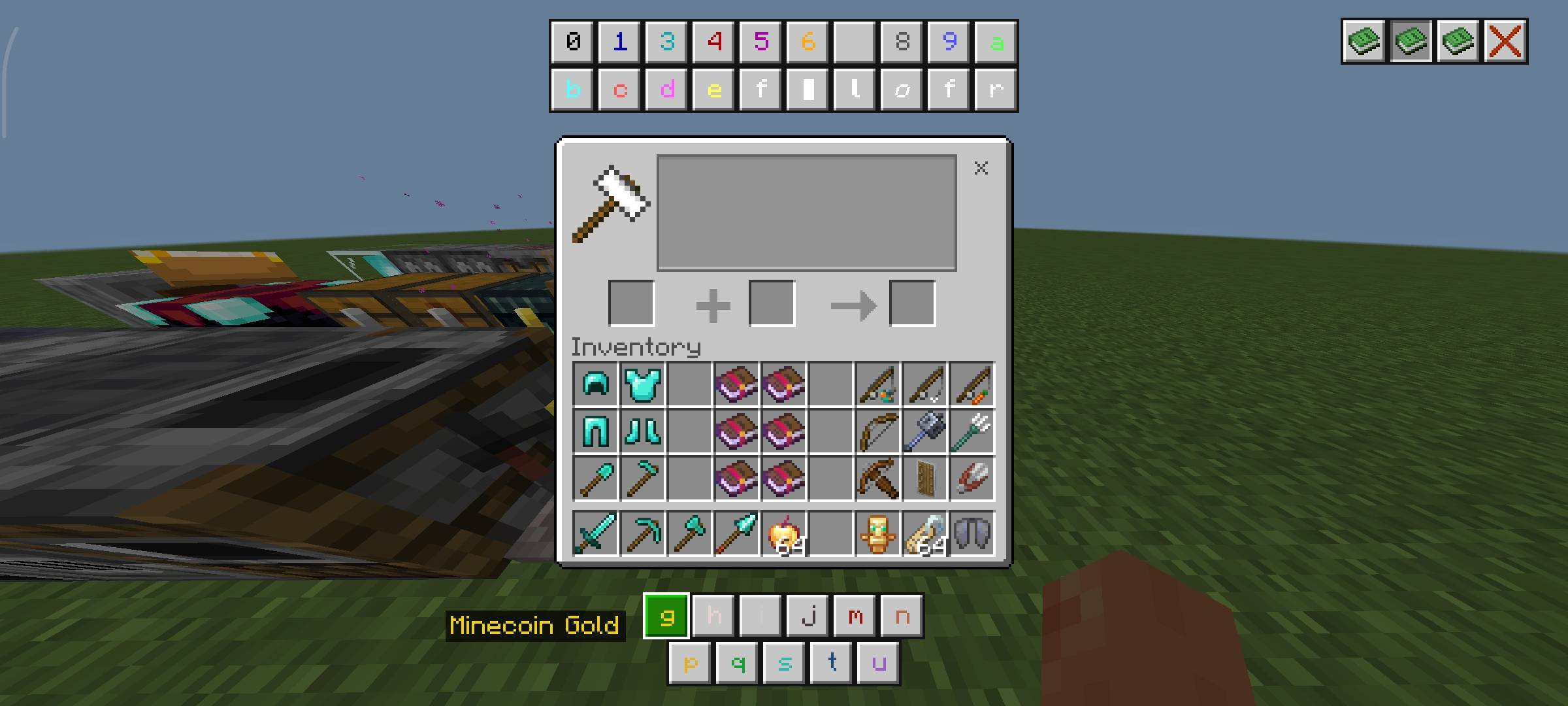
Color Code System
Full in-game formatting reference for item renaming:
- All usable color codes are displayed:
- Top middle and bottom middle of the UI
- Clicking a code reveals its color name
Styled to blend seamlessly with default UI elements
Usage Model:
- Apply codes using the § symbol inside the anvil
- Enables custom colored item names directly in survival workflows
- Clean, Vanilla-Consistent Layout
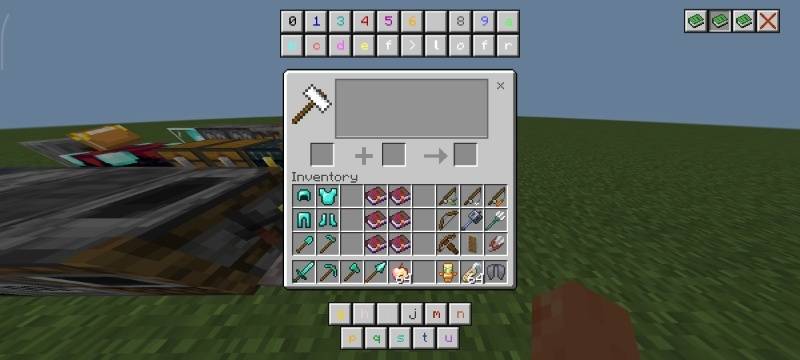
Clean, Vanilla-Consistent Layout
- The interface is designed to feel like it was always part of Minecraft
- Matches vanilla UI styling, spacing, and visual hierarchy
- Clear separation between categories (Enchantments, Names, Colors)
- No visual clutter—only essential information
- Fast navigation with familiar interaction patterns
Why Use This Pack?
- No more external lookups for enchantments or formatting
- Faster gear optimization and item customization
- Keeps gameplay flow uninterrupted
- Maintains full vanilla aesthetic and immersion
- Ideal for efficient survival and PvP preparation
What You Can Do
- Modify the pack for personal use only
- Study, analyze, and learn from the pack’s files, structure, and design techniques
- Use the pack in personal gameplay, videos, or content creation with proper credit to the creator
- Share the official CurseForge download link when recommending or showcasing the pack
What You Cannot Do
- Share or promote any download link other than the official CurseForge link
- Redistribute the original/modified pack in any form (reuploads, mirrors, bundled packs, etc.)
- Claim the pack, its assets, or any part of it as your own work
- Use the pack or its assets in projects intended for distribution without explicit permission
Compatibility
- Designed for Minecraft Bedrock Edition
- Resource pack only — no behavior pack required
Built for players who want high-utility information without sacrificing the core Minecraft experience.
- Edition: Minecraft Bedrock
- File type: .mcpack
- Minecraft versions listed: 1.18, 1.19, 1.20
- How to install: Download the .mcpack. → Open it — Minecraft imports it under Resource Packs. → Activate it in Global Resources, or for one world under Resource Packs → Available.
- Where to get it: Opens on CurseForge — not every file is mirrored on our own servers.
Install steps are the general flow for this file type — see the MCModsHub guides for the full walkthrough.
- Save it as Anvil Guide.mcaddon before opening — it downloads as .mcpack, but it is a .mcaddon pack
- Manifest requires Minecraft 1.13.0 or newer
- Complete pack — everything it depends on is inside the file
- Download size: 18 KB
- Download link checked 31 Aug 2026 — working
These come from our own check of the pack file, not from the source page.