Colourful Containers BE: Script
Wanting to automate renaming your items for Colourful Containers BE? Introducing Colourful Containers BE: Script, automating all the renaming for you!
⬇ Download on CurseForge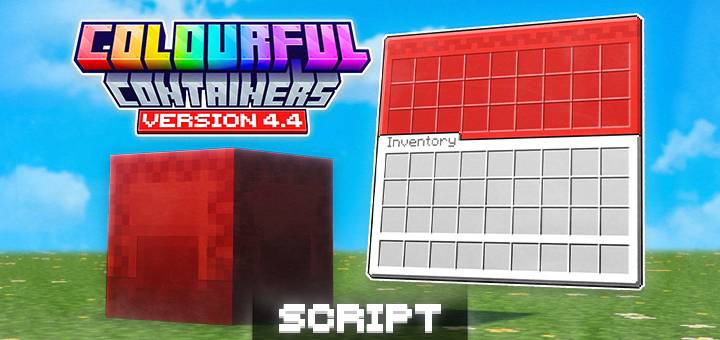



Colourful Containers BE is a resource pack ported for Minecraft Bedrock Edition that replaces the default boring, grey container GUIs with vibrant themed interfaces! Every menu gets a unique texture inspired by the block or entity it's from, making your UI feel like a natural part of the game.
And this pack is a optional script that automates using the Coloured Shulker Boxes & Wood Type Chest Boats features!!




How does it work?
All this script does is automatically renaming the item you're holding by adding the specific colour code for it!
The colour codes its adding is listed below:
-> Shulkers:
Display Prefix Color Name
Default (nothing) Purple
§f§r White
§p§r Orange
§5§r Magenta
§b§r Light Blue
§e§r Yellow
§a§r Lime
§d§r Pink
§8§r Gray
§7§r Light Gray
§3§r Cyan
§u§r Purple
§9§r Blue
§n§r Brown
§2§r Green
§c§r Red
§0§r Black
-> Chest Boats:
Display Prefix Color Name
Default (nothing) Purple
§f§r White
§p§r Orange
§5§r Magenta
§b§r Light Blue
§e§r Yellow
§a§r Lime
§d§r Pink
§8§r Gray
§7§r Light Gray
§3§r Cyan
§u§r Purple
§9§r Blue
§n§r Brown
§2§r Green
§c§r Red
§0§r Black
Occasionally you may get a action bar text saying
"Script: ____ renamed."
- This in intended, and can be ignored.
- It's due to you trying to place the item before it has renamed it!
Term of Use:
You may:
- Use the pack in your own worlds and servers,
- Showcase the pack in videos as long as you credit me with the link to this page,
- Edit the pack for private use.
You cannot:
- Share the pack with your own download links,
- Edit the pack and say it's your own,
- Sharing the edited pack without permission.
- Edition: Minecraft Bedrock
- File type: .mcpack or .mcaddon
- Minecraft versions listed: 26.0.02, 26.0, 26.3
- How to install: Download the .mcpack or .mcaddon file. → Open it — Minecraft imports it. → In your world: Behavior Packs → Available → Activate, then the same under Resource Packs.
- Where to get it: Opens on CurseForge — not every file is mirrored on our own servers.
Install steps are the general flow for this file type — How to install Minecraft Bedrock addons & mods walks through it step by step.
- Pack type: .mcpack — a single pack
- Manifest requires Minecraft 1.21.120 or newer
- Complete pack — everything it depends on is inside the file
- Download size: 118 KB
- Download link checked 25 Aug 2026 — working
These come from our own check of the pack file, not from the source page.