Pickblock+
A simple addon that adds the ability to pickblock blocks with item data, without needing to use a keyboard! It just works.
⬇ Download on CurseForge
To start off, you will need to get the [Pickblock+] Debug Stick from the creative inventory, at the bottom of the items section.
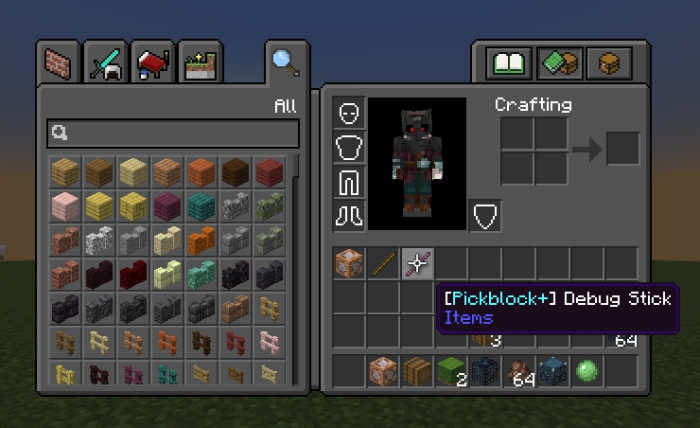 Then simply hold the [Pickblock+] Debug Stick and right click the block to have it be put into your inventory.

Whats so special about this? Well, the block keeps all of its data, like sign text, titles, and even the items inside blocks, such as chests!
(also so people dont start pointing this out, you can do all this without this addon using a keyboard, by hitting ctr and middle click at the same time, this addon is for those who cant use this feature.)
community post this solves:
- Edition: Minecraft Bedrock
- File type: .mcpack or .mcaddon
- Minecraft versions listed: 1.21.81, 1.21.90, 1.21.93
- How to install: Download the .mcpack or .mcaddon file. → Open it — Minecraft imports it. → In your world: Behavior Packs → Available → Activate, then the same under Resource Packs.
- Where to get it: Opens on CurseForge — not every file is mirrored on our own servers.
Install steps are the general flow for this file type — How to install Minecraft Bedrock addons & mods walks through it step by step.
- Save it as Pickblock+ V 2.4.0.mcaddon before opening — it downloads as .mcpack, but it is a .mcaddon pack
- Manifest requires Minecraft 1.20.0 or newer
- Complete pack — everything it depends on is inside the file
- Download size: 27 KB
- Download link checked 16 Sept 2026 — working
These come from our own check of the pack file, not from the source page.