Counter MC
Bedrock add-on listed for Minecraft 1.20–1.21 (behavior pack only). File opened and checked on 2 Oct 2026; installs from the MC Bedrock Mods app on Android.
Ever wanted to track your progress in different aspects like the number of mobs you killed or the amount of blocks you and your friends have placed? Check…
⬇ Download on CurseForgeIntroduction
With this script, you can monitor your progress in different categories like the number of blocks broken by every player, the number of blocks placed, and more through a simple and customizable interface.

How to Use
To view the script's interface, you will have to write down the following command:
<mark class="marker-yellow">/scriptevent cmc:ui</mark>
<mark class="marker-yellow"> </mark>
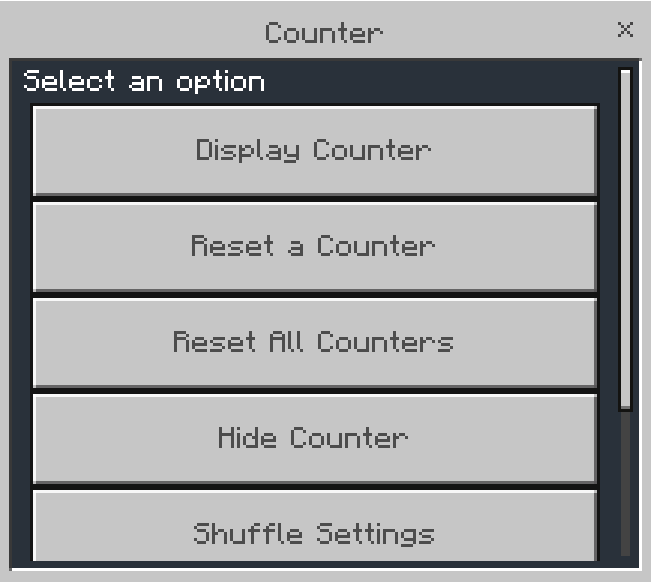
Options
- Display Counter allows you to choose a counter to be displayed at the sidebar, and you can also choose the "Shuffle Counters" which will constantly loop through the available counters.
- Reset a Counter allows you to choose a counter to reset its value to 0.
- Reset All Counters allows you to reset all the available counters' values to 0.
- Hide Counter makes you hide the currently visible counter. To show it again, you have to choose it again from the "Display Counter".
Available Counters
Counter MC currently supports the following counters:
- Blocks Broken
- Blocks Placed
- Mobs Killed
- Player Deaths
- Minecraft Day
- Time Passed (in real-time)

- And a special "Shuffle Counters" option!

Customizability
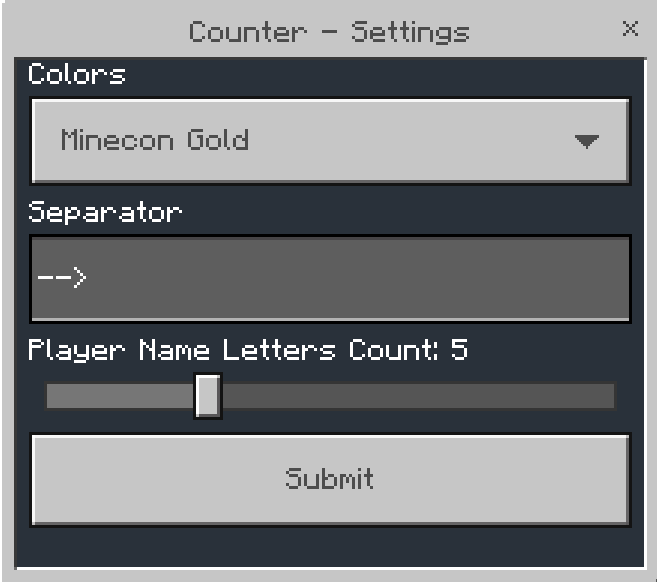
You can access several options that can allow you to customize your experience through "Settings".
- "Colors": Change the color of the counter (names and counter title).
- "Separator": The space between a player's name and the value Ex: when the player Steve breaks 13 blocks and the separator is set to "$", Steve's score will be displayed as "Steve$13".
- "Player Name Letters Count": Change the amount of the letters picked from each player's name to be shown at the sidebar (due to limitations in Minecraft Bedrock/Pocket Edition's scoreboards, it is recommended to keep it low Ex. 5-6 letters)
With the "Shuffle Settings", you will be able to customize your experience with the "Shuffle Counters" option from "Display Counter":
- "Shuffle Cooldown": The number of seconds between every counter shift when having chosen the "Shuffle Counters" option from "Display Counter".
- Turn on the counters you want to be shuffled
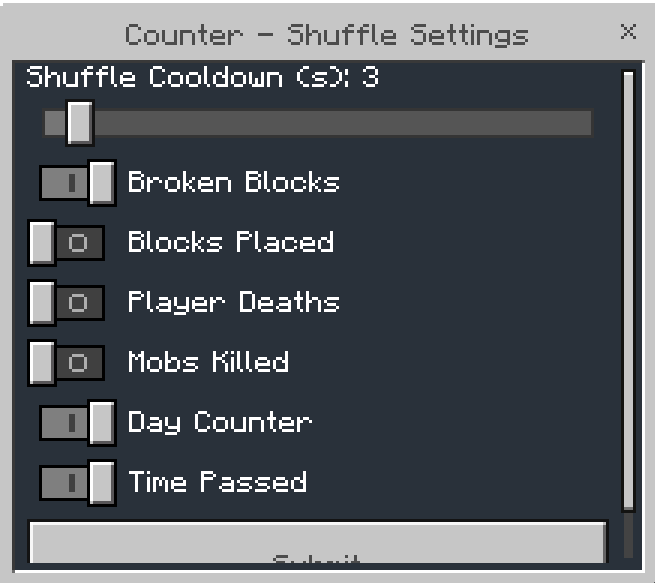
- <mark class="marker-yellow">Don't forget to click on "Submit" so that you save the changes you have made!</mark>
- Edition: Minecraft Bedrock
- File type: .mcpack or .mcaddon
- Minecraft version listed: 1.21.30
- How to install: Download the .mcpack or .mcaddon file. → Open it — Minecraft imports it. → In your world: Behavior Packs → Available → Activate, then the same under Resource Packs.
- Where to get it: Opens on CurseForge — not every file is mirrored on our own servers.
Install steps are the general flow for this file type — How to install Minecraft Bedrock addons & mods walks through it step by step.
- Save it as Counter MC (Updated).mcaddon before opening — it downloads as .mcpack, but it is a .mcaddon pack
- Manifest requires Minecraft 1.20.30 or newer
- Complete pack — everything it depends on is inside the file
- Download size: 93 KB
- Download link checked 6 Oct 2026 — working
These come from our own check of the pack file, not from the source page.