Real Speedrun Timer (RST) | IGT & RTA Tracker Addon
A plug-and-play speedrun timer addon for Minecraft Bedrock with a live IGT/RTA tracker, automatic dimension splits, run validation, and detailed run…
I don't know my version
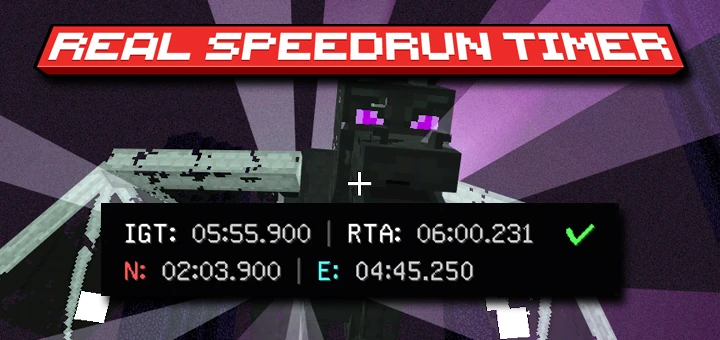
⏱️ Real Speedrun Timer (RST) ⏱️
The IGT & RTA Tracker Addon for Minecraft Bedrock Edition.
Real Speedrun Timer (RST) is a script-based utility addon that brings Java-style IGT and RTA tracking to Bedrock Edition. Inspired by Java Edition mechanics, it is a plug-and-play tool designed to give you the authentic sensation of Java speedrunning right in your Bedrock world.
⚠️ DISCLAIMER: BEDROCK IGT & RTA TRACKER
This addon cannot be used for official speedrun.com submissions. RST is created to bring the Java speedrunning experience to MCPE/Bedrock. We use Java-style timing (the timer starts the exact millisecond you spawn) to give you that authentic feel. Enjoy the thrill and push your limits!
🔥 Key Features
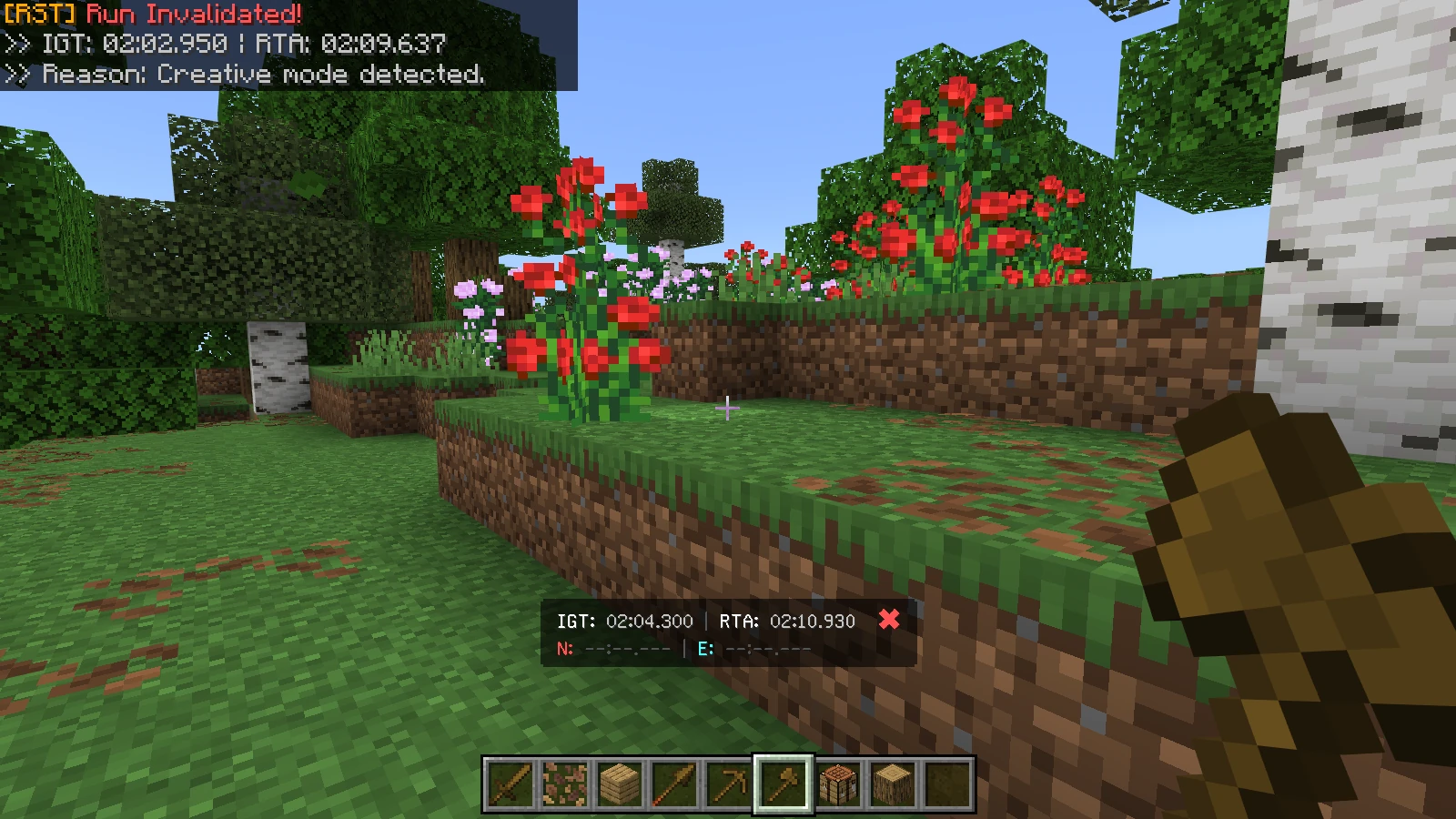
🖥️ 1. Live Dual-Timer HUD Display
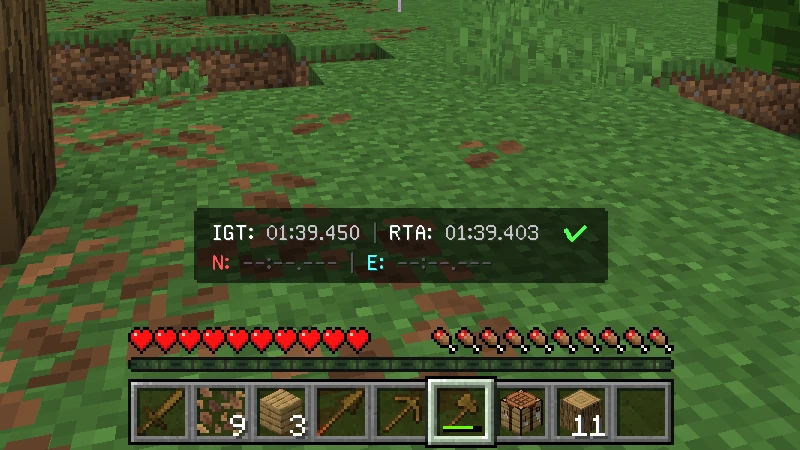
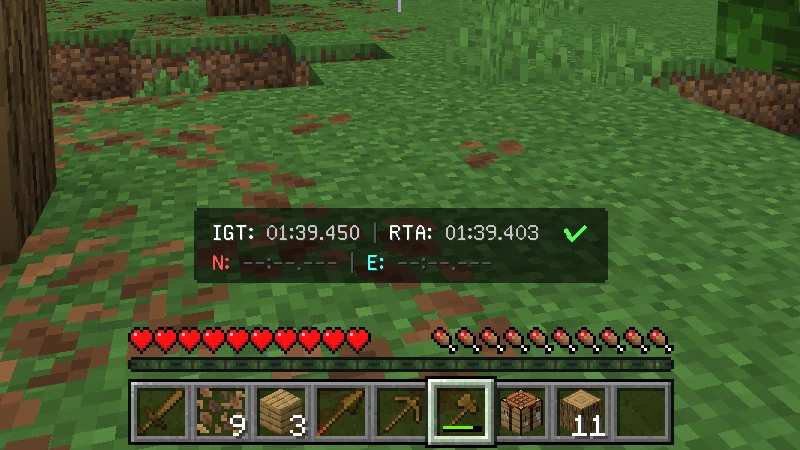
Keep track of your progress in real-time on your Action Bar.
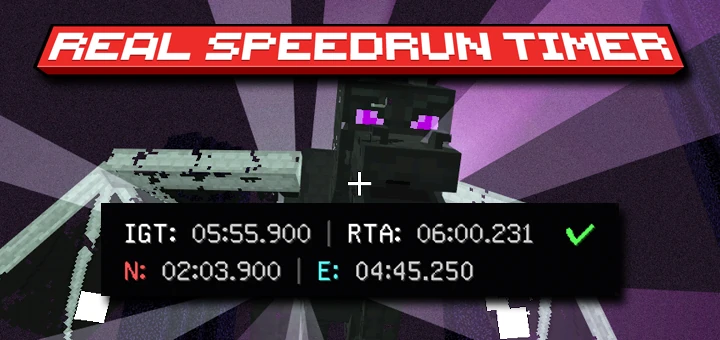
- Dual-Timer: Displays both IGT (In-Game Time) and RTA (Real-Time Attack).
- Run Status: A quick visual check next to the clock (
✔Valid /✖Invalid). - Live Splits: Shows your exact Nether (
N) and End (E) entry times.
💬 2. Automated Chat Alerts
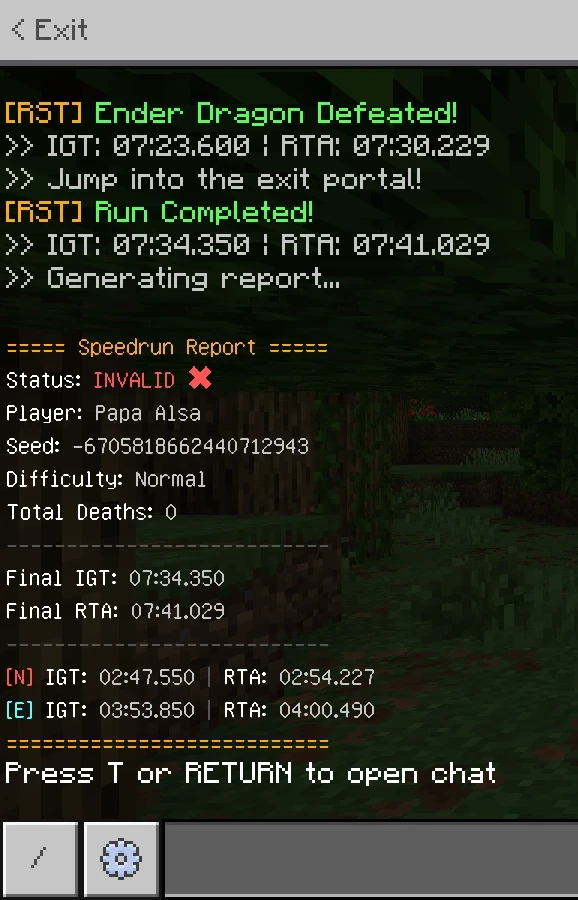
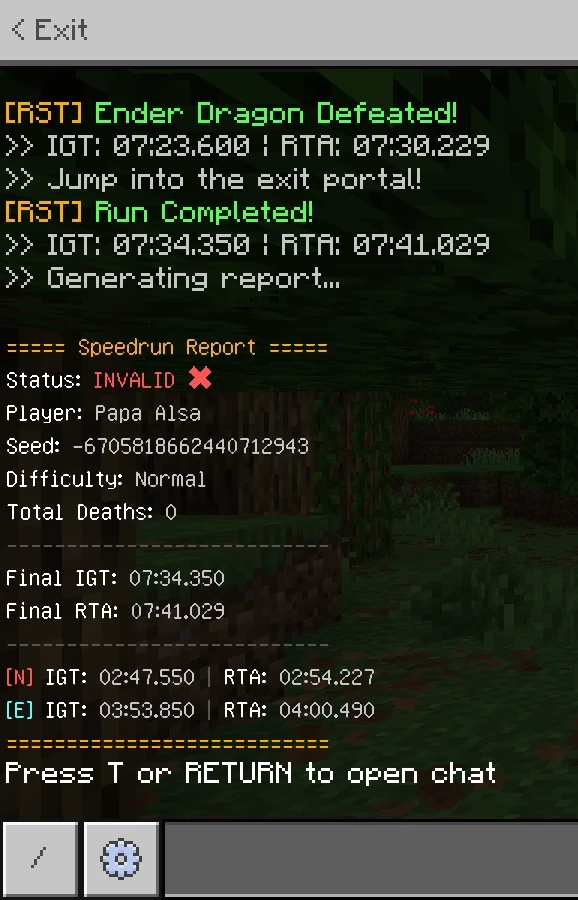
Real-time chat alerts for every major milestone (includes exact IGT & RTA stamps):
- Run Started: Confirms when the timer begins.
- Dimension Splits: Instant alerts when entering the Nether or The End.
- Ender Dragon Defeated: Exact timing for the boss kill.
- Run Completed: Triggers the moment you jump into the Exit Portal.
- Run Invalidated: Immediate alert if your run becomes invalid.
- Final Report: Generates a complete, easy-to-screenshot summary at the end of the run.
🛡️ 3. Run Validation System
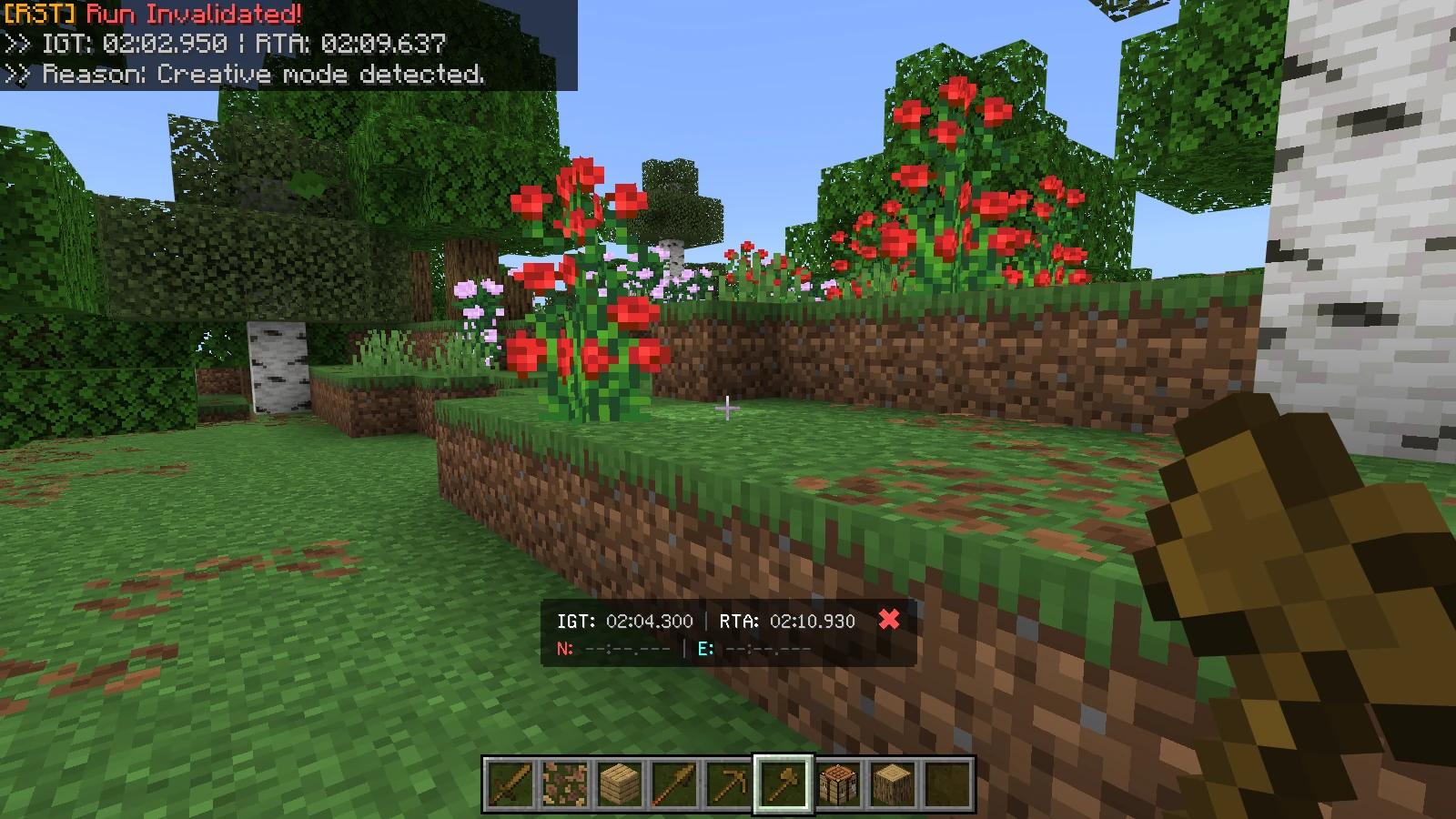
RST monitors your world to ensure basic fair play. A run will instantly become INVALID (✖) if the system detects:
- Game Mode Changed: A player switches to Creative or Spectator mode.
- Difficulty Changed: A player alters the world difficulty after the run starts.
- Run Abandonment: The last remaining player leaves the world before completion.
📊 Detailed Run Logging
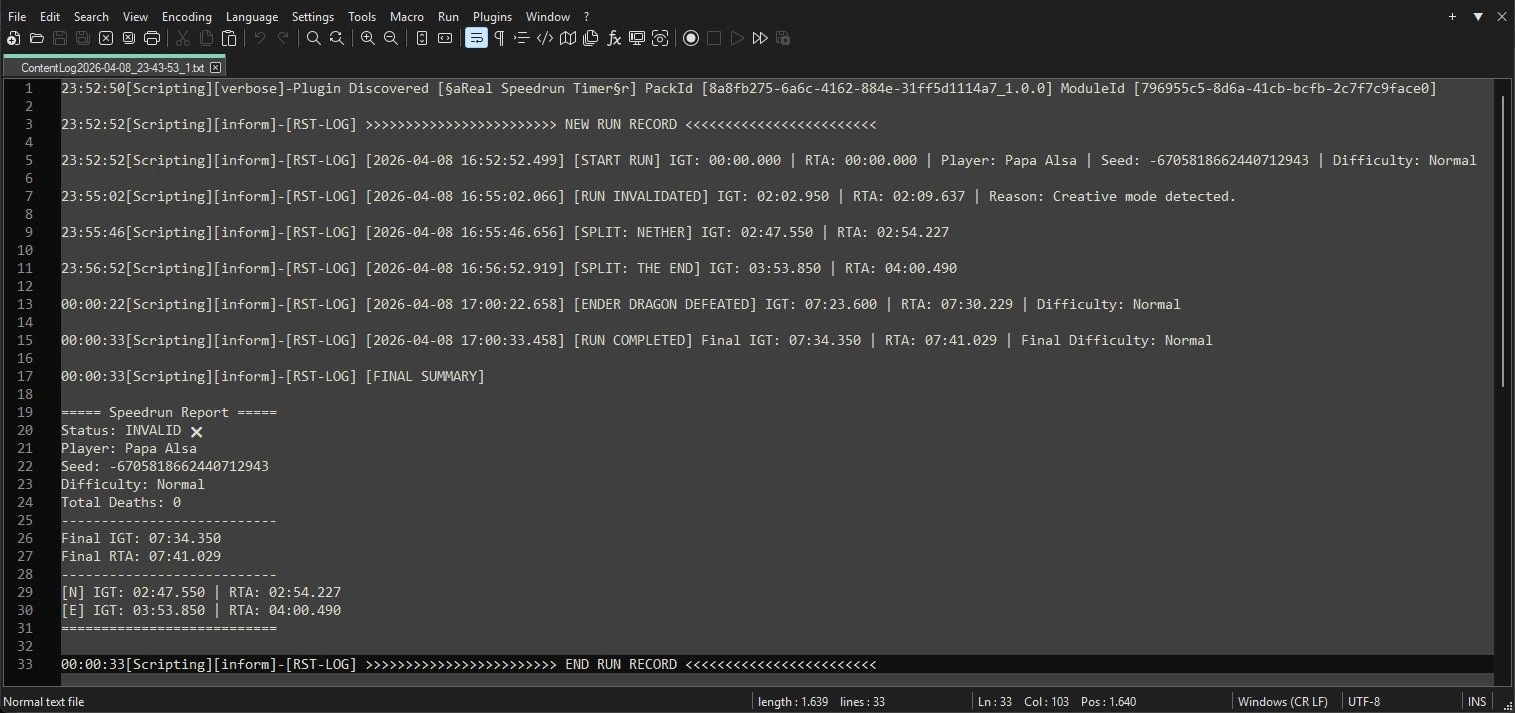
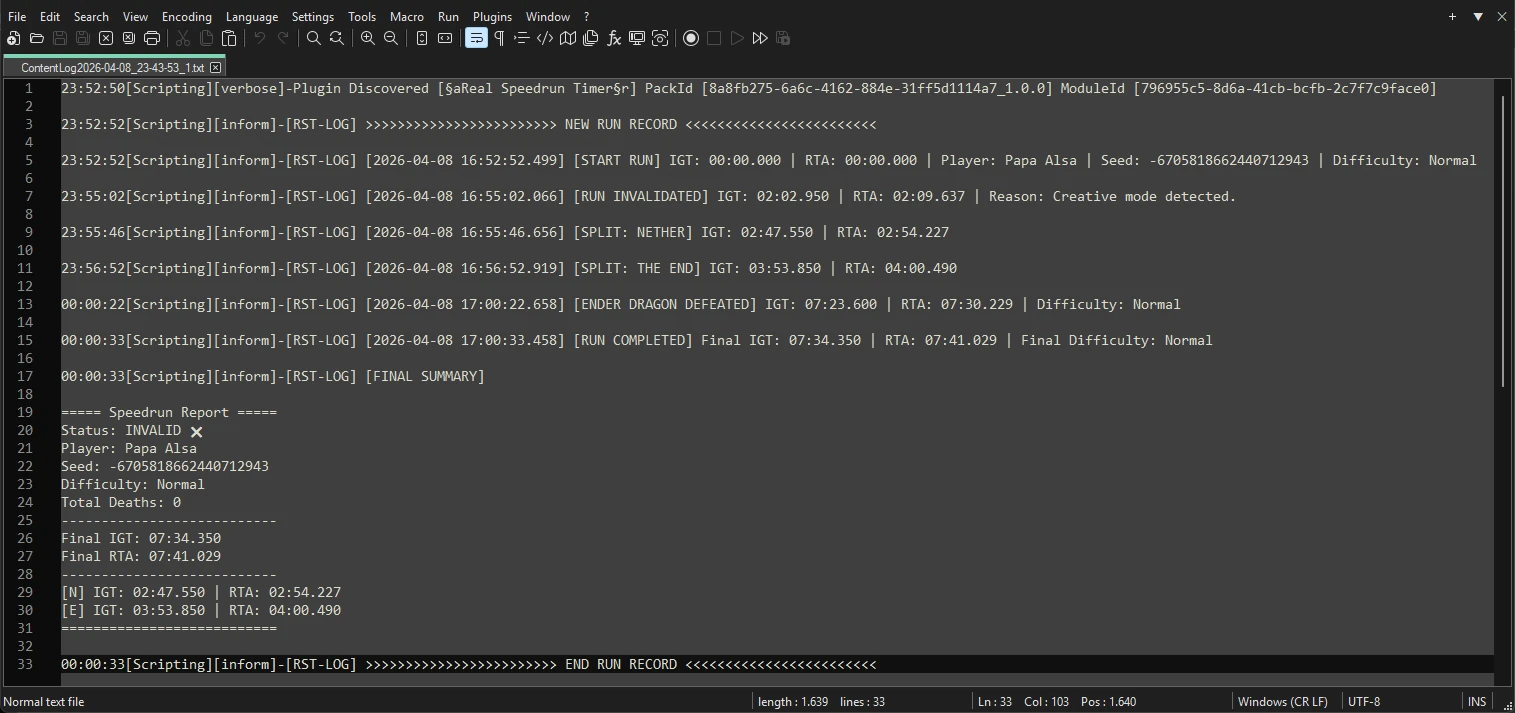
RST writes a detailed text log to the ContentLog.txt file for you to review and analyze your performance.
Tracked Events:
- [START RUN]: Includes World Seed & Difficulty.
- [PLAYER JOINED/LEFT]: Records exactly when players join or leave.
- [PLAYER DEATH]: Tracks who died and total team deaths.
- [SPLIT: NETHER/THE END]: Dimension entry times, precise to the millisecond.
- [ENDER DRAGON DEFEATED]: Exact timing for the boss kill.
- [RUN COMPLETED]: Precise timestamp when you enter the Exit Portal.
- [RUN INVALIDATED]: Logs the exact reason for invalidation.
- [FINAL SUMMARY]: The complete final speedrun report.
🛠️ How to Access the Log
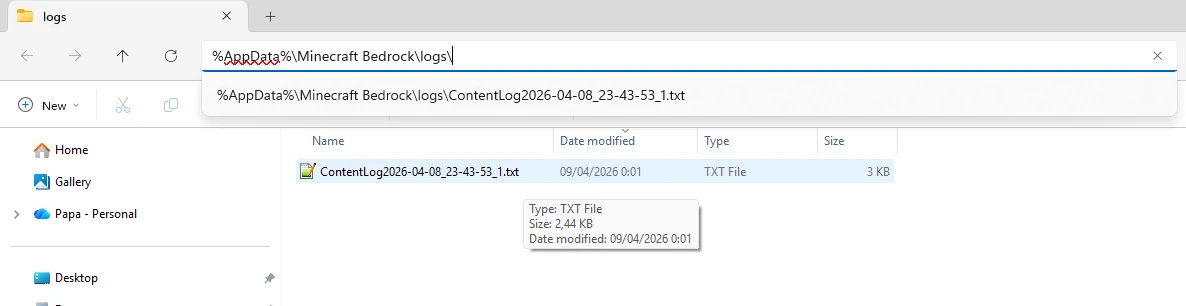
- IMPORTANT: You must close Minecraft completely for the game to save the text file properly.
- Open your device's file manager and locate the
ContentLog.txtfile.
Log File Locations:
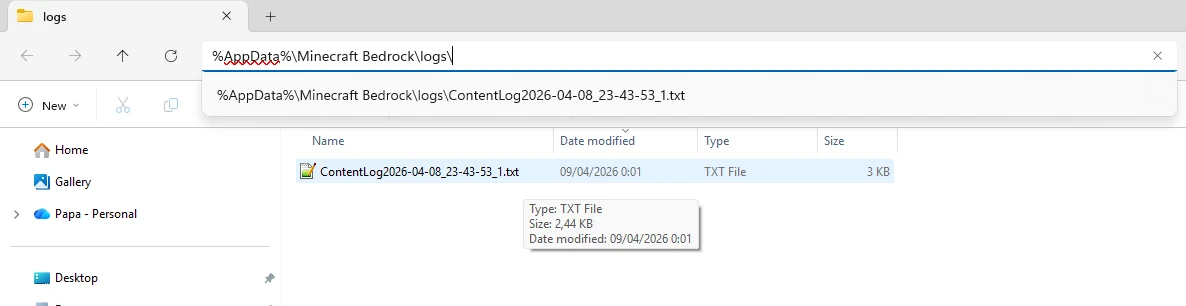
- PC:
%AppData%\Minecraft Bedrock\logs\ - Mobile:
Android/data/com.mojang.minecraftpe/files/games/com.mojang/logs/
🛠️ Technical Details
- IGT (In-Game Time): Based on internal engine ticks. The timer automatically pauses during world loading or game pauses (Single-Player)—if the engine isn't ticking, the IGT won't advance. This ensures a fair playing field for every device, regardless of loading speeds.
- RTA (Real-Time Attack): Calculated via the system clock (milliseconds). It never stops, even when the game is paused or loading, capturing the true "wall-clock" duration of your entire session.
- Performance: Highly optimized. Uses the latest
@minecraft/serverAPI. - Plug & Play: No "Experimental Toggles" required!
- Multiplayer Ready: Supports Co-op runs with smart "Player Leave" logic.
📥 Getting Started
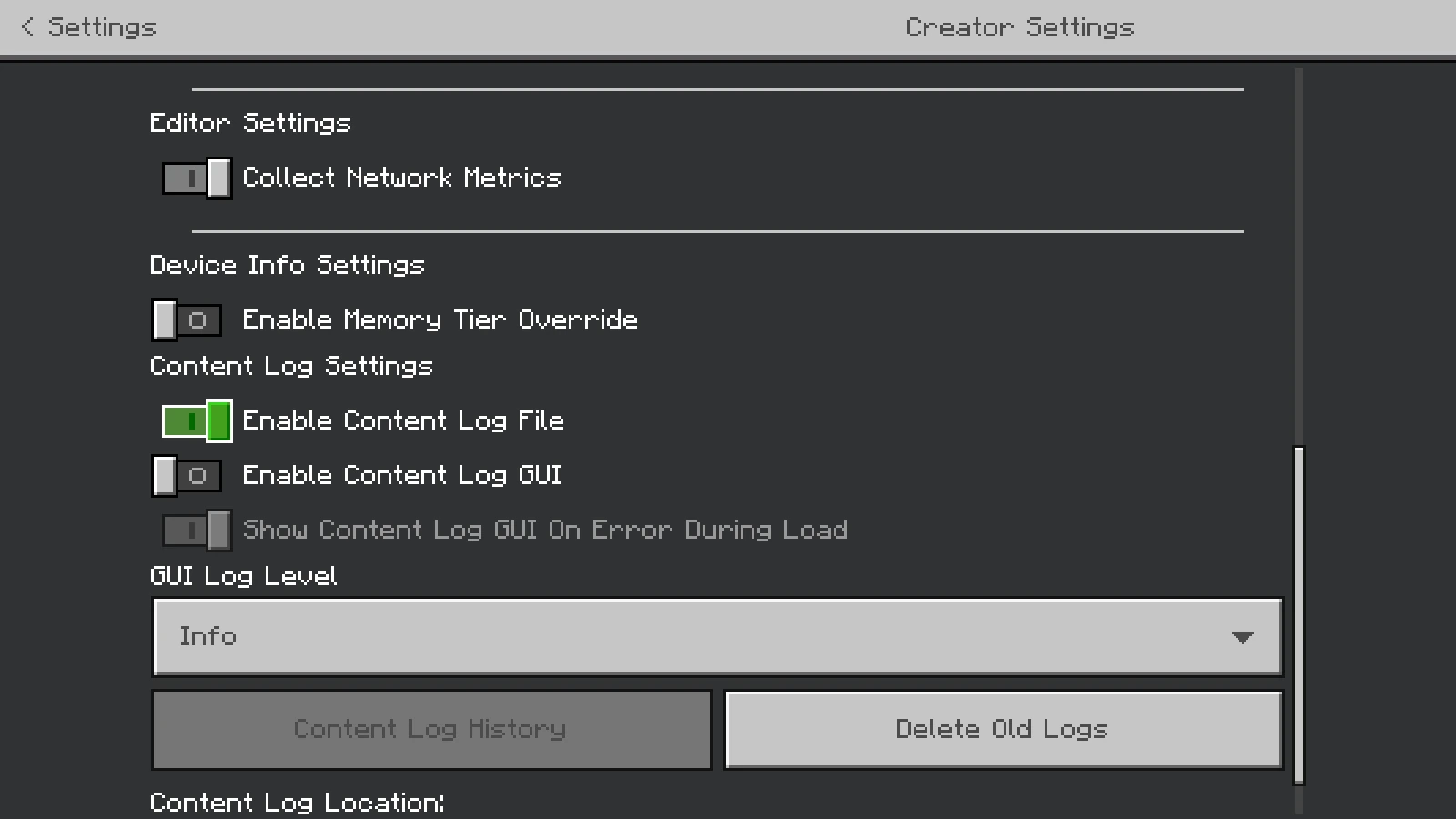
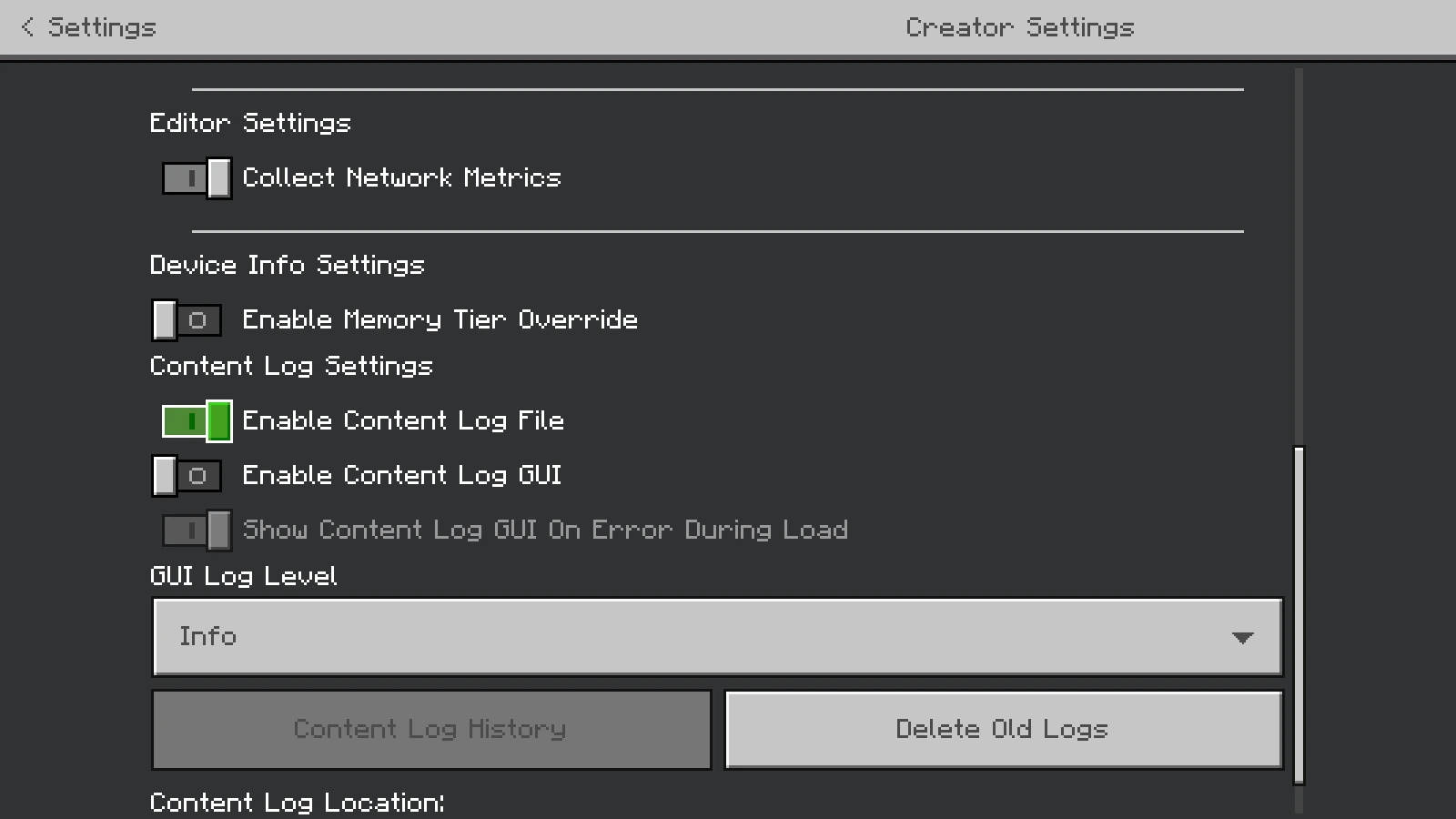
- [CRITICAL] Enable Logs: Go to Settings > Creator and turn on Enable Content Log File (Set GUI Load Level to Info) BEFORE you play.
- Download the .mcpack and apply it as a Behavior Pack to your world.
- Start the world. The timer begins the moment you spawn.
- Defeat the Dragon, jump in the Exit Portal, and beat your personal best!
📜 License & Credits
Creator: Papa Alsa | YouTube: @alsahonggo
Licensed under CC BY-NC-ND 4.0.
⚠️ Permission: Modifications, commercial use (including monetized link shorteners), and reuploads on other websites are strictly prohibited. Don't be that guy who steals other people's work.
"Play fair. Track precisely. Beat your best!"
- Edition: Minecraft Bedrock
- File type: .mcpack or .mcaddon
- Minecraft versions listed: 26.40, 26.30, 26.20
- How to install: Download the .mcpack or .mcaddon file. → Open it — Minecraft imports it. → In your world: Behavior Packs → Available → Activate, then the same under Resource Packs.
- Where to get it: Opens on CurseForge — not every file is mirrored on our own servers.
Install steps are the general flow for this file type — How to install Minecraft Bedrock addons & mods walks through it step by step.
- Pack type: .mcpack — a single pack
- Manifest requires Minecraft 1.21.100 or newer
- Complete pack — everything it depends on is inside the file
- Download size: 22 KB
- Download link checked 25 Aug 2026 — working
These come from our own check of the pack file, not from the source page.