Auction House Addon
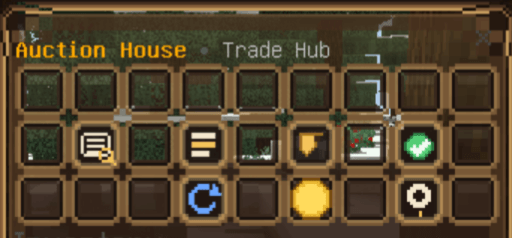
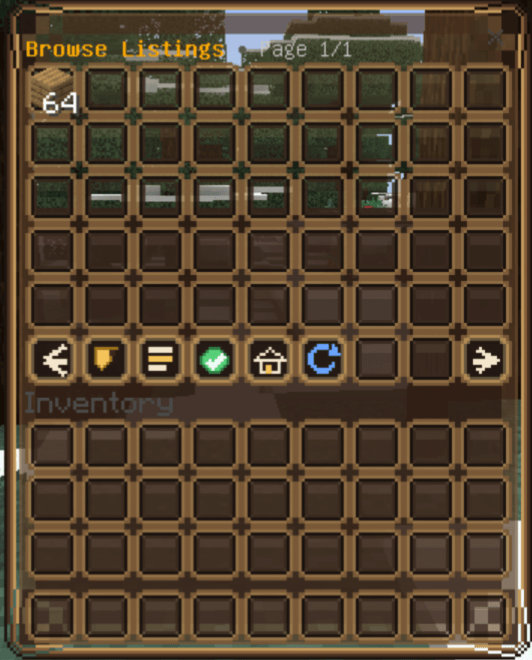
Buy, sell, and manage player listings through a custom Auction House GUI. Browse available items, create your own listings, and claim sold items — all in one place.
📎 Join our Discord: https://discord.gg/tCnxzuHCMt
Commands
/p:ah — Opens the Auction House GUI
/p:ah sell — Opens the sell flow to create a new listing
/p:ah sell <price> — Quickly lists the item in your selected hotbar slot at a starting price
(Example: /p:ah sell 500)
/p:ah cancel — Cancels all of your active listings
Economy Setup
1. Create a money scoreboard:
/scoreboard objectives add money dummy Money
2. Give players starting money:
/scoreboard players add @a money 1000
- Edition: Minecraft Bedrock
- File type: .mcpack or .mcaddon
- Minecraft versions listed: 26.0.02, 26.0, 26.3
- How to install: Download the .mcpack or .mcaddon file. → Open it — Minecraft imports it. → In your world: Behavior Packs → Available → Activate, then the same under Resource Packs.
- Where to get it: Opens on CurseForge — not every file is mirrored on our own servers.
Install steps are the general flow for this file type — How to install Minecraft Bedrock addons & mods walks through it step by step.
- Pack type: .mcaddon — behaviour and resource pack in one file
- Manifest requires Minecraft 1.26.10 or newer
- Needs Beta APIs switched on in the world settings
- Complete pack — everything it depends on is inside the file
- Download size: 80 KB
- Download link checked 16 Sept 2026 — working
These come from our own check of the pack file, not from the source page.