
Dynamic Difficulty
Bedrock add-on listed for Minecraft 1.21 (behavior pack only). File opened and checked on 28 Sep 2026; installs from the MC Bedrock Mods app on Android.
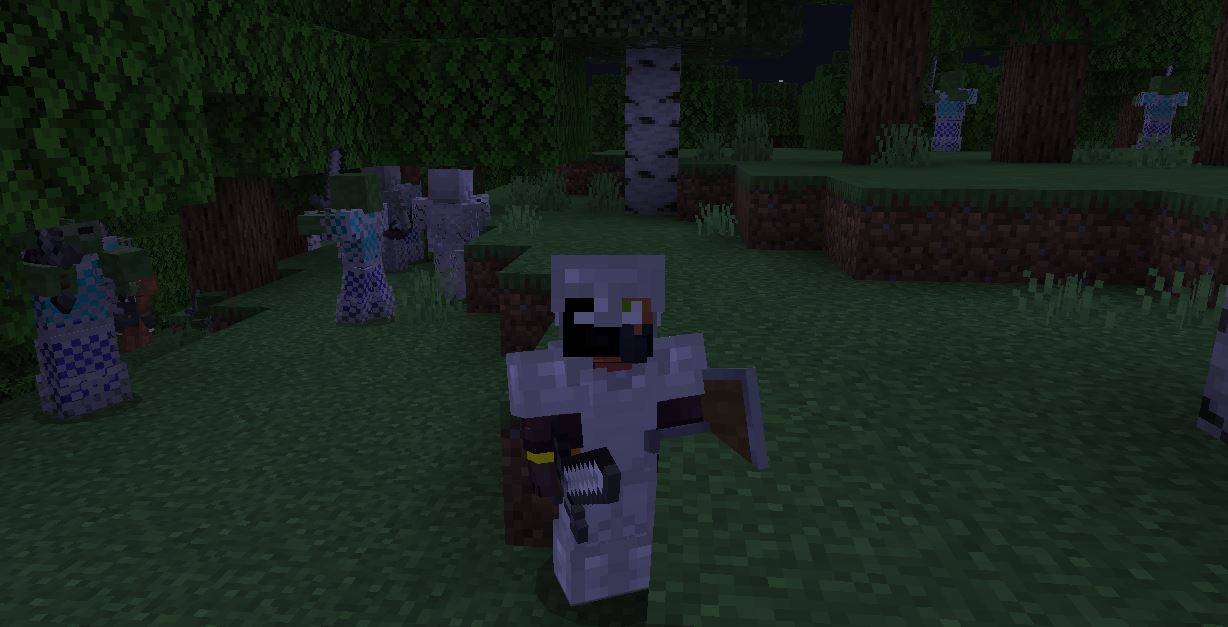
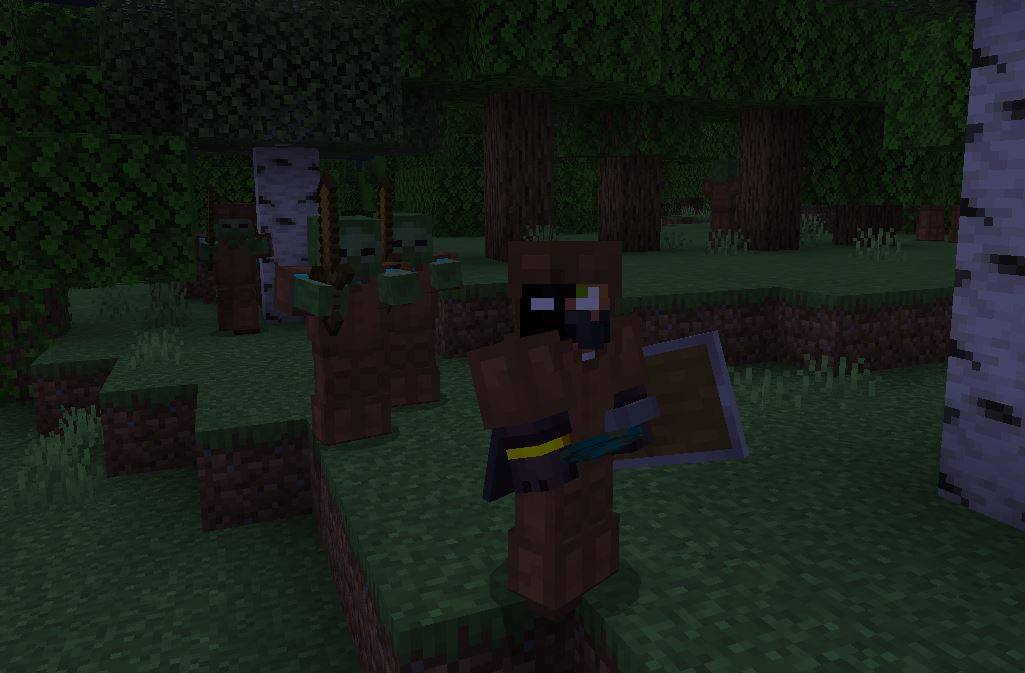
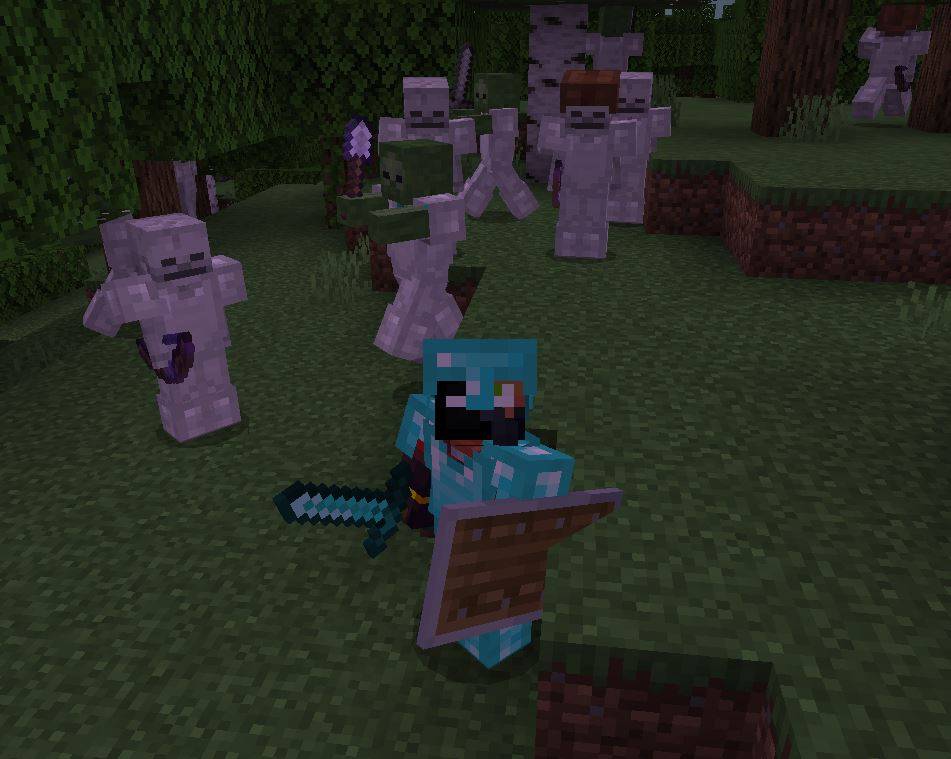
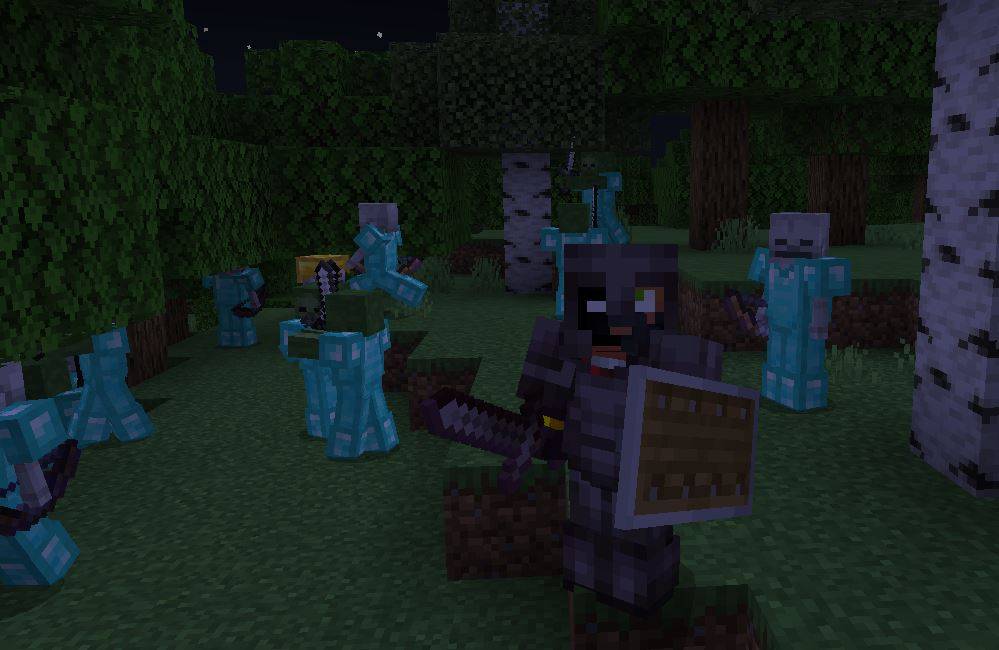
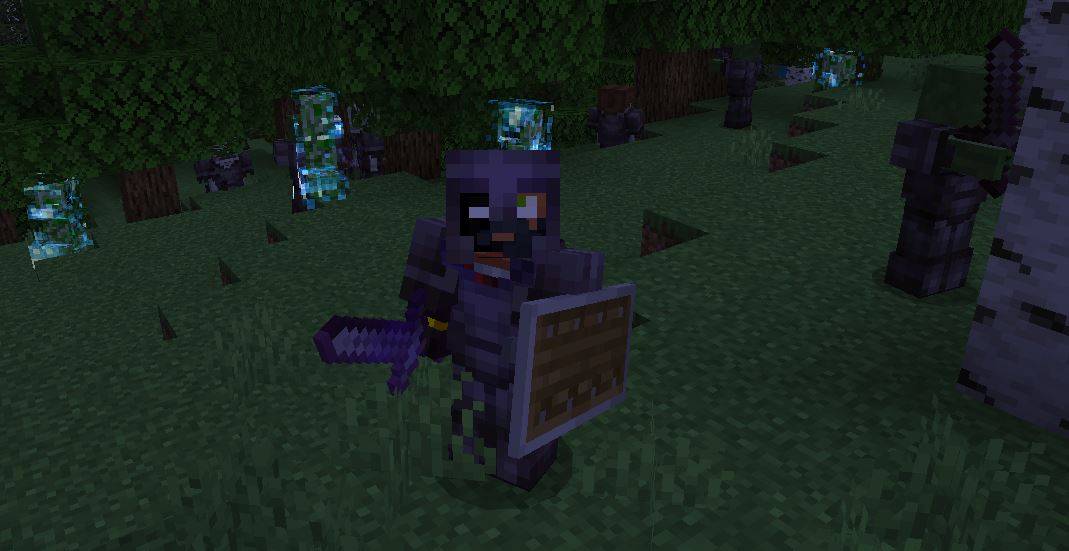
This addon adjusts the difficulty in Minecraft, improving mobs based on your gear. Skeletons upgrade bows, zombies swords, and all get stronger armor as…
⬇ Download on CurseForge
Try the plus version that modifies the life and damage of mobs
https://www.curseforge.com/minecraft-bedrock/addons/dynamic-difficulty-plus
Attention:
This script/addon is not designed to work with other addons by default. If you want to make it compatible with your favorite weapons or armor addon, follow these steps:
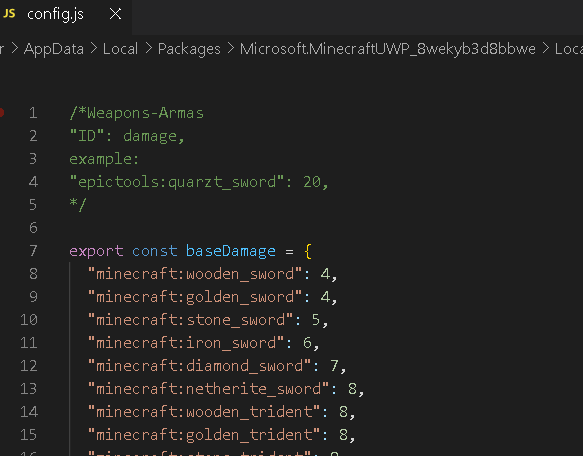
Open the config.js file of the addon using Visual Studio, Notepad, or, if you're on Android, an app like Acode.
Add the weapon IDs to the Weapons section as follows:
"ID": damage,
Example:
"epictools:quartz_sword": 20,
export const baseDamage = {
"epictools:quartz_sword": 20,
"minecraft:wooden_sword": 4,
};
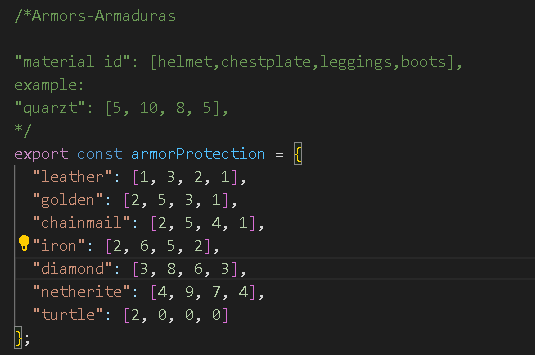
For armor, add the material IDs to the Armors section like this:
"material id": [helmet, chestplate, leggings, boots],
Example:
"quartz": [5, 10, 8, 5],
export const armorProtection = {
"quartz": [5, 10, 8, 5],
"leather": [1, 3, 2, 1],
};
Armor Tiers
This is the level of armor that will give you protection points. Here you can add your custom armor so they can equip it.
Don't forget to add their armor points in armorProtection.
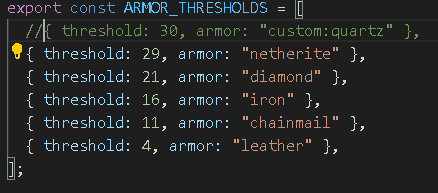
Here you need to add the id
By editing these sections, you can make the addon compatible with other custom weapons or armor you want to use.
It's very simple
This addon script enhances the difficulty of your survival game in Minecraft. It detects your armor level and tool damage to make mobs, like zombies, skeletons, and creepers, more challenging. As you equip yourself better, skeletons will upgrade their bows, and zombies will upgrade their swords based on your tool damage. Additionally, mobs will receive better armor as you progress and upgrade yours.
This script makes the survival experience more dynamic, as enemies scale in difficulty with your progress, ensuring a constant challenge. With every upgrade to your gear, mobs will adapt, providing a more balanced and exciting challenge
How does the armor system work in this addon?
This addon adjusts the difficulty of enemies based on the protection of your armor. As you upgrade your gear, mobs (zombies, skeletons, etc.) also become more challenging. Here's how it works:
1. Protection for each piece of armor:
Each armor type (leather, gold, iron, diamond, netherite, etc.) provides different protection values depending on the piece:
- Leather: 1 for helmet, 3 for chestplate, 2 for leggings, 1 for boots.
- Golden: 2 for helmet, 5 for chestplate, 3 for leggings, 1 for boots.
- Chainmail: 2 for helmet, 5 for chestplate, 4 for leggings, 1 for boots.
- Iron: 2 for helmet, 6 for chestplate, 5 for leggings, 2 for boots.
- Diamond: 3 for helmet, 8 for chestplate, 6 for leggings, 3 for boots.
- Netherite: 4 for helmet, 9 for chestplate, 7 for leggings, 4 for boots.
- Turtle: 2 for helmet.
2. Enhancement with enchantments:
If your armor has the Protection enchantment, each level increases the protection of each piece by 0.4 points. This makes your armor even stronger, and consequently, mobs will also become stronger.
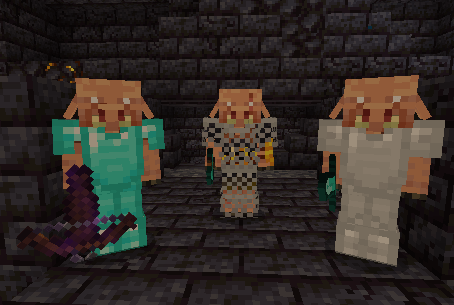
3. What armor will mobs get?
The addon adjusts the mobs' armor based on your total protection. Here’s the reference for what armor mobs will wear based on your gear:
- If your total protection is 29 or higher, mobs will get netherite armor.
- If your total protection is between 21 and 28, mobs will get diamond armor.
- If your total protection is between 16 and 20, mobs will get iron armor.
- If your total protection is between 11 and 15, mobs will get chainmail armor.
- If your total protection is between 4 and 10, mobs will get leather armor.
How Charged Creepers Work
If the player's total protection is equal to or greater than 21 points, Creepers will explode with greater strength without the need to be charged. This means that the Creepers will have higher explosive power, increasing the challenge when the player is better protected
How It Works for Evokers
If the player has a weapon/tool with damage exceeding 8, evokers will use a Totem of Undying, requiring you to defeat them twice.
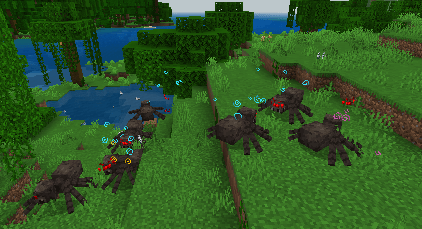
How it Works for Spiders
When you reach 16 protection points, spiders can spawn with a random effect:
- Invisibility II – 40% chance
- Strength II – 20% chance
- Speed III – 30% chance
- Regeneration II – 10% chance
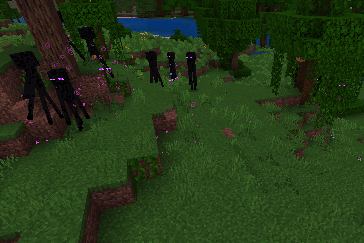
How it Works for Endermen
When you reach 20 protection points, endermen can spawn with a random effect:
- Invisibility II – 40% chance
- Strength II – 20% chance
- Speed III – 30% chance
- Regeneration II – 10% chance
How do tools work in this addon?
This addon adjusts the damage of tools and weapons based on their type and any enchantments they have. The stronger the tool, the more damage it deals to enemies. Enchantments can further increase this damage.
1. Base damage of tools:
Each tool and weapon has a base damage value depending on the material it’s made from. For example:
-
Swords:
- The wooden sword deals 4 damage.
- The stone sword deals 5 damage.
- The iron sword deals 6 damage.
- The diamond sword deals 7 damage.
- The netherite sword deals 8 damage.
-
Tridents:
- All tridents, regardless of material, deal 8 damage.
-
Pickaxes, shovels, axes, and hoes:
- The damage varies between 1 and 7 points, depending on the material (wood, stone, iron, diamond, or netherite).
2. Damage increase from enchantments:
If your tool or weapon has the Sharpness enchantment, each level of Sharpness adds 1 more damage point. This means a diamond sword with Sharpness IV will deal significantly more damage than one without any enchantments.
3. What sword do zombies get?
The addon adjusts what type of sword zombies (and other mobs) receive based on your damage. If your damage is high, zombies will also get stronger weapons to balance the challenge. Here’s how it determines what sword they get:
- If the damage is 11 or more, zombies will receive a netherite sword.
- If the damage is 9 or more, zombies will receive a diamond sword.
- If the damage is 8 or more, zombies will receive an iron sword.
- If the damage is 6 or more, zombies will receive a stone sword.
- If the damage is 5 or more, zombies will receive a wooden sword.
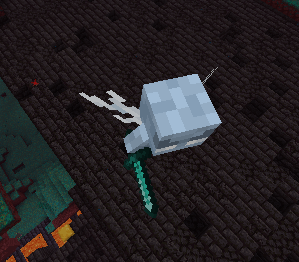
- What Sword Do Vex Receive?
The addon adjusts the type of sword that vex receive based on your damage. If your damage is high, vex will also get stronger weapons to balance the challenge. Here’s how it determines what sword they receive:
- If the damage is 11 or more, vex will receive a netherite sword.
- If the damage is 9 or more, vex will receive a diamond sword.
- If the damage is 8 or more, vex will receive a diamond sword
- What Sword Do Melee Piglins Receive?
The addon adjusts the type of sword that melee piglins receive based on your damage. If your damage is high, melee piglins will also get stronger weapons to balance the challenge. Here’s how it determines what sword they receive:
- If the damage is 11 or more, melee piglins will receive a netherite sword.
- If the damage is 9 or more, melee piglins will receive a diamond sword.
- If the damage is 8 or more, melee piglins will receive an iron sword.
- If the damage is 6 or more, melee piglins will receive a stone sword.
- What Axe Do Brute Piglins Receive?
The addon adjusts the type of axe that brute piglins receive based on your damage. If your damage is high, brute piglins will also get stronger weapons to balance the challenge. Here’s how it determines what axe they receive:
- If the damage is 13 or more, brute piglins will receive a netherite axe with Sharpness 2.
- If the damage is 12 or more, brute piglins will receive a netherite axe with Sharpness 1.
- If the damage is 11 or more, brute piglins will receive a netherite axe.
- If the damage is 10 or more, brute piglins will receive a diamond axe.
- If the damage is 9 or more, brute piglins will receive an iron axe.
- If the damage is 8 or more, brute piglins will receive a stone axe.
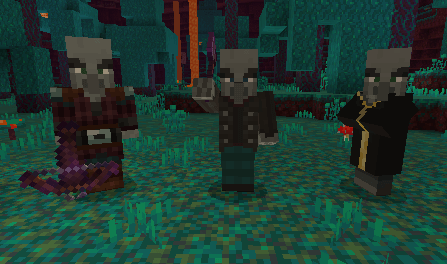
- What Axe Do Vindicators Receive?
The addon adjusts the type of axe that vindicators receive based on your damage. If your damage is high, vindicators will also get stronger weapons to balance the challenge. Here’s how it determines what axe they receive:
- If the damage is 13 or more, vindicators will receive a netherite axe with Sharpness 4.
- If the damage is 12 or more, vindicators will receive a netherite axe with Sharpness 3.
- If the damage is 11 or more, vindicators will receive a netherite axe with Sharpness 2.
- If the damage is 10 or more, vindicators will receive a netherite axe with Sharpness 1.
- If the damage is 9 or more, vindicators will receive a netherite axe.
- If the damage is 8 or more, vindicators will receive a diamond axe.
If they have shields, the Sharpness level increases by +1 for both brute piglins and vindicators.
How the Bow Works in this Addon
This addon adjusts the bow damage based on the level of the Power enchantment. Here's how it works:
1. Base Damage and Enchantment Effect:
By default, a bow has 10 damage. When the bow has the Power enchantment, the damage increases depending on the enchantment level:
- Power I (level 1) increases damage to 15.
- Power II (level 2) increases damage to 18.
- Power III (level 3) increases damage to 20.
- Power IV (level 4) increases damage to 23.
- Power V (level 5) increases damage to 25.
2. Effect of the Shield:
If the player has a shield equipped, the level of Power for the skeleton's bow will increase by 1 level. For example:
- If the player's bow has Power II (18 damage), the skeleton will receive a Power I bow.
- If the player has a shield and their bow is Power II (18 damage), the skeleton will receive a Power II bow .
This means the shield increases the Power level for the skeleton's bow, not the player's actual bow damage.
3. What Bow Do Skeletons Receive?
The addon adjusts the bow that skeletons receive based on the player's bow damage. Here's the assignment:
- If the bow damage is 25 or more, skeletons will receive a Power IV bow .
- If the bow damage is 23 or more, skeletons will receive a Power III bow.
- If the bow damage is 20 or more, skeletons will receive a Power II bow.
- If the bow damage is 18 or more, skeletons will receive a Power I bow .
- What Crossbow Do Mobs Using Crossbows Receive?
The addon adjusts the crossbow that mobs receive based on the player's bow damage. Here's the assignment:
- Piercing enchantment 5 and Quick Charge 3 // Level 5
If the bow damage is 25 or more, skeletons will receive Piercing enchantment 4 and Quick Charge 2 // Level 4. - If the bow damage is 23 or more, skeletons will receive Piercing enchantment 3 and Quick Charge 1 // Level 3.
- If the bow damage is 20 or more, skeletons will receive Piercing enchantment 2 // Level 2.
- If the bow damage is 18 or more, skeletons will receive Piercing enchantment 1 // Level 1.
If the player has a shield and the bow damage reaches the next level, the crossbow will also upgrade
Balancing:
Don't worry, the script is programmed so that mobs cannot drop their armor or weapons upon death. This ensures that the player cannot exploit them for extra gear. Mobs will only drop weapons and armor that they naturally spawn with in Minecraft (such as the base equipment of the mobs)
- What Sword Do Vex Receive?
Skeletons
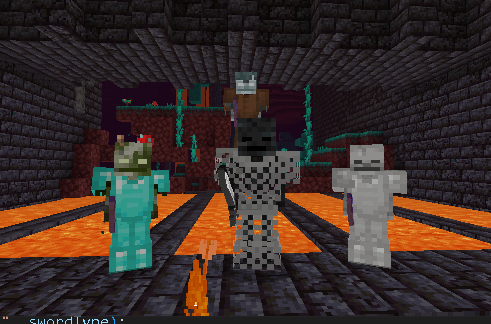
Zombies
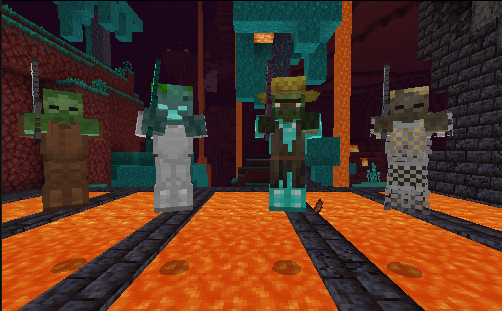
Piglins
Illagers
Spiders
Endermen
Report bugs, see progress, give suggestions you can do it on discord: https://discord.gg/xnmkKrNfwc
- Edition: Minecraft Bedrock
- File type: .mcpack or .mcaddon
- Minecraft versions listed: 1.21.50, 1.21.51, 1.21.61
- How to install: Download the .mcpack or .mcaddon file. → Open it — Minecraft imports it. → In your world: Behavior Packs → Available → Activate, then the same under Resource Packs.
- Where to get it: Opens on CurseForge — not every file is mirrored on our own servers.
Install steps are the general flow for this file type — How to install Minecraft Bedrock addons & mods walks through it step by step.
- Pack type: .mcaddon — behaviour and resource pack in one file
- Manifest requires Minecraft 1.21.40 or newer
- Complete pack — everything it depends on is inside the file
- Download size: 80 KB
- Download link checked 5 Oct 2026 — working
These come from our own check of the pack file, not from the source page.