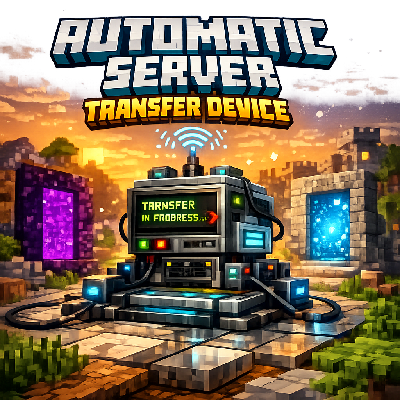
Automatic Server Transfer
Adds a configurable server transfer menu that will automatically transfer players to the set IP and port Works on realms
⬇ Download on CurseForge
REQUIRES BETA APIS TO WORK!!!
Auto Transfer Device adds an item to the Creative inventory that lets admins set a destination server IP and port, then automatically transfers players to that server a few seconds after they join the world. It’s built for simple realm-to-server routing so people don’t stay in the realm taking up slots; making it best for 2 man realms where player count is limited, and only players with the Admin tag can configure the destination.
Once set up Walk Forwards to be transferred!
If a server IP has periods use commas example My.Server.com would be My,Server,Com realms censor the .com so this was the only fix however Dots will still work when they aren’t censored!
Disclaimer: I am sorry to those who downloaded prior to the latest fixes this i should have tested better on realms! i didnt realize realms had different levels of security vs a world it took me multiple versions to get right but its working now!
Note if youre concerned about players not moving to burn up slots place the following command blocks with the following commands
In chat
/gamerule commandblockoutput false
or it will spam chat!
reapeting command block Unconditional Always Active Delay in ticks 20:
/scoreboard players add @a timer 1
chain command block Unconditional Always Active Dely in ticks 0:
/scoreboard players set @a[scores={timer=60}] timer 0
chain command block Conditional Always Active Dely in ticks 0:
execute at @a[scores={timer=0}] run tp @p ^^^1
Make sure to put the command blocks in a ticking area!!
Important note: If for whatever reason you turn off transfers YOU WILL NOT TRANSFER AFTER TURNING BACK ON! YOU WILL HAVE TO LEAVE AND REJOIN TO BE TRANSFERED ONCE YOU TURN IT BACK ON!!!
- Edition: Minecraft Bedrock
- File type: .mcpack or .mcaddon
- Minecraft version listed: 1.21.130
- How to install: Download the .mcpack or .mcaddon file. → Open it — Minecraft imports it. → In your world: Behavior Packs → Available → Activate, then the same under Resource Packs.
- Where to get it: Opens on CurseForge — not every file is mirrored on our own servers.
Install steps are the general flow for this file type — How to install Minecraft Bedrock addons & mods walks through it step by step.
- Pack type: .mcaddon — behaviour and resource pack in one file
- Manifest requires Minecraft 1.21.90 or newer
- Needs Beta APIs switched on in the world settings
- Complete pack — everything it depends on is inside the file
- Download size: 294 KB
- Download link checked 16 Sept 2026 — working
These come from our own check of the pack file, not from the source page.