AddonsBedrock
QwoUI (Clean Edition)
Bedrock add-on listed for Minecraft 1.21 (behavior + resource pack). File opened and checked on 9 Oct 2026; installs from the MC Bedrock Mods app on Android.
⬇ Download on CurseForge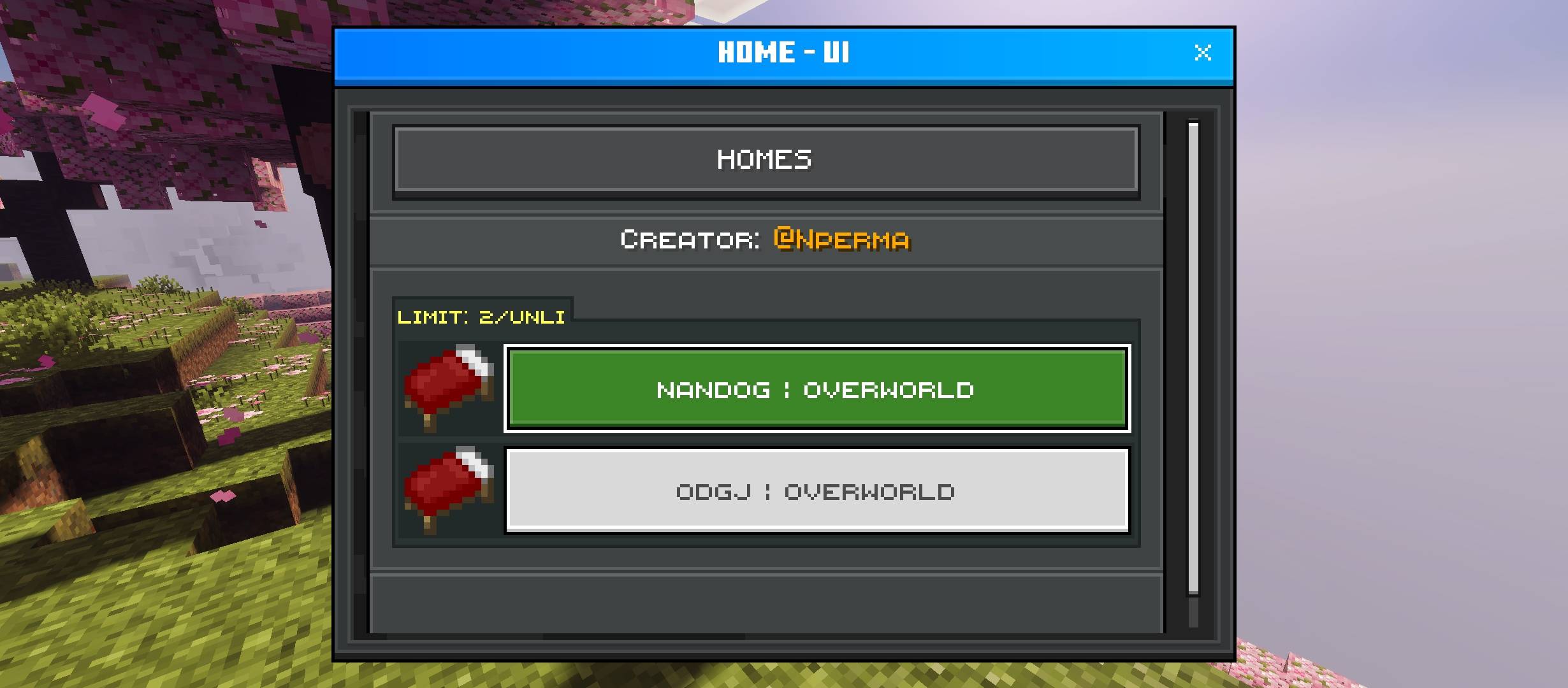
QWO - DOCUMENTATION
LAYOUT KEYS
General
- blank:
§p§0§0 - disabled:
§p§3§0 - remove-background-button:
§b§0§0
Modified Disabled Texture
- default:
pressed-texture- default:
§d§0§1 - paperdoll:
§d§0§2 - disable_texture_2:
§d§0§3(only available in clean edition)
- default:
Modified Disabled Label
- default:
minecraftSeven- MinecraftTen:
§t§0§1 - MinecraftTen + y^ offset:
§t§0§2
- MinecraftTen:
Structure
- right third:
§p1§1 - right half:
§p§1§2 - left third:
§p§2§1 - left half:
§p§2§2
Size
- default:
30 - 60:
§s§s§1 - 90:
§s§s§2 - 120:
§s§s§3 - 150:
§s§s§4
Header Button
- left arrow:
§p§4§0 - right arrow:
§p§4§1 - faq:
§p§4§2 - warn:
§p§4§3
Form Title
- default:
MinecraftSevenFont - MinecraftTenFont:
§t§t§1
Resources
- Creator: @Nperma
- StarlibV2: pipangry.github.io/docs-starlib
- Download
Quick facts
- Edition: Minecraft Bedrock
- File type: .mcpack or .mcaddon
- Minecraft versions listed: 1.21.70, 1.21.80
- How to install: Download the .mcpack or .mcaddon file. → Open it — Minecraft imports it. → In your world: Behavior Packs → Available → Activate, then the same under Resource Packs.
- Where to get it: Opens on CurseForge — not every file is mirrored on our own servers.
Install steps are the general flow for this file type — How to install Minecraft Bedrock addons & mods walks through it step by step.
File checked by MCModsHub
- Pack type: .mcaddon — behaviour and resource pack in one file
- Manifest requires Minecraft 1.21.70 or newer
- Complete pack — everything it depends on is inside the file
- Download size: 34 KB
- Download link checked 6 Oct 2026 — working
These come from our own check of the pack file, not from the source page.