AddonsBedrock
Simple Item Editor
I don't know my version
Open Minecraft and look at the bottom-left corner of the main screen — the version is printed there, like v1.26.30.
The game writes a 1. in front; the buttons above leave it off. v1.26.30 in the game is 26.30 here.
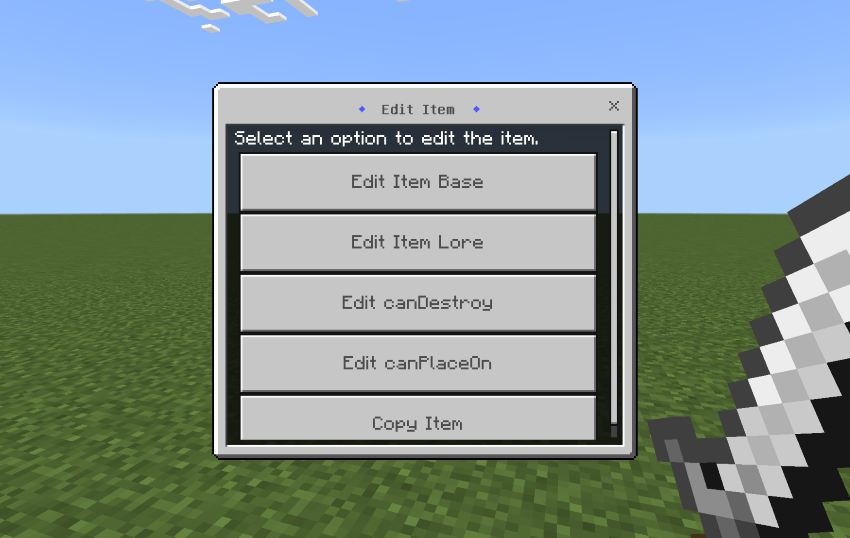
Since many similar function modules online require watching a bunch of ads before downloading, which is quite frustrating, I decided to write one myself.
The editable item attributes are:
- Name
- Lore
- Amount
- Durability
- Lock Mode
- Keep On Death
- Can Destroy
- Can Place On
- Enchantments
- Dynamic Property
⚠︎ Due to the limitations of the Script API, all numerical values are restricted by the vanilla game, meaning it is not possible to create things like level 255 enchantments.
To open the editing menu, first hold the item you want to modify and give yourself the edit_item tag: /tag @s add edit_item
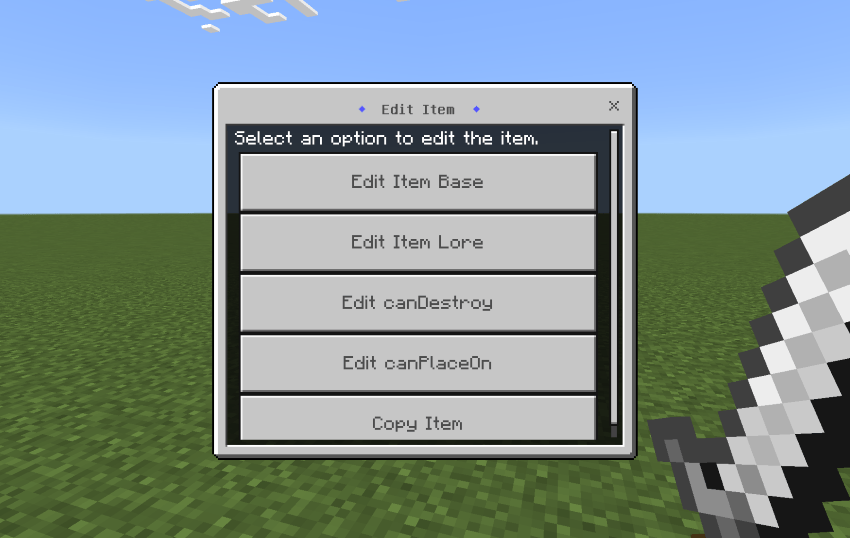
Figure out the rest on your own~~
Feel free to let me know about any bugs or suggestions!
Quick facts
- Edition: Minecraft Bedrock
- File type: .mcpack or .mcaddon
- Minecraft versions listed: 1.21.101, 1.21.82
- How to install: Download the .mcpack or .mcaddon file. → Open it — Minecraft imports it. → In your world: Behavior Packs → Available → Activate, then the same under Resource Packs.
- Where to get it: Opens on CurseForge — not every file is mirrored on our own servers.
Install steps are the general flow for this file type — How to install Minecraft Bedrock addons & mods walks through it step by step.
Verified by MCModsHub
- Pack type: .mcpack — a single pack
- Manifest requires Minecraft 1.19.50 or newer
- Complete pack — everything it depends on is inside the file
- Download size: 17 KB
- Download link checked 15 Sept 2026 — working
These come from our own check of the pack file, not from the source page.