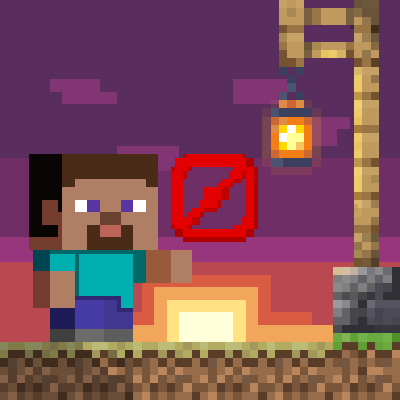
Movement restrictions
About
With this Minecraft Bedrock Challenge you can restrict your own movement as you like!
Restrictions
There are in toal 18 different restrictions available and by default no one is active, so you have to Add them. When you find something interesting you get short description what it's restricts and you can choose between punishing and disable. The difference lies in the behavior if the restriction is violated. If disabled, you simply cannot perform this action at all, and if punishing is seleced, the entire challenge get canceled.
Installation
Make sure that both the Challenge and the Timer are using the same CCS (Challenge Communication System) Version!
- Download the latest challenge release from here.
- Download the best timer release, mostlikely from here.
- Open both
.mcpackor.mcaddonfiles with Minecraft. - Create a new world OR edit an existing world
- Navigate to: Behavior packs.
- Click on "Available"
- Activate the Challenge & the Timer
PlayorCreateyour World
License & Attribution
This project is licensed under the MIT License.
Attribution Requirements
You are allowed to use code snippets from this repository in your own projects under the following conditions:
- The copied code does not make up the majority of your project.
- The reused code must be clearly marked with a comment in your code, for example:
/* ─────────────────────────────────────────────────────────
    This code is part of Challenge by TheFelixLive:
    https://github.com/TheFelixLive/Challenge
─────────────────────────────────────────────────────────*/
Thank you for respecting the license terms and supporting this project!
- Edition: Minecraft Bedrock
- File type: .mcpack or .mcaddon
- Minecraft versions listed: 1.21.101, 1.21.100, 1.21.111
- How to install: Download the .mcpack or .mcaddon file. → Open it — Minecraft imports it. → In your world: Behavior Packs → Available → Activate, then the same under Resource Packs.
- Where to get it: Opens on CurseForge — not every file is mirrored on our own servers.
Install steps are the general flow for this file type — How to install Minecraft Bedrock addons & mods walks through it step by step.
- Pack type: .mcaddon — behaviour and resource pack in one file
- Manifest requires Minecraft 1.21.90 or newer
- Complete pack — everything it depends on is inside the file
- Download size: 16 KB
- Download link checked 16 Sept 2026 — working
These come from our own check of the pack file, not from the source page.