
@bedrock-core
Bedrock add-on listed for Minecraft 1.21–26.x (resource pack only). File opened and checked on 21 Sep 2026; installs from the MC Bedrock Mods app on Android.
Addons run in isolated realms. @bedrock-core lets yours find each other, call each other, share state, and draw custom UI the whole world can use.
I don't know my version

⚠️ Beta Status: Active development. Breaking changes may occur until 1.0.0. Pin exact versions for stability.
📦 This is a developer library, not a standalone addon. It does nothing on its own, it is meant to be used by addon developers to build UIs in their own projects.
📘 Full documentation & guides: https://bedrock-core.drav.dev/
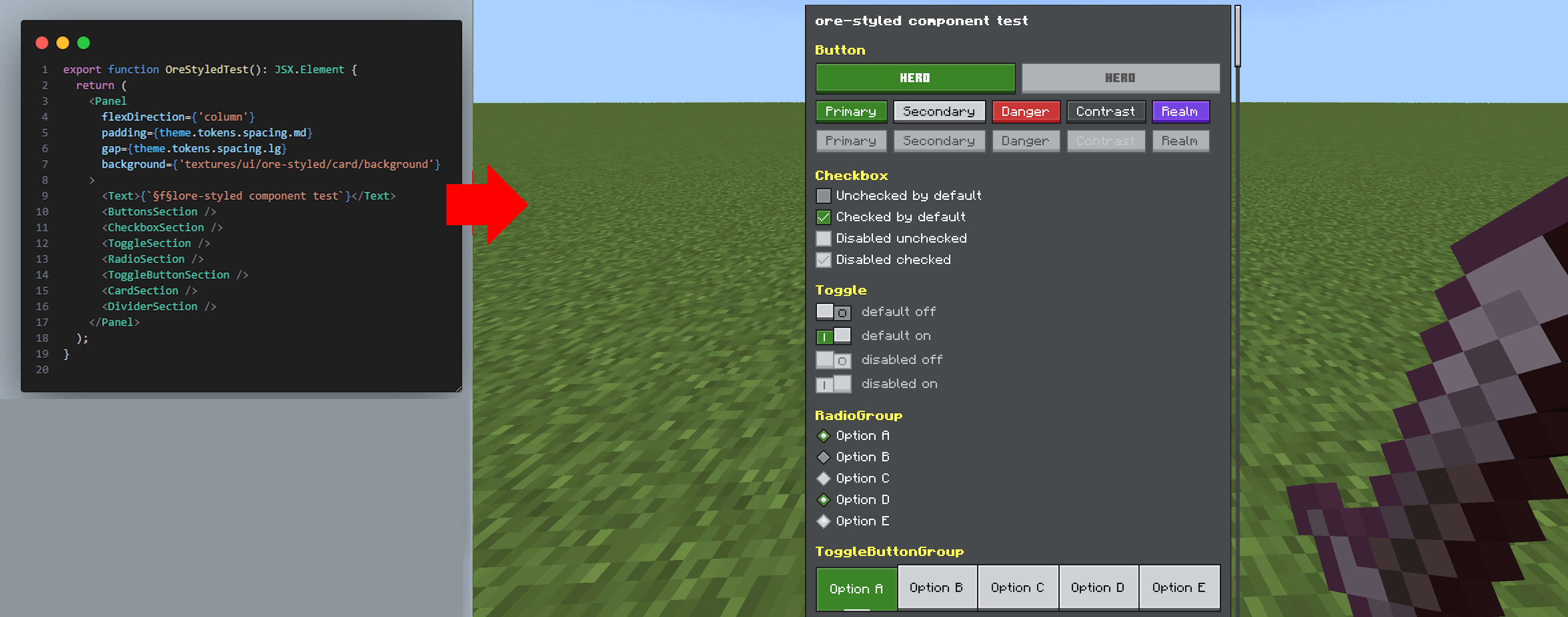
@bedrock-core is a modular TypeScript toolkit for building connected Minecraft Bedrock addons. It provides shared server libraries, cross-addon communication, configuration, guides, catalogs, rich JSX-driven interfaces, build filters, and project tooling.
What is included?
- Server libraries for addon registration, dependencies, RPC, shared state, synchronization, databases, observables, and translations.
- UI framework with JSX components, flexbox layout, navigation, forms, container screens, and reusable Ore-styled components.
- Addon applications for configuration screens, in-game guides, and addon catalogs.
- Build tools including Regolith filters, manifest generation, script bundling, and UI compilation.
- Developer tooling with project scaffolding, validation, release workflows, and Bedrock Dedicated Server automation.
The easiest way to create a complete @bedrock-core project is:
npx @bedrock-core/cli- Edition: Minecraft Bedrock
- File type: .mcpack or .mcaddon
- Minecraft versions listed: 26.50, 1.21.132, 26.0.02
- How to install: Download the .mcpack or .mcaddon file. → Open it — Minecraft imports it. → In your world: Behavior Packs → Available → Activate, then the same under Resource Packs.
- Where to get it: Opens on CurseForge — not every file is mirrored on our own servers.
Install steps are the general flow for this file type — How to install Minecraft Bedrock addons & mods walks through it step by step.
- Pack type: .mcpack — a single pack
- Manifest requires Minecraft 1.26.21 or newer
- Complete pack — everything it depends on is inside the file
- Download size: 296 KB
- Download link checked 6 Oct 2026 — working
These come from our own check of the pack file, not from the source page.