Spawn Protection
Bedrock add-on listed for Minecraft 26.x (behavior pack only). Needs Beta APIs. File opened and checked on 4 Oct 2026; installs from the MC Bedrock Mods app on Android.
Advanced region and spawn protection system for Minecraft Bedrock Edition with UI management, PvP control, interaction blocking, and admin tools.
⬇ Download on CurseForge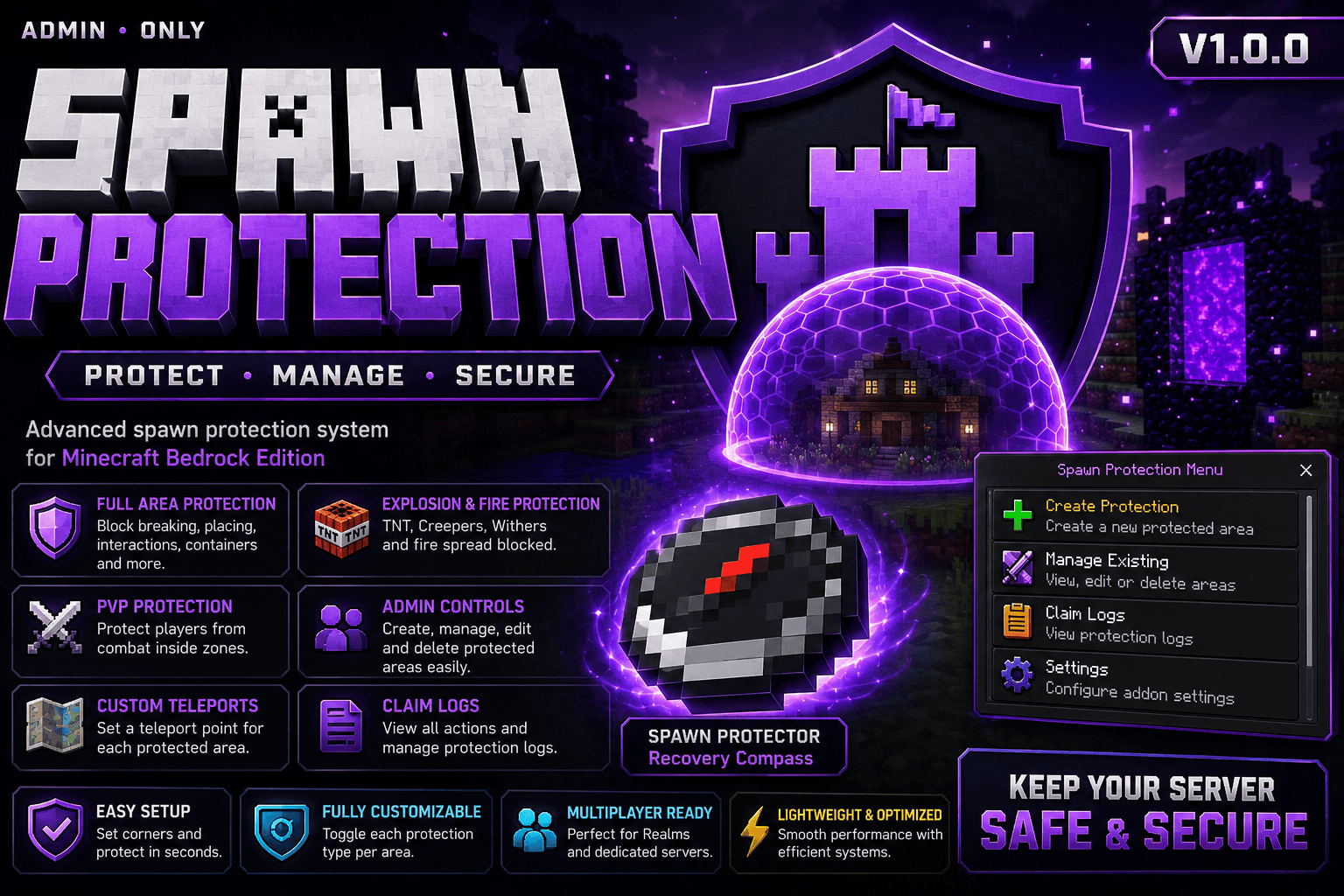
<div align="center">
# 🛡️ Spawn Protection
### Minecraft Bedrock Edition Behaviour Pack
A powerful and easy-to-use spawn protection addon for Minecraft Bedrock Edition.
Protect important server areas like spawn, shops, warps, admin zones, event areas, and more using a complete in-game UI system.



[](https://github.com/chriz-3656)
[](https://discord.gg/gnanqEJnCD)
</div>
---
# 👨💻 Developer Details
| Field | Info |
|---|---|
| **Developer** | chriz3656 |
| **GitHub** | https://github.com/chriz-3656 |
| **Discord** | https://discord.gg/gnanqEJnCD |
| **Pack Version** | 1.0.1 |
| **Pack Type** | Behaviour Pack |
| **Minecraft Version** | 1.21.20+ |
---
# ✨ Features
- 🧱 Protect blocks from breaking and placing
- 🚪 Block interactions with doors, buttons, levers, etc.
- 📦 Protect containers like chests and barrels
- ⚔️ Disable PvP inside protected zones
- 💥 Block TNT and mob explosions
- 🗺️ Create multiple named protection zones
- 🌍 Supports Overworld, Nether, and End
- 🧩 Easy-to-use in-game GUI menus
- 📍 Visual particle border preview system
- 🌀 Teleport system for protection zones
- 🔒 Admin-only management system
- ⚡ Lightweight and optimized for servers
- 🛠️ Fully standalone addon
---
# 📦 Requirements
| Requirement | Version |
|---|---|
| Minecraft Bedrock Edition | 1.21.20+ |
| Beta APIs | Enabled |
| Type | Behaviour Pack |
> ⚠️ Beta APIs must be enabled in world Experiments settings.
---
# 🔧 Installation
## Step 1 — Import the Pack
1. Download the `.mcpack` file
2. Open it with Minecraft
3. Minecraft will automatically import the addon
---
## Step 2 — Enable in Your World
1. Open Minecraft
2. Edit your world
3. Go to **Behaviour Packs**
4. Activate **Spawn Protection**
5. Enable **Beta APIs** in Experiments
6. Save and enter the world
---
# 👑 Admin Setup
Give yourself admin access:
```mcfunction
/tag <your_name> add sp:admin
```
This allows full access to all protection features.
---
# 🚀 Quick Start Guide
## Get the Spawn Protector Tool
```mcfunction
/sp:claim_item
```
---
## Create a Protection Zone
### 1️⃣ Use the Spawn Protector item
Opens the protection management menu.
### 2️⃣ Set Position 1
Stand at the first corner and click:
```text
[ Set Position 1 ]
```
### 3️⃣ Set Position 2
Move to the opposite corner and click:
```text
[ Set Position 2 ]
```
Particles will preview the protected area.
### 4️⃣ Create Protection
Click:
```text
[ Create Protection ]
```
Choose:
- Zone name
- Build protection
- Break protection
- PvP protection
- Container protection
- Interaction protection
- Item use protection
Done! 🎉
Your protected zone is now active.
---
# 💬 Commands
| Command | Description |
|---|---|
| `/sp:claim_item` | Get the Spawn Protector item |
| `/sp:claim_guide` | Open the guide menu |
| `/sp:claim_config` | Open admin config menu |
| `/sp:claim_logs` | View all protection zones |
---
# 🛡️ Protection System
Each protection zone can individually control:
- Block Breaking
- Block Placing
- Interactions
- Container Access
- Item Usage
- PvP Combat
- Explosions
Admins automatically bypass all restrictions.
---
# 🗺️ Zone Management
Manage all zones directly from the in-game UI:
- Edit permissions
- Rename zones
- Teleport to zones
- Delete protections
- View protection logs
---
# 🌍 Dimension Support
Protection zones work in:
- 🌎 Overworld
- 🔥 Nether
- ✨ The End
---
# ⚡ Compatibility
Compatible with most Minecraft Bedrock addons and multiplayer servers.
---
# ❓ FAQ
### Can normal players create protections?
No. Only admins with the `sp:admin` tag can manage protections.
### Can zones overlap?
No. Overlapping protections are automatically blocked.
### Does this work on multiplayer servers?
Yes ✅
### Are protections saved permanently?
Yes. All zones automatically save with the world.
---
❤️
Credits
### Developer
**chriz3656**
---
# 📜 License
MIT License
---
<div align="center">
Made with ❤️ for the Minecraft Bedrock community
</div>
- Edition: Minecraft Bedrock
- File type: .mcpack or .mcaddon
- Minecraft version listed: 26.20
- How to install: Download the .mcpack or .mcaddon file. → Open it — Minecraft imports it. → In your world: Behavior Packs → Available → Activate, then the same under Resource Packs.
- Where to get it: Opens on CurseForge — not every file is mirrored on our own servers.
Install steps are the general flow for this file type — How to install Minecraft Bedrock addons & mods walks through it step by step.
- Save it as Spawn_Protection_v1.0.0.mcaddon before opening — it downloads as .mcpack, but it is a .mcaddon pack
- Manifest requires Minecraft 1.26.20 or newer
- Needs Beta APIs switched on in the world settings
- Complete pack — everything it depends on is inside the file
- Download size: 2.0 MB
- Download link checked 6 Oct 2026 — working
These come from our own check of the pack file, not from the source page.