Cubes Without Borders Mod lets you play Minecraft in a borderless fullscreen window. This allows you to have the game open on one monitor and use other apps on a different monitor without Minecraft minimizing.
Features:
- Play in a borderless fullscreen window that doesn’t minimize when you click away.
- Works on Windows, macOS, and Linux for a consistent experience.
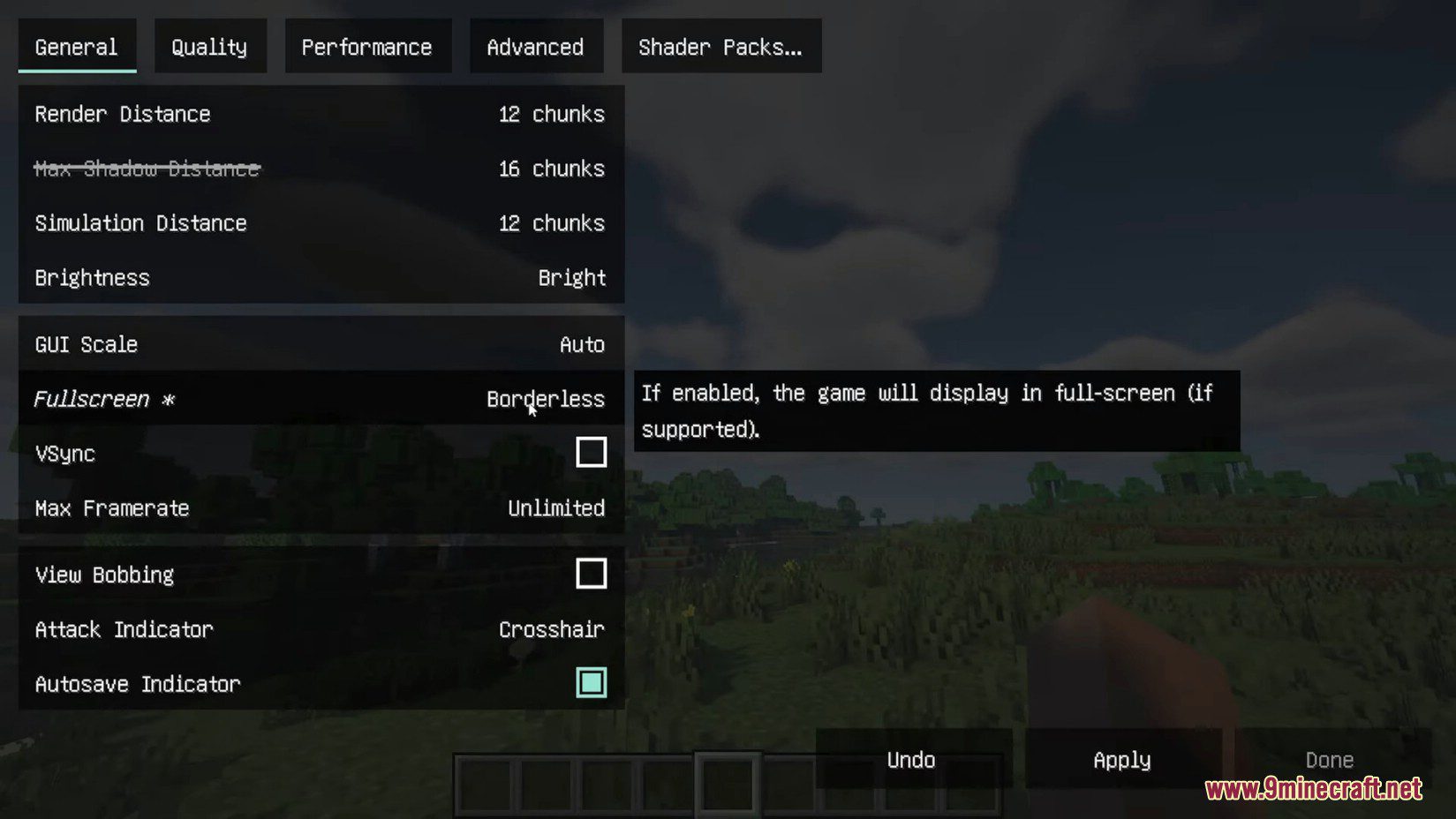
- Adds a new “Borderless” option to the existing “Fullscreen” setting in Video Settings.
- Does not add extra input latency, keeping your gameplay responsive.
- Includes a startup flag to force the game to launch in borderless mode.
- Offers several different fullscreen types in its configuration for advanced users.
Configuration:
This mod adds a startup flag, --borderless, which forces the game to launch in borderless fullscreen mode. For more options, you can edit the cwb.json file directly. If you have YACL or Cloth Config installed, a settings screen will also be available in the game.
How to Use:
- Go to the Video Settings menu in the game.
- Find the Fullscreen setting.
- Change the option to the new Borderless setting.
- Click Apply or Done to save your changes.
- You can also press F11 to switch directly into borderless mode, as it becomes the new default for fullscreen.
Screenshots:
Cubes Without Borders Mod Download Links
Quick facts
- Edition: Minecraft Java
- File type: .jar
- Minecraft version listed: 1.20.1
- How to install: Install the matching mod loader (Forge, Fabric or NeoForge) for your Minecraft version. → Download the .jar. → Put it in the .minecraft/mods folder and launch that loader profile.
- Where to get it: In MC Java Mods, or directly above on this page.
Install steps are the general flow for this file type — How to install Minecraft Java mods & modpacks walks through it step by step.
Verified by MCModsHub
- Downloads as 83391.mcaddon
- Download size: 89 KB
- Download link checked 26 Sept 2026 — working
- Mirrored on our own servers — the download does not depend on the original host
These come from our own check of the pack file, not from the source page.