Clocks and Debug Addon (1.19) – MCPE/Bedrock Mod
Clocks and Debug Addon adds 4 different clocks and a debug display with some information about your world. Additional to this, the author added a…
⬇ DownloadOpen in MCModsHubGet it on Google Play →Clocks and Debug Addon adds 4 different clocks and a debug display with some information about your world. Additional to this, the author added a Death-System with your last Death-Coordinates and a gravestone. And he created a One-Player-Sleep-System for Multiplayer (everything should work on Realms and LAN worlds exactly as in Singleplayer worlds).
Features:
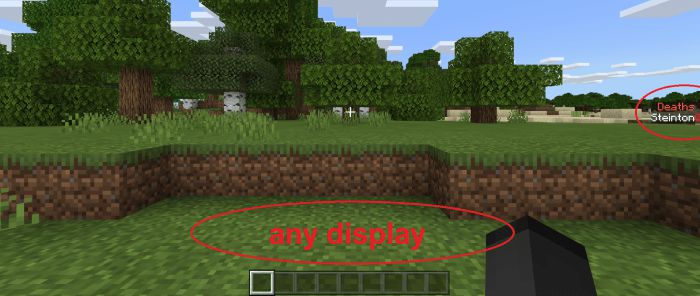
Everything will be displayed above your Hotbar, but only one Display can be shown at once.
To show the display you want, you need to run a function (for more information see the text below).
For every display there are two functions: /function …_me and function …_all. This means you can show a display either only for yourself or for all players.
Important is, that the last input counts. For example, if you use a me-function and a few minutes later another player uses an all-function, also your display will be changed.
The following things are also listed in an instruction book, which will be given to every player who joins a world for the first time.
Instead of using the commands mentioned in the further text, you can use /function settings and /function displays. So you don’t have to know all of the other commands and you have a cool interface (It works correctly only in survival/adventure mode because it is made with the dialogue command for NPCs).
World Timer
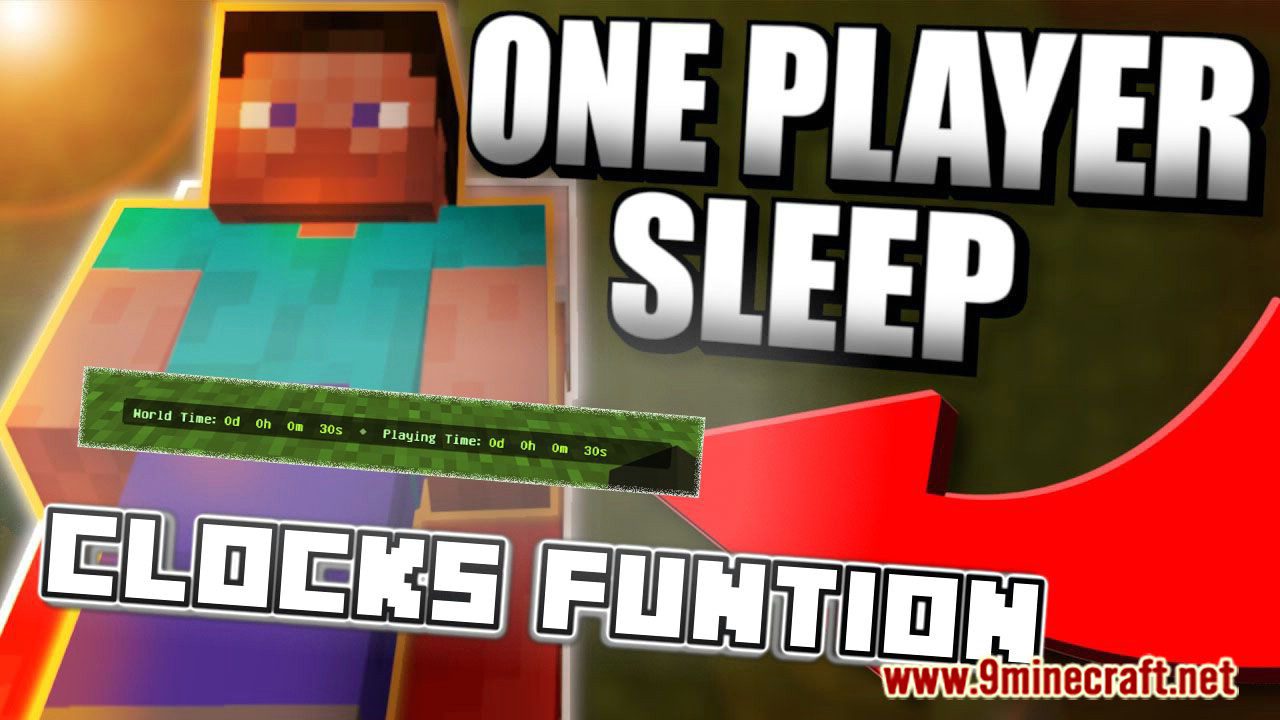
This clock counts the time the world exists and how long you played in the world and displays it in days, hours, minutes, and seconds (for the player who creates the world both clocks show the same time).
To display this clock, type this in your chat: /function world_timer_me/all

Clock
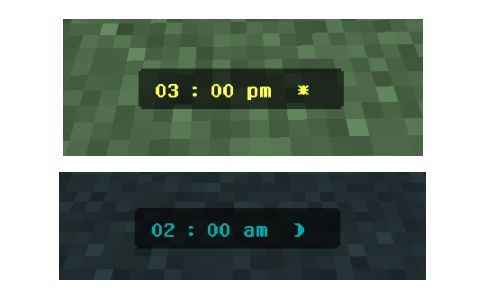
This clock shows the ingame daytime and counts every quarter of an hour.
Even when you sleep, the clock stops counting and is set to the correct time.
Also, the current weather will be displayed on the right side: a sun/moon means clear weather, a cloud with rain means raining and a cloud with lightning means storming.
To display this clock, type this in your chat: /function clock_1_me/all or /function clock_2_me/all
- Clock 1
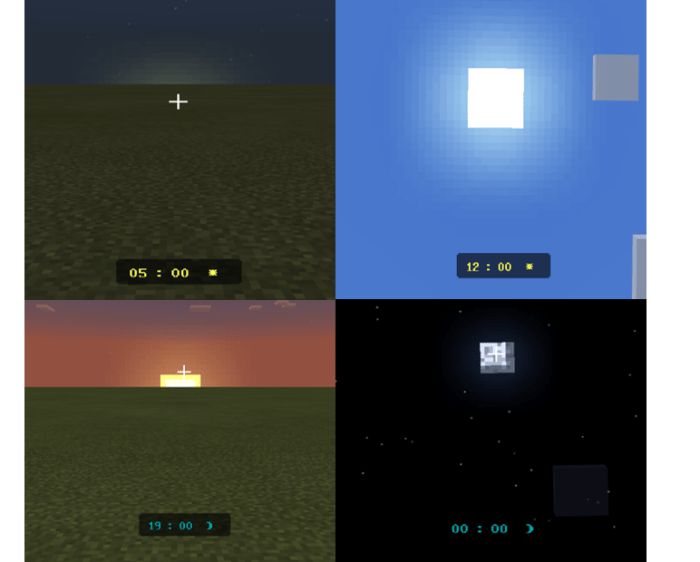
- Clock 2
Stopwatch
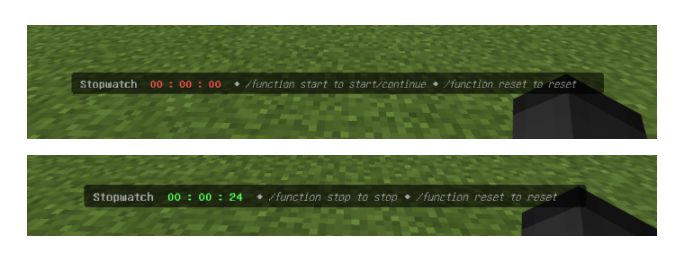
With this clock, you can simply count the time you need for something:
- type /function start in the chat to start it
- type /function stop in the chat to stop it
- type /function reset in the chat to reset it
- To display this clock, type this in your chat: /function stopwatch_me/all
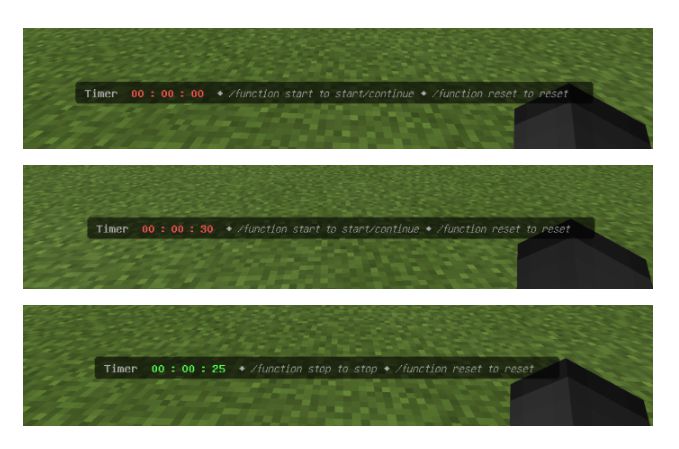
Timer
This clock is a timer, which means that you can adjust a time (in hours, minutes, and seconds) and after you started the timer it counts down the time until zero seconds.
The time must be adjusted with the scoreboard command (the exact command will be shown in the chat when you display the timer).
After you adjusted the time:
- type /function start in the chat to start it
- type /function stop in the chat to stop it
- type /function reset in the chat to reset it
- To display this clock, type this in your chat: /function timer_me/all
Debug Display
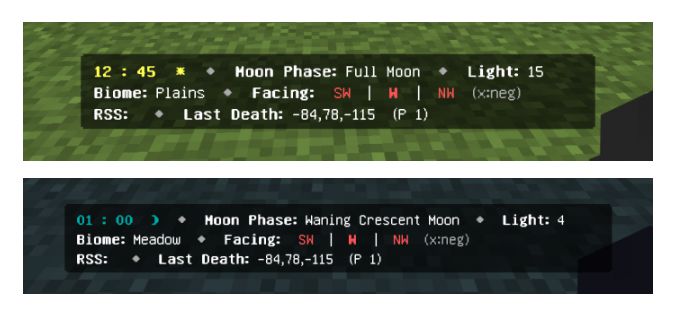
This display shows you some more information that can be important, especially in survival mode:
- Clock again (with weather)
- Moon phase
- The Biome you are in
- Compass and the direction of the coordinates you are facing
- The light level at your position
- RSS (Redstone Signal strength) at the block you are facing
- Your Last-Death-Coordinates (for this the author also added a death counter, which is displayed as a sidebar scoreboard)
- Your own Player-ID near the death cords (needed for the graves)
To display the debug display, type this in your chat: /function debug_me/all
RSS: It was really hard to get this to work and it’s still not perfect, because it’s very difficult to target the right block the player is facing when you have multiple Redstone dust in a line. So the best way to use this feature is to stand/fly a bit above the block you want to aim to. If you try to aim at a block that is nearly horizontal to your view it often targets the wrong block.
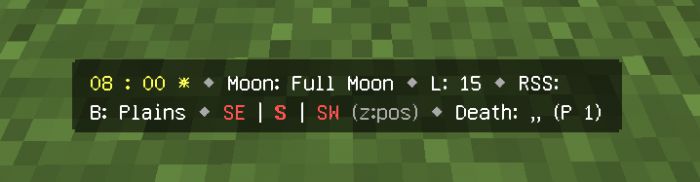
A second version for small devices, where the debug display is a bit smaller:
Death-Counter
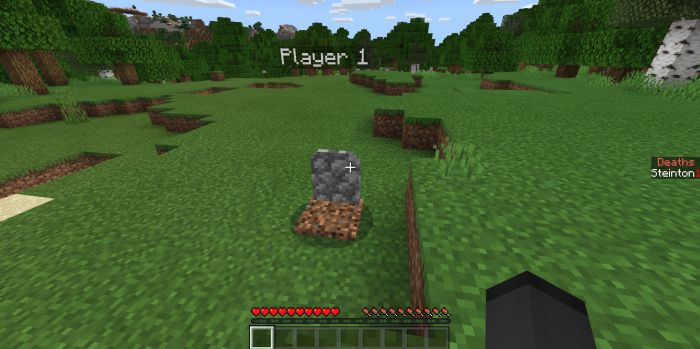
Grave Stone
- It spawns at the death position from a dead player and saves all dropped items.
- The texture and some behavior from the grave are from the Graves addon.
- The rest of the graves-behavior is made by the author.
Installation Note:
- Activate “Holiday Creator Features” and “Molang Features” in your world settings
Clocks and Debug Addon Download Links
For Minecraft PE/Bedrock 1.19
Normal version: Download from Server 2
Lite version: Download from Server 2 (for small devices)
- Pack type: .mcaddon — behaviour and resource pack in one file
- Manifest requires Minecraft 1.13.0 or newer
- Complete pack — everything it depends on is inside the file
- Download link checked 18 Jun 2026 — working
- Mirrored on our own servers — the download does not depend on the original host
These come from our own check of the pack file, not from the source page.