AddonsBedrock
Java Debug Screen Addon (1.18, 1.17) – F3 Debug Menu
Are you frustrated by the lack of information about your player and your world given in-game. Are you frustrated that Mojang hasn't added an actual…
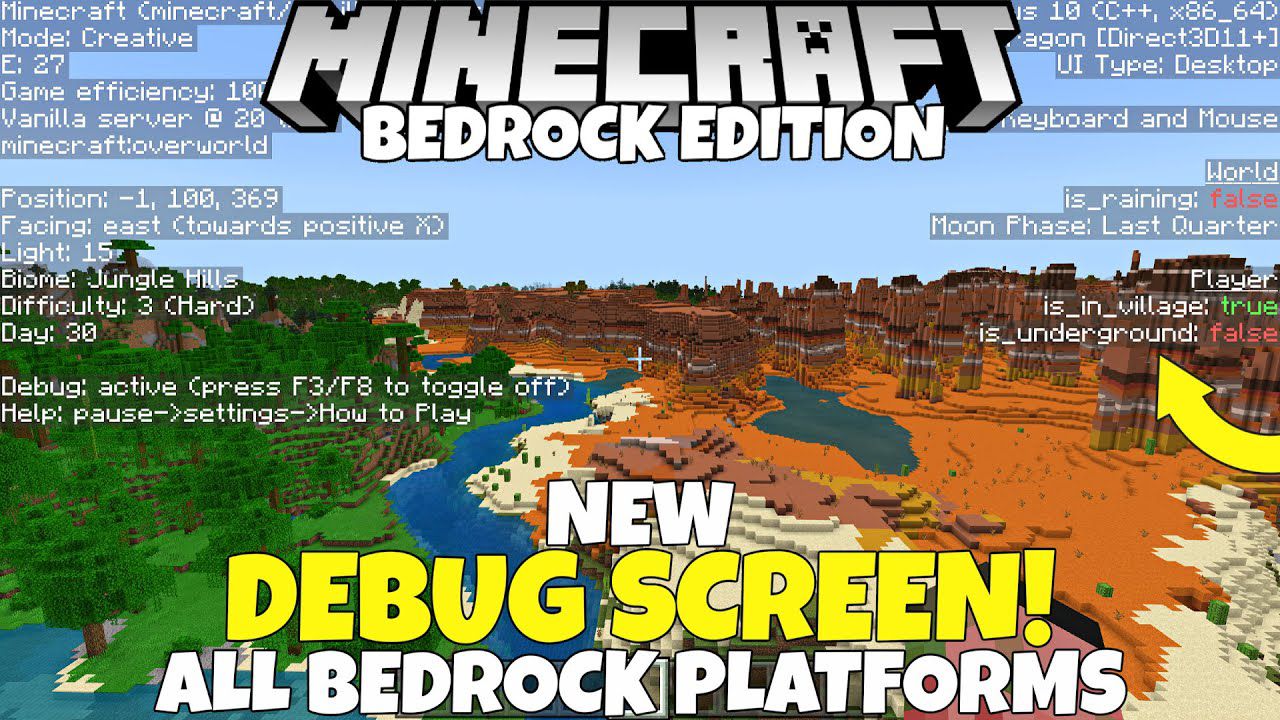
⬇ DownloadOpen in MCModsHubGet it on Google Play →Are you frustrated by the lack of information about your player and your world given in-game. Are you frustrated that Mojang hasn’t added an actual toggleable debug screen that works on all platforms? Need not to worry as the community seems to be doing more for Minecraft Bedrock Edition than Mojang these days! Java Debug Screen Addon allows you to enable debug screen F3 in Minecraft PE in 2022 in mobile.
Features:
Screen Features (top to bottom):
Left Panel:
- Minecraft. This can be changed to show the version by changing $minecraft_game_version in /ui/_global_variables.json to the desired number.
- Game efficiency. This shows how well your game is performing and gives an estimate of your current frames per second. 100% game efficiency means your game is performing normally, 50% means you are experiencing something that is impacting your performance, and 0% means you are probably experiencing Minecraft: Powerpoint Edition.
- Ticks and server. Will mostly be vanilla server, and # ticks is the current tps.
- E. This is the entity counter. It displays the current number of entities in your draw distance.
- Dimension. This shows the current dimension you are in.
- Position. This is the same position display when you have the setting ticked.
- Facing: direction. This shows the current cardinal direction you are facing, as well as what direction you are facing in terms of x,z coordinates.
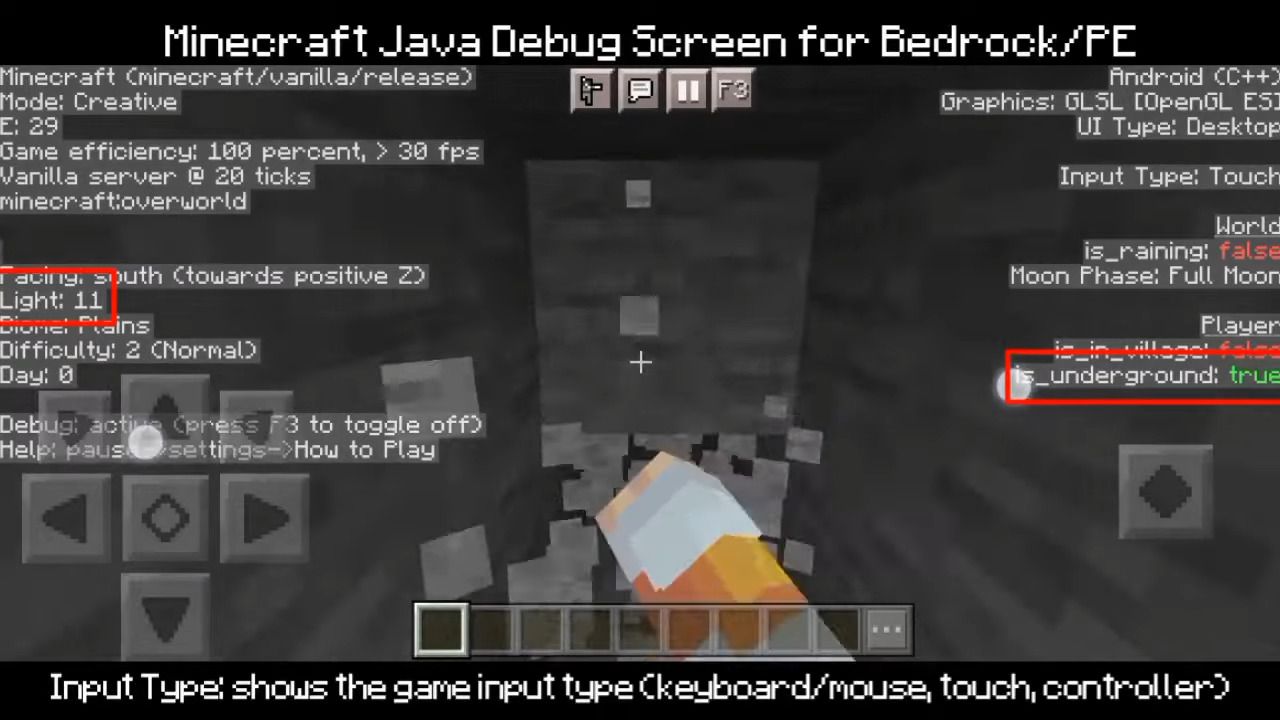
- Light level. Shows the current light level of the x,y,z coordinate.
- Biome. Shows the current biome you are in.
- Difficulty. Shows the current game difficulty.
- Day counter. Shows the current in-game day.
- Debug: shows that the debug screen is active, as well as how to toggle it off.
- Help: shows how to get help in-game.
Right Panel:
- a. Operating system/architecture – shows a bit about the device you are using
- b. Graphics: shows the current rendering engine used by your device
- c. UI Type: shows the current UI profile (pocket or desktop)
- d. Input Type: shows the game input type (keyboard/mouse, touch, controller)
- e. World Info
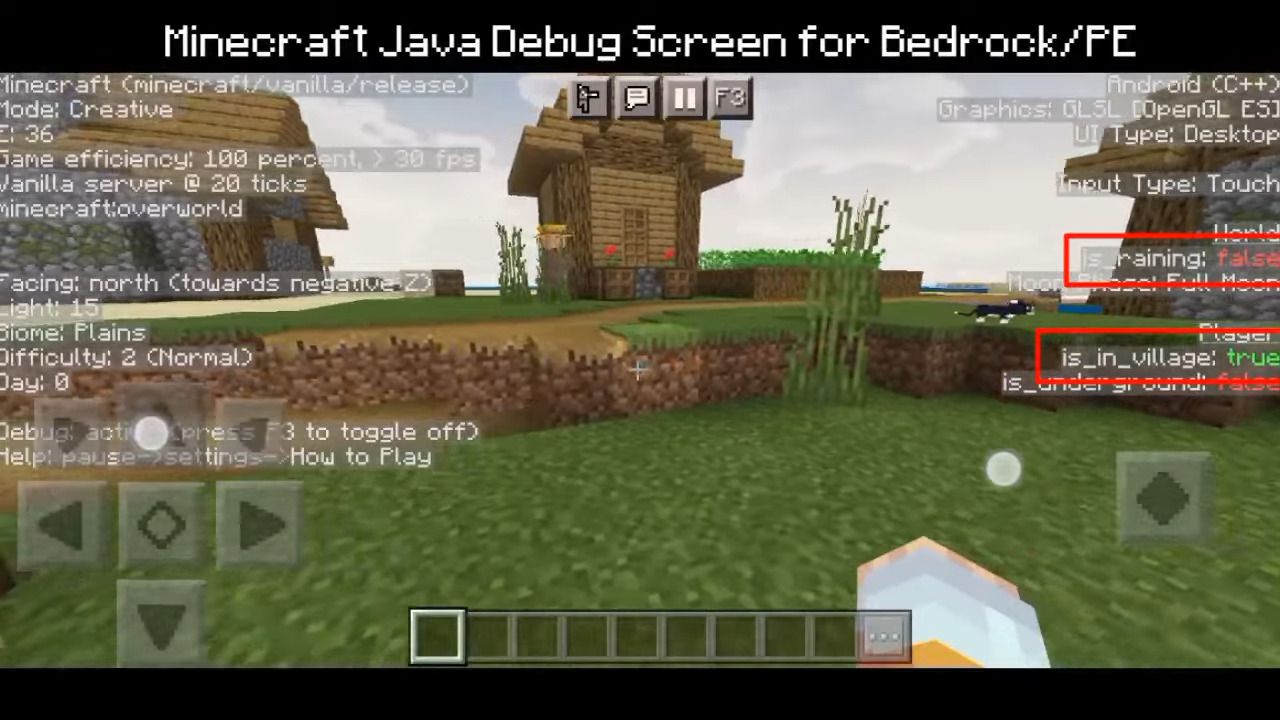
- i. is_raining: is it raining in the overworld?
- ii. Moon Phase: shows the current moon phase
- f. Player Info
- i. is_in_village: is the current player in a valid village?
- ii. is_underground: is the current player underground?
Toggling the Screen on and off:
- Mobile: press the F3 button at the top of the screen
- Computer: press F8. You can download this AutoHotKey executable to remap the key to F3: https://github.com/LukasPAH/BedrockF8toF3. You can review the code yourself if you are uncomfortable with downloading a .exe file from the internet.
- Controller: stand still for about 1 second, crouch, and press LB on an Xbox Controller, L1 on PlayStation, and L on Switch.
- All platforms: go to settings->video->Debug Screen
Screenshots:
Java Debug Screen Addon Download Links
For MCPE/Bedrock 1.18, 1.17
Verified by MCModsHub
- Pack type: .mcaddon — behaviour and resource pack in one file
- Manifest requires Minecraft 1.16.100 or newer
- Complete pack — everything it depends on is inside the file
- Download link checked 18 Jun 2026 — working
- Mirrored on our own servers — the download does not depend on the original host
These come from our own check of the pack file, not from the source page.
Explore more