AsaBetter texture pack for Minecraft
The AsaBetter resource pack changes the UI and improves the quality of the game. This is perfect for you if classic Minecraft Bedrock has become boring…
⬇ DownloadOpen in MCModsHubGet it on Google Play →The AsaBetter resource pack changes the UI and improves the quality of the game. This is perfect for you if classic Minecraft Bedrock has become boring for you.
Special: the texture pack has an anime theme! Details below.
Table Of Contents
- Permissions for ModBay
- New Start Screen
- New Settings UI
- New Play Screen
- New Progress Screen
- New HUD UI
- New Inventory UI, Chest UI
- New Trade UI
- New Pause Screen
- Few words from Asaki Zuki
Permissions for ModBay
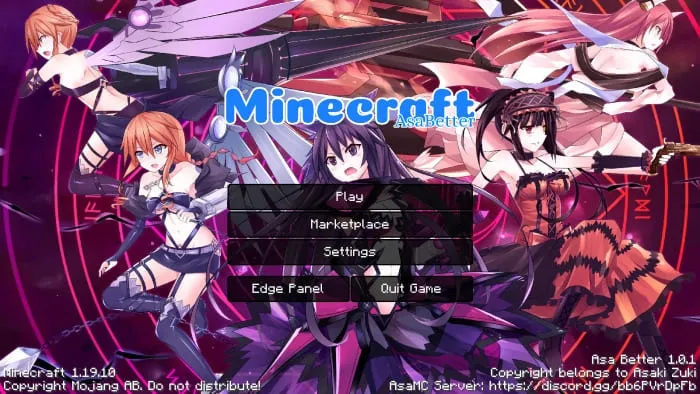
New Start Screen
Start screen now looks more like Java version:
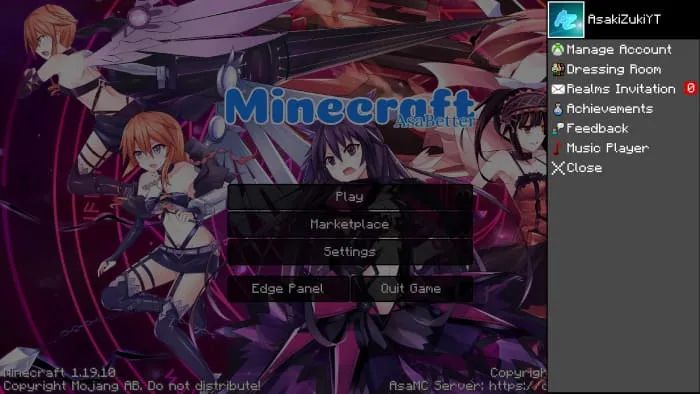
When you click on «Edge Panel», it will open an extra options panel for you:
New Settings UI
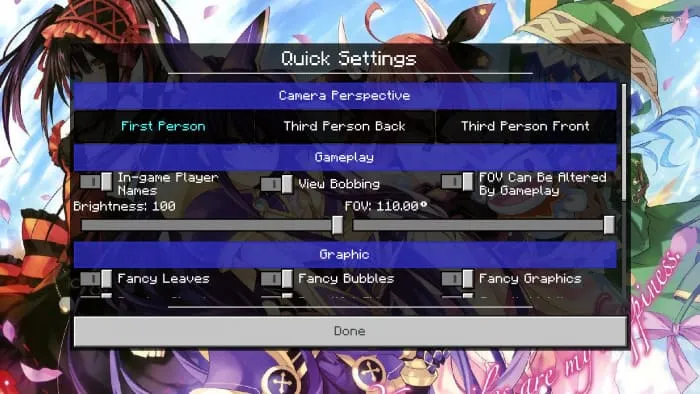
There will be a Quick Settings panel for you to set up, the buttons will have the words ON/OFF for you to recognize.
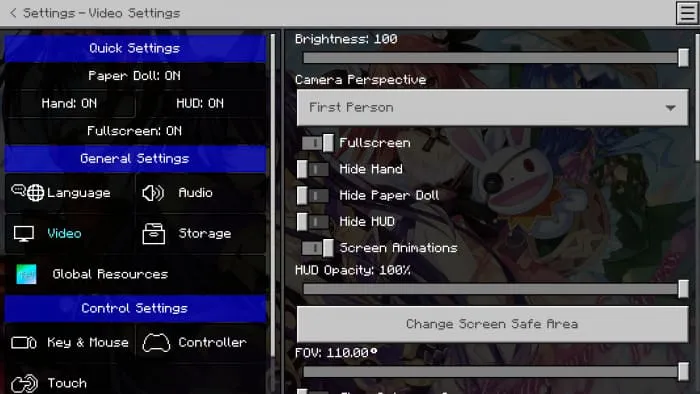
The Quick Setting button in the upper right corner will help you get to the settings screen faster:
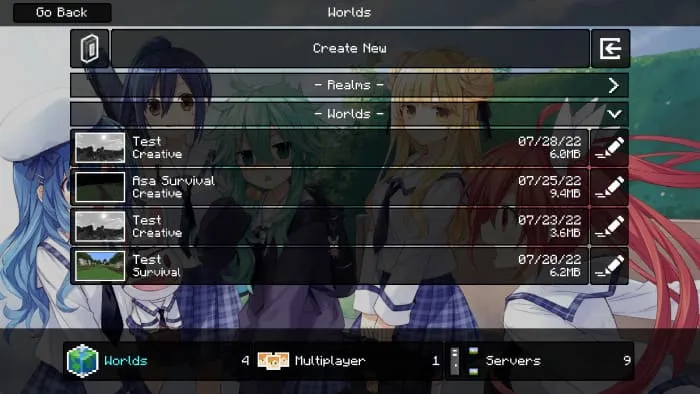
New Play Screen
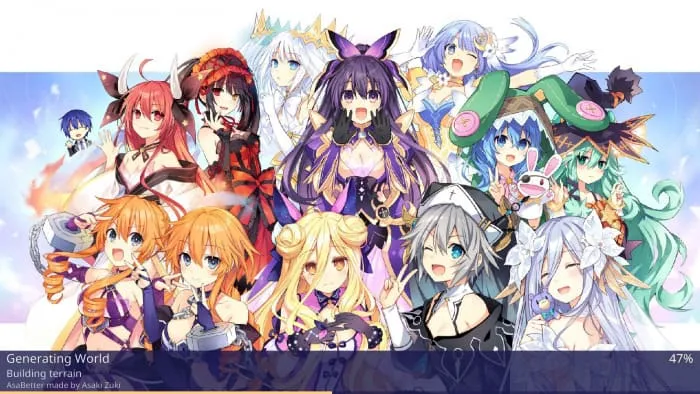
New Progress Screen
New HUD UI
Several HUD UI improvements:
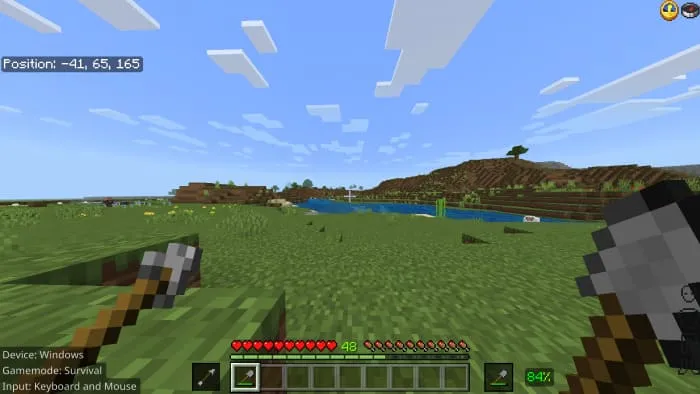
- The bottom left corner of the screen will show which device you are using, gamemode, operating system (iOS/Android) and input.
- The bottom right corner has the Armor HUD, which tells you what armor you are wearing, is there any enchantment.
- The top right corner will show the compass and clock on the HUD. You can also enable Recovery Compass (use extra Mod Menu).
- In the Hotbar, there will be more Offhand Slot, Mainhand Slot and Item Durability Percent (Thanks Chainsketch for the inspiration).
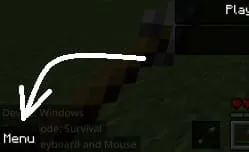
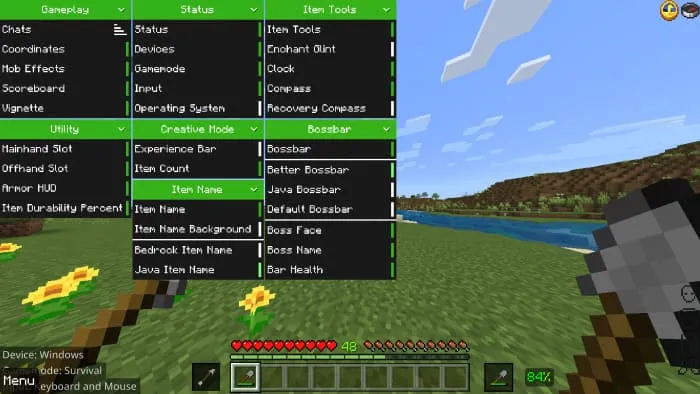
There's an extra Mod Menu, open by opening pause screen and click «Menu» in bottom left corner:
That will help you to set up your HUD:
New Inventory UI, Chest UI
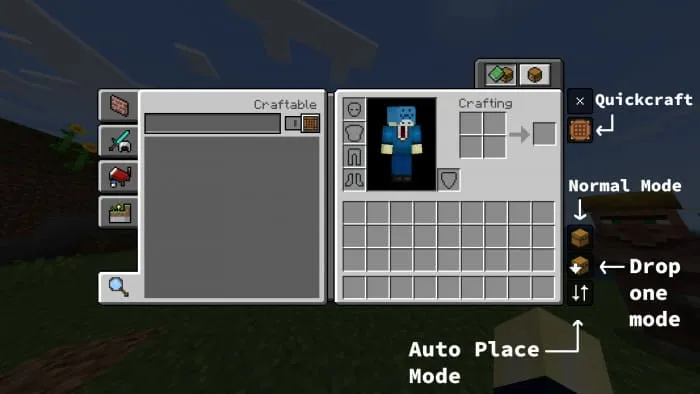
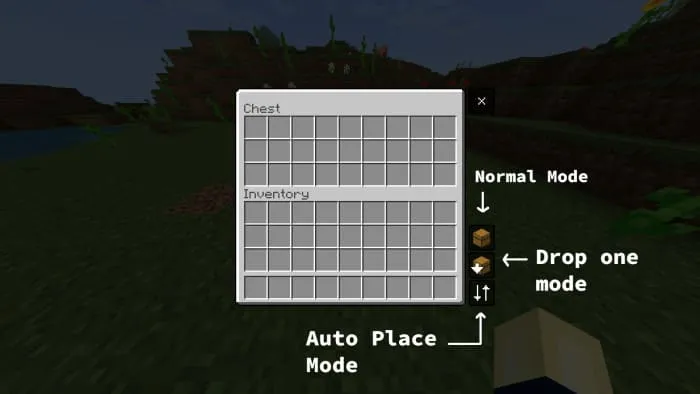
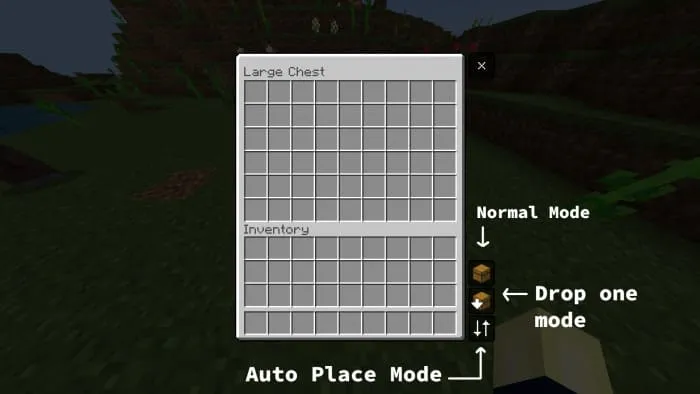
There will be 3 modes for Inventory:
- Normal Mode
- Drop one mode: Helps you drop an item when clicking on that item slot
- Auto place mode: Helps you loot items faster
Also try use Quickcraft: It helps you craft faster.
New Trade UI
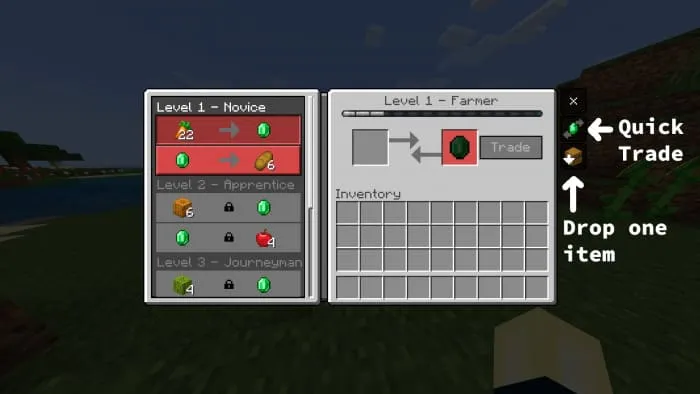
Makes all locked trades visibles and allows to see the locked item names and enchantments.
There also will be 2 modes:
- Quick Trade: Helps you trade with villagers faster.
- Drop one item: Used to drop 1 item.
New Pause Screen
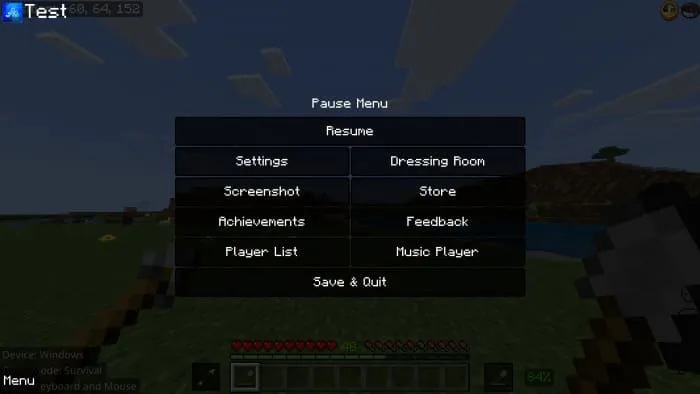
Player List will have its own screen:
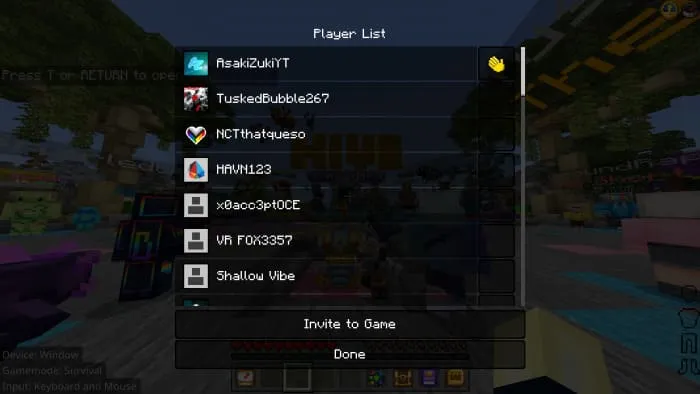
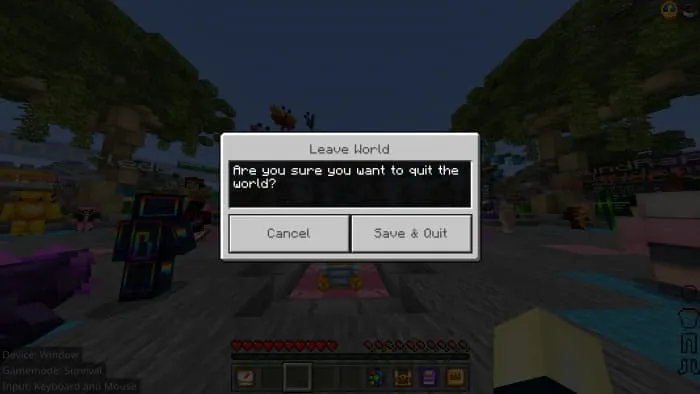
When you exit the world, there will be a dialog prompting you if you want to exit the world, to avoid you accidentally clicking the «Save & Quit» button by mistake:
Subpack
Added a subpack for you to choose the theme of the pack:
- Date A Live theme is for fans of this Anime series
- Default is the default and there will be no Anime


Few words from Asaki Zuki
Thank you everyone for your interest in my pack, I have tried my best to make it and help you have the best game experience
This pack can also cause conflicts with other packs.
Do not take my code without my permission ;-;
If you review my pack on platforms like Youtube, Twitter, etc, please put a link to ModBay ;-;
Updated on September 15
- Fixed an issue where the health bar and food bar were skewed to the side
- To be able to open the menu mods now have to double-click instead of single-click
- When you double-click on any item in the recipe book, you will either get that item (Creative Mode) or craft it (Survival Mode)
- Add Effect Status on screen
- Change the mod menu, when the main mod is disabled, the sub-mods will be hidden
- Pack type: .mcpack — a single pack
- Manifest requires Minecraft 1.17.30 or newer
- Complete pack — everything it depends on is inside the file
- Download link checked 18 Jun 2026 — working
- Mirrored on our own servers — the download does not depend on the original host
These come from our own check of the pack file, not from the source page.