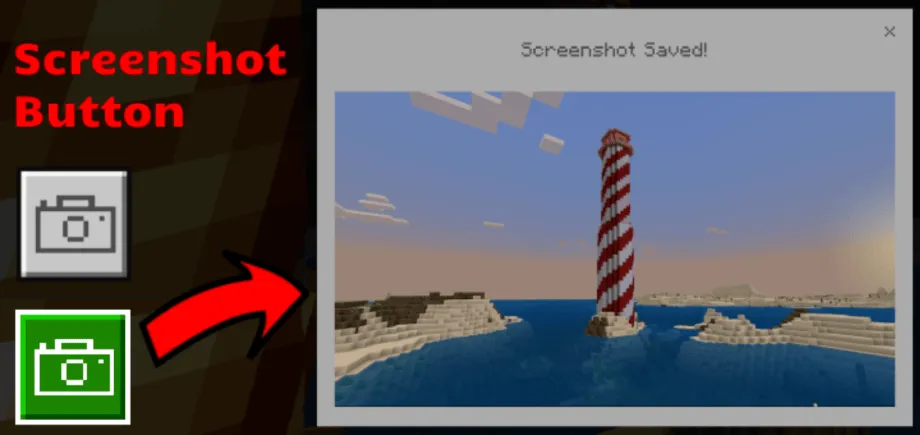
Screenshot Button texture pack for Minecraft
This pack lets you take in-game screenshots in worlds and servers! The screenshot button captures everything in game while hiding your hotbar, buttons and…
⬇ DownloadOpen in MCModsHubGet it on Google Play →The screenshot button captures everything in game while hiding your hotbar, buttons and hand.
How to Take a Screenshot
Press the screenshot button in the bottom left on the pause screen.


Example Images
The screenshots are great high-quality images perfect for professional or personal use.


Where are the screenshots saved?
Windows:
%userprofile%\AppData\Local\Packages\Microsoft.MinecraftUWP_8wekyb3d8bbwe\LocalState\games\com.mojang\Screenshots
(Copy and paste in file directory)
iOS:
On My iPhone/iPad > Minecraft > games > com.mojang > Screenshots
Android:
/Android/data/com.mojang.minecraftpe/files/games/com.mojang/Screenshots
Links
View files and make contributions on GitHub:
- Pack type: .mcpack — a single pack
- Manifest requires Minecraft 1.16.0 or newer
- Complete pack — everything it depends on is inside the file
- Download link checked 18 Jun 2026 — working
- Mirrored on our own servers — the download does not depend on the original host
These come from our own check of the pack file, not from the source page.