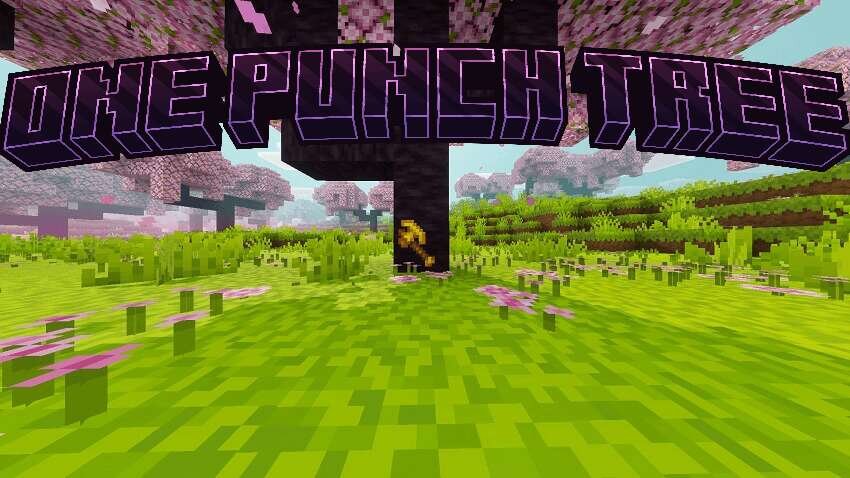





Wood harvesting can be much faster and more convenient. With One Punch Tree, simply hit the base of a tree trunk and the entire tree falls at once. The feature correctly accounts for enchantments, supports Realms, and is compatible with current versions. Flexible parameter system lets each player customize limits for their needs. Features: Custom settings item (opt:config book) - click to open menu settings, auto-save after death. Menu settings include: Break Leaves - toggle automatic leaf destruction, Particles - toggle particle effects, Silk Touch Leaves - choose if leaves drop or disappear, Max Horizontal Spread (1-16 blocks), Max Blocks Up (1-64 blocks), Max Blocks Down (0-10 blocks), Max Total Blocks (100-2000), Reset to Defaults. Activation: Hold Axe and press Crouch + Use for Enable/Disable. After enabling, chop trees standing, running, or flying.
Quick facts
- Edition: Minecraft Bedrock
- File type: .mcpack or .mcaddon
- How to install: Download the .mcpack or .mcaddon file. → Open it — Minecraft imports it. → In your world: Behavior Packs → Available → Activate, then the same under Resource Packs.
- Where to get it: In MCModsHub, or directly above on this page.
Install steps are the general flow for this file type — How to install Minecraft Bedrock addons & mods walks through it step by step.
Verified by MCModsHub
- Pack type: .mcaddon — behaviour and resource pack in one file
- Manifest requires Minecraft 1.21.120 or newer
- Complete pack — everything it depends on is inside the file
- Download size: 15 KB
- Download link checked 18 Jun 2026 — working
- Mirrored on our own servers — the download does not depend on the original host
These come from our own check of the pack file, not from the source page.