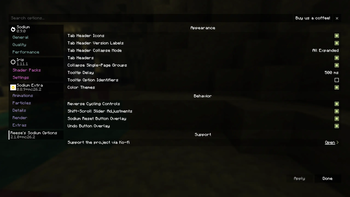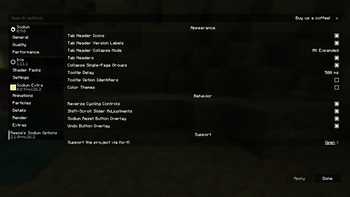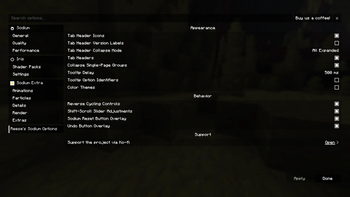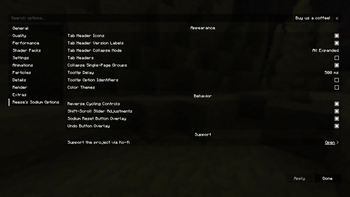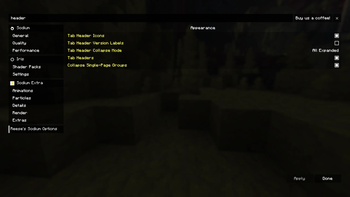


Reese's Sodium Options replaces Sodium's options screen with an alternate layout and styling focused on a compact, navigable configuration experience.
Modern Sodium already provides a full configuration screen and public options API. RSO is mainly an alternative frontend for users who prefer its tab layout, grouped presentation, styling, and extra quality-of-life controls.
Features
- Alternative Sodium options screen layout and styling.
- Search bar for quickly finding options.
- Scrollable vertical tab list and option pages.
- Collapsible mod tab groups with configurable behavior.
- Collapsible option groups within pages.
- Customizable tab headers, including icons and version labels.
- Configurable tooltip delay and optional option ID display.
- Focused option tooltips for keyboard/controller navigation.
- Optional color themes for option pages and controls.
- Per-option reset-to-default overlay.
- Per-option undo overlay for modified options.
SHIFT+ scroll slider adjustments.- Optional reverse cycling controls.
- Improved keyboard navigation.
- UI narration support.
- Optional Controlify support for controller navigation and button guides.
- Option to disable RSO and return to Sodium's default options screen.
Screenshots


Requirements
Optional Integrations
- Controlify for controller navigation support.
Notes
RSO is a client-side UI replacement for Sodium's options screen. It is not required for Sodium configuration, and it is intended for users who prefer RSO's layout, styling, and quality-of-life behavior.
Sodium Options API is no longer supported on versions where Sodium already provides the relevant options API directly.
Please do not ask CaffeineMC for support with this mod. Reese's Sodium Options has no affiliation with CaffeineMC.
Support the Project
If you want to support the time that goes into maintaining Reese's Sodium Options and my other Minecraft mods, you can do so through Ko-fi.
- Edition: Minecraft Java
- File type: .jar
- Minecraft version listed: 26.2
- How to install: Install the matching mod loader (Forge, Fabric or NeoForge) for your Minecraft version. → Download the .jar. → Put it in the .minecraft/mods folder and launch that loader profile.
- Where to get it: Opens on Modrinth — not every file is mirrored on our own servers.
Install steps are the general flow for this file type — How to install Minecraft Java mods & modpacks walks through it step by step.
- Ships as reeses-sodium-options-fabric-2.2.3+mc26.2.jar — drop this file into the mods folder
- Download size: 253 KB
- Download link checked 10 Sept 2026 — working
These come from our own check of the pack file, not from the source page.