QuickStack
QuickStack — Sneak + right-click a chest to instantly deposit all matching items. By CIServerModding. All rights reserved. Realm & Multiplayer Friendly
I don't know my version

© CIServerModding. All rights reserved.
Available exclusively on CurseForge and MCPEDL. Do not reupload.
PATREON GIVEAWAY - Be one of the first 100 people to redeem a free 1 month membership of Donator!
━━━━━━━━━━━━━━━━━━━━━━━━━━━━━━━━━━━━
QUICKSTACK
by CIServerModding
━━━━━━━━━━━━━━━━━━━━━━━━━━━━━━━━━━━━
Sneak + right-click a chest to instantly deposit all matching items!
A quality-of-life inventory addon that saves you from manually
dragging items into chests one by one. Just sneak and right-click
any container, and QuickStack deposits every item in your inventory
that matches a type already in the container.
★ HOW IT WORKS ★
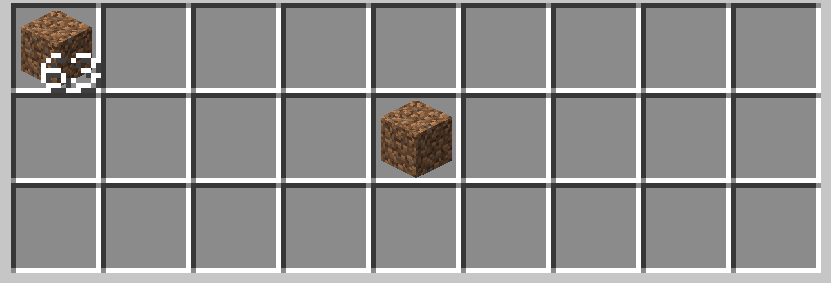
• Place items in a chest (e.g., 10 dirt, 5 cobblestone)
• Fill your inventory with various items
• SNEAK + RIGHT-CLICK the chest
• All dirt and cobblestone instantly deposit into the chest
• The chest UI never opens — it's seamless!
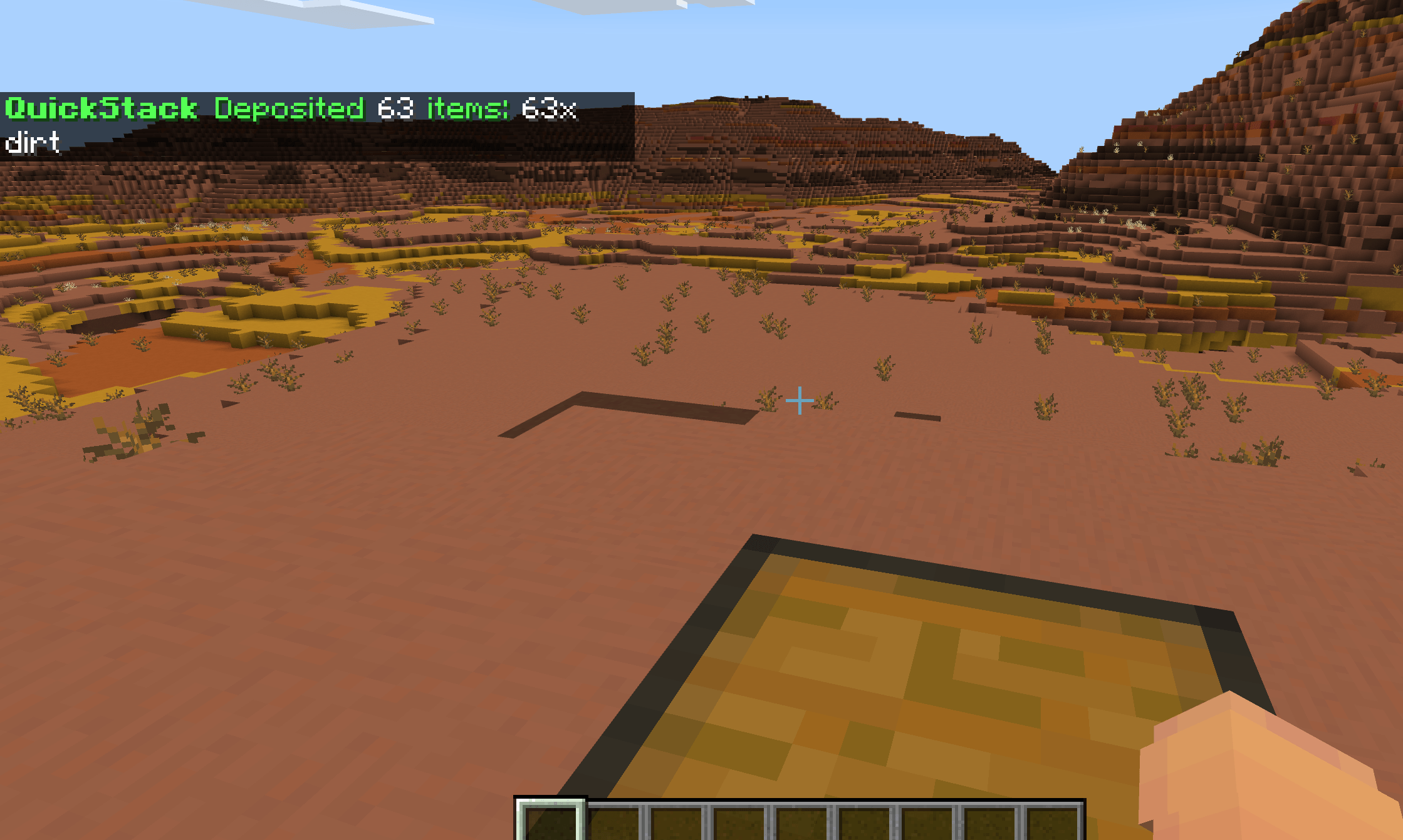
• You get a chat summary: "Deposited 15 items: 10x dirt, 5x cobblestone"
★ FEATURES ★
• Sneak + right-click ANY container to QuickStack
• Only deposits items that match types already in the container
• Partial stacks handled (leftovers stay in your inventory)
• Works with chests, trapped chests, barrels, shulker boxes, hoppers,
dispensers, droppers, and furnaces
• Chest UI suppressed (seamless — no menu opening)
• Item count summary in chat feedback
• /quickstack command to toggle on/off
• Welcome message on join
★ COMPATIBILITY ★
• Works with ALL other addons
• No experiments required (uses the STABLE @minecraft/server 2.1.0 API)
• No cheats or operator rank needed — any player can use it
• No player.json override — pure script logic, cannot conflict
• No RP entity overrides — cannot conflict with other addons' entities
• Place at the bottom of your Behavior Pack list for command loading
★ REQUIREMENTS ★
• Minecraft Bedrock 26.40+
• Both the Behavior Pack AND Resource Pack must be enabled
★ HOW TO USE ★
1. Download the .mcaddon
2. Open it — Minecraft imports both packs automatically
3. Create or edit a world
4. Enable both the QuickStack BP and RP in your world settings
5. Place a chest and put a few items in it
6. Fill your inventory with matching + non-matching items
7. Sneak (hold Shift) + right-click the chest
8. Matching items instantly deposit! No chest UI opens.
9. Type /quickstack to toggle the feature on/off
★ TIPS ★
• Great for sorting mining loot — put one of each ore in a chest,
then QuickStack to deposit the rest
• Works with barrels for storage rooms
• Works with shulker boxes for portable sorting
• The chest UI is suppressed, so you can QuickStack repeatedly
without closing menus
• Non-matching items stay in your inventory (safe — won't dump
everything)
★ TECHNICAL DETAILS ★
• Architecture: pure script logic (no entities, no player.json, no RP overrides)
• Uses world.beforeEvents.playerInteractWithBlock (cancellable)
• Chest-type snapshot ensures only pre-existing types match
• Container.addItem() handles auto-stacking + partial leftovers
• All mutations deferred via system.run() (restricted-execution mode)
★ CREDITS ★
Publisher: CIServerModding (All rights reserved)
Developer: ClockSplice
Available exclusively on CurseForge and MCPEDL
★ BUG REPORTS & FEATURE REQUESTS ★
Found a bug? Want a feature added or removed? Let me know in the
comments! I read all feedback and will address issues as quickly
as possible.
"They literally just dropped this masterpiece to save our inventories, and it is a total game-changer for Bedrock players!"
© CIServerModding. All rights reserved.
Available exclusively on CurseForge and MCPEDL. Do not reupload.
- Edition: Minecraft Bedrock
- File type: .mcpack or .mcaddon
- Minecraft versions listed: 26.40, 26.30
- How to install: Download the .mcpack or .mcaddon file. → Open it — Minecraft imports it. → In your world: Behavior Packs → Available → Activate, then the same under Resource Packs.
- Where to get it: Opens on CurseForge — not every file is mirrored on our own servers.
Install steps are the general flow for this file type — How to install Minecraft Bedrock addons & mods walks through it step by step.
- Pack type: .mcaddon — behaviour and resource pack in one file
- Manifest requires Minecraft 1.26.40 or newer
- Complete pack — everything it depends on is inside the file
- Download size: 39 KB
- Download link checked 26 Aug 2026 — working
These come from our own check of the pack file, not from the source page.