ShadersJava
WVP Shader (Wozt Vanilla Plus Shader)
Java shader pack listed for Minecraft 1.16–1.21. Downloads from the MC Java Mods app on Android.
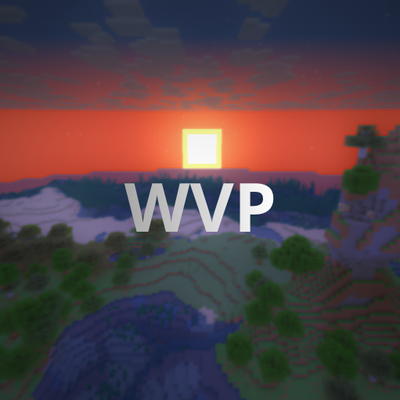
Enhance your Minecraft with vibrant colors, warm lighting, and smooth performance. The ultimate Vanilla+ experience.
⬇ Download on CurseForge


WVP SHADER (WOZT VANILLA PLUS SHADER)
Welcome to WVP Shader, a lightweight and performance-friendly Vanilla+ shader designed to enhance your Minecraft world with vibrant colors and cozy lighting while maintaining the classic vanilla aesthetic.
🚀 Perfect for low-end PCs and everyday gameplay!
✨ Features
- 🎨 Vibrant Colors & Cozy Lighting: Enhanced tonemapping for a warm, lively, and immersive atmosphere.
- ☁️ Custom Rounded 3D Clouds: Gorgeous, stylized 3D blocky clouds that fit the Minecraft grid perfectly.
- 🌊 Beautiful Clear Water: Improved underwater visibility and realistic waving water effects.
- 🍃 Waving Foliage: Subtle, natural waving animations for leaves and plants.
- 🚀 Performance First: Highly optimized code. Enjoy high FPS even on integrated graphics!
- 🎮 In-game Quality Profiles: Easily toggle between Potato, Medium, High, and Cinematic presets in the shader options.
🛠️ Installation
- Make sure you have Iris Shader Mod (recommended) or OptiFine installed.
- Download the WVP Shader zip file.
- Drop the zip file into your
.minecraft/shaderpacksfolder. - Enable it in-game via Video Settings -> Shader Packs.
Quick facts
- Edition: Minecraft Java
- File type: .zip (resource pack)
- Minecraft versions listed: 1.17.1, 1.21, 1.18.1
- How to install: Download the .zip resource pack — do not unzip it. → Put it in .minecraft/resourcepacks. → Enable it in Options → Resource Packs.
- Where to get it: Opens on CurseForge — not every file is mirrored on our own servers.
Install steps are the general flow for this file type — see the MC Java Mods guides for the full walkthrough.
File checked by MCModsHub
- Downloads as WVP-Shader-v1.1.zip
- Download size: 5 KB
- Download link checked 27 Oct 2026 — working
These come from our own check of the pack file, not from the source page.