![Felicia's Connected Glass [ACHIEVEMENT FRIENDLY]](https://files.mcmodshub.com/img/curseforge/89895.jpg)
Felicia's Connected Glass [ACHIEVEMENT FRIENDLY]
Bedrock add-on listed for Minecraft 1.21–26.x (resource pack only). File opened and checked on 20 Sep 2026; installs from the MC Bedrock Mods app on Android.
⬇ Download on CurseForge![Felicia's Connected Glass [ACHIEVEMENT FRIENDLY] — screenshot 1](https://files.mcmodshub.com/img/curseforge/89895_s1260736.jpg)
![Felicia's Connected Glass [ACHIEVEMENT FRIENDLY] — screenshot 2](https://files.mcmodshub.com/img/curseforge/89895_s1260737.jpg)
![Felicia's Connected Glass [ACHIEVEMENT FRIENDLY] — screenshot 3](https://files.mcmodshub.com/img/curseforge/89895_s1260738.png)
![Felicia's Connected Glass [ACHIEVEMENT FRIENDLY] — screenshot 4](https://files.mcmodshub.com/img/curseforge/89895_s1260739.png)
![Felicia's Connected Glass [ACHIEVEMENT FRIENDLY] — screenshot 5](https://files.mcmodshub.com/img/curseforge/89895_s1260740.png)
![Felicia's Connected Glass [ACHIEVEMENT FRIENDLY] — screenshot 6](https://files.mcmodshub.com/img/curseforge/89895_s1260741.png)
✨ What Is Felicia's Connected Glass?
Ever build a huge glass window and wish it looked a little cleaner? :)
Minecraft's glass has visible borders between every block, which can make large windows and glass walls feel busy and cluttered.
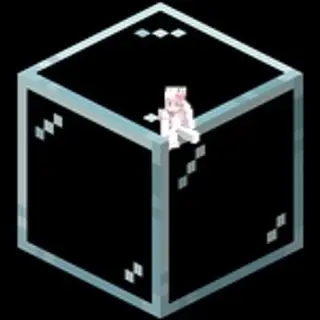
Felicia's Connected Glass fixes that by making connected glass look like one smooth surface instead of lots of separate blocks.
The result?
• Cleaner windows
• Better-looking skylights
• Smoother glass walls
• A more polished build overall <3
🪟 Supported Glass Types
This pack works with:
• Regular Glass
• Glass Panes
• All Stained Glass Colors
• All Stained Glass Pane Colors
No special versions needed.
Just use the glass you're already using :3
💖 Why Use It?
• Makes modern builds look much cleaner
• Large windows feel more open and seamless
• Less visual clutter from glass borders
• Keeps the vanilla Minecraft style intact
• Great for houses, cities, skyscrapers, and greenhouses
It's one of those small changes that becomes hard to play without once you get used to it :)
⚙️ How It Works
There are no extra blocks.
There are no crafting recipes.
There are no settings to configure.
Simply:
• Install the pack
• Join your world
• Place glass normally
That's it.
📌 Important Note
If glass was already placed before installing the pack, it won't automatically update.
Simply:
• Break the old glass block
• Place it again
The connected texture will appear normally afterward :3
🎮 Survival Friendly
✔ Achievement friendly
✔ No gameplay changes
✔ No behavior pack required
✔ Safe to use in survival worlds
✔ Purely visual enhancement
Final Thoughts
Felicia's Connected Glass doesn't try to reinvent Minecraft.
It simply makes glass look the way many players wish it always had :)
Clean windows.
Smooth connections.
Less clutter.
Just glass. <3
- Edition: Minecraft Bedrock
- File type: .mcpack or .mcaddon
- Minecraft versions listed: 26.0.02, 26.0, 26.3
- How to install: Download the .mcpack or .mcaddon file. → Open it — Minecraft imports it. → In your world: Behavior Packs → Available → Activate, then the same under Resource Packs.
- Where to get it: Opens on CurseForge — not every file is mirrored on our own servers.
Install steps are the general flow for this file type — How to install Minecraft Bedrock addons & mods walks through it step by step.
- Pack type: .mcpack — a single pack
- Manifest requires Minecraft 1.21.30 or newer
- Complete pack — everything it depends on is inside the file
- Download size: 42 KB
- Download link checked 7 Oct 2026 — working
These come from our own check of the pack file, not from the source page.