Alex's Caves
Java mod listed for Minecraft 1.20. File opened and checked on 21 Sep 2026; downloads from the MC Java Mods app on Android.
⬇ Download on Modrinth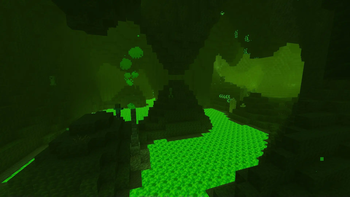

This mod requires Citadel
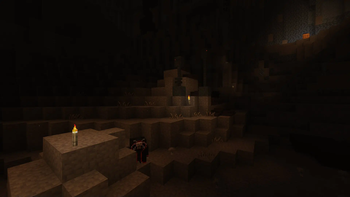
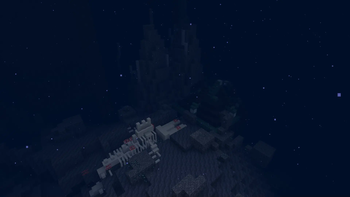
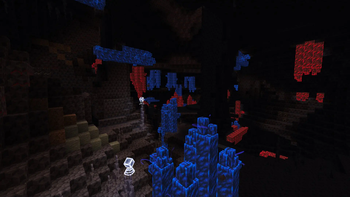
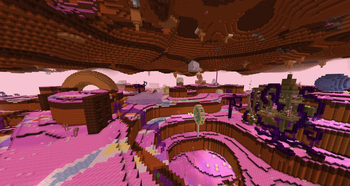
Alex’s Caves is a Forge mod for Minecraft 1.20.1 that adds 6 new cave biomes to the Overworld. Unlike most normal biomes, these cave biomes are exceedingly rare - yet they all contain a variety of unique blocks, items, mobs and mechanics that makes them considerable subterranean destinations. These six biomes are the Magnetic Caves, the Primordial Caves, the Toxic Caves, the Abyssal Chasm, the Forlorn Hollows and the Candy Cavity.
To find any of these cave biomes, you’ll need to discover an Underground Cabin anywhere in the overworld. From there, you will find loot barrels with cave tablets and a Cave Compendium - a guide book for Alex’s Caves that should provide you with all the knowledge needed to find and explore any biome added by the mod. For more information on getting started, see the ‘Getting Started’ section on the mod’s wiki.
Alex’s Caves is a very large mod with a great deal of effort put into the look and feel of each new biome. Each biome added may have its own ambient particles, fog, brightness, light color and more. Because of this, it is recommended to experience this mod without shaders, since many shaders can alter or worsen the unique appearance of several of the biomes. The mod also has built-in compatibility with Just Enough Items and Alex’s Mobs.
Any additional questions can be answered on the Discord server, and bugs can be reported on Github.
Credits:
Creators:
- Alexthe668: programmer and co-creator
- Noonyeyz: artist and co-creator
Sound Team:
- PrismaticPinky: sound design
- LudoCrypt: musician
- Gatetoh: musician and sound design
- Arby698: sound design
- RenRen: musician
- _Ninni: sound design
Documentation Team:
- HolidayRaptor: documentation
- PlummetStudios: documentation
- Edition: Minecraft Java
- File type: .jar
- Minecraft version listed: 1.20.1
- How to install: Install the matching mod loader (Forge, Fabric or NeoForge) for your Minecraft version. → Download the .jar. → Put it in the .minecraft/mods folder and launch that loader profile.
- Where to get it: Opens on Modrinth — not every file is mirrored on our own servers.
Install steps are the general flow for this file type — How to install Minecraft Java mods & modpacks walks through it step by step.
- Ships as alexscaves-2.0.2.jar — drop this file into the mods folder
- Download size: 71.4 MB
- Download link checked 7 Oct 2026 — working
These come from our own check of the pack file, not from the source page.